![enginehire logo thin dark 1.0.png]](https://learn.enginehire.io/hs-fs/hubfs/enginehire%20logo%20thin%20dark%201.0.png?height=40&name=enginehire%20logo%20thin%20dark%201.0.png)
Let's get Started🚀
Step 1. Login to the platform and Navigate to Candidates.
Step 2. Open any candidate's profile from the Candidates section. 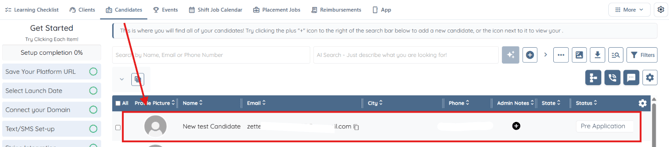
Step 3. Navigate to the Admin section.
Step 4. Navigate to the Rewards section.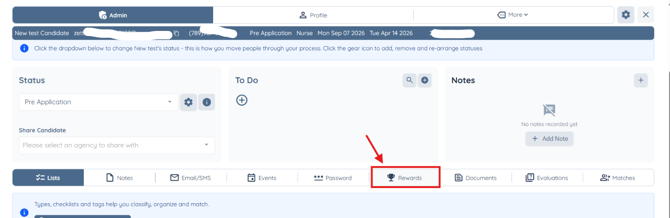
Step 5. Under Candidate Point Manager section look for the newly added point deduction settings for caregiver call-outs, late cancellations, and no-shows.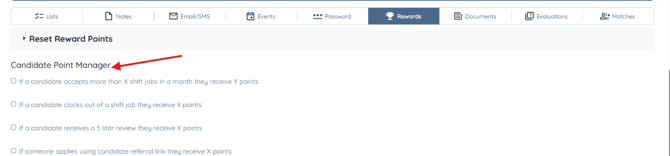
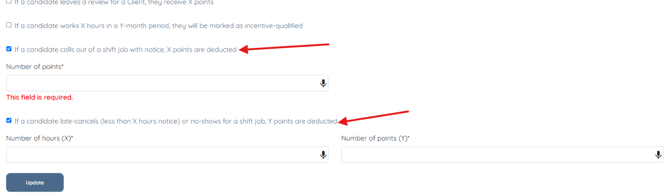
Step 6. Enable the “If a candidate calls out of a shift job with notice, X points are deducted” setting and enter the number of points to deduct when a candidate calls out with notice.
For demonstration purposes we set the deduction amount as 2 points.
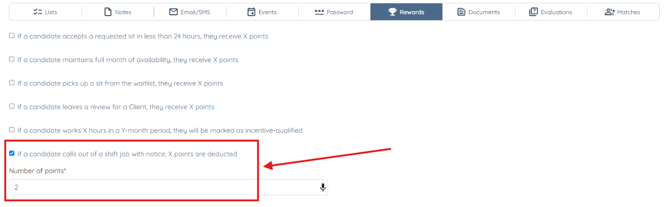
Once enabled, the system will automatically deduct the configured number of points from a candidate’s rewards balance whenever they call out of a shift job with notice. This helps agencies track caregiver reliability through the rewards system.
Step 7. Enable this setting and specify the notice period and point deduction amount.
The point deduction and notice period values shown are for demonstration purposes only.
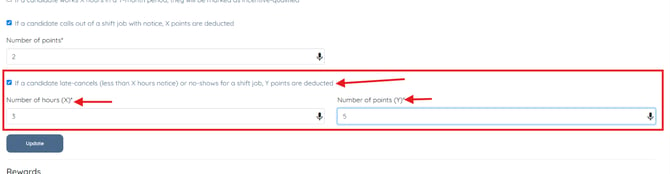
Once enabled, points will be deducted from the candidate’s rewards balance if they cancel a shift with less than the specified notice period or fail to show up for the shift.
Step 8. Click Update to save the configured rewards point deduction settings. 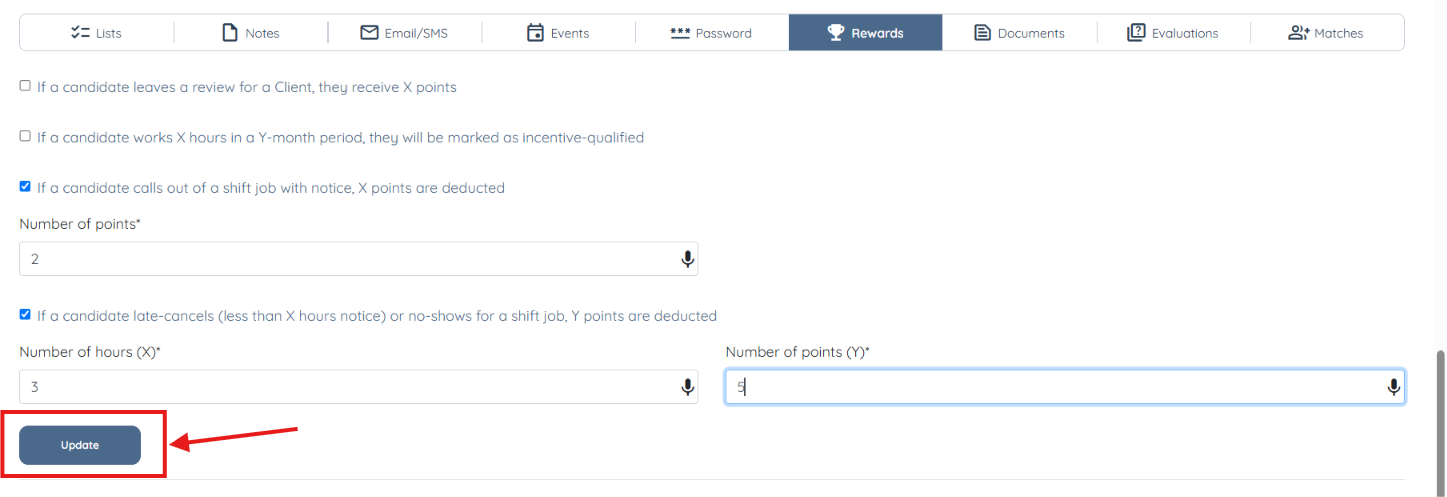
Once saved, the system will apply the configured point deductions for caregiver call-outs with notice, as well as late cancellations and no-shows, according to the selected settings.