![enginehire logo thin dark 1.0.png]](https://learn.enginehire.io/hs-fs/hubfs/enginehire%20logo%20thin%20dark%201.0.png?height=40&name=enginehire%20logo%20thin%20dark%201.0.png)
Let’s get started 🚀
Step 1: Log in to your agent dashboard and click Candidates in the navigation bar.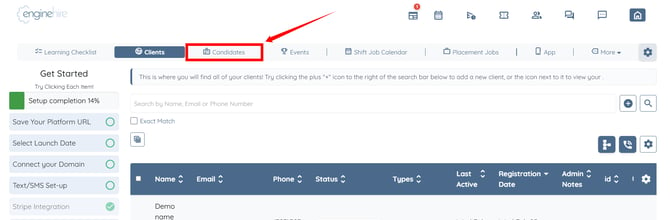
Step 2: Click the gear icon as shown in the screenshot below to open the Candidate Settings.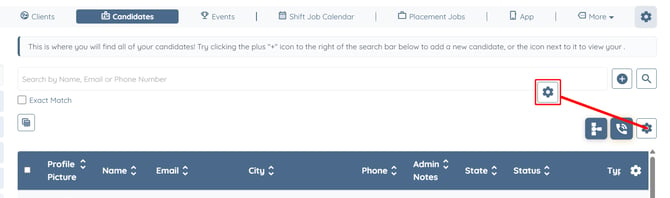
Step 3: Click the Documents option to expand and view its details.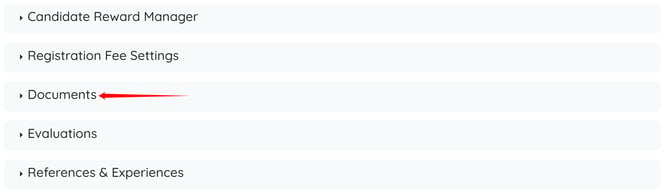
Step 4: Click the box under the Method to Notify option to open the dropdown list.
This option is only available if document expiry notifications have been configured for candidates and admins.
To learn how to configure document expiry notifications, refer to the How to Send Email Notifications to Candidates and Admins When Documents Are Expiring article.
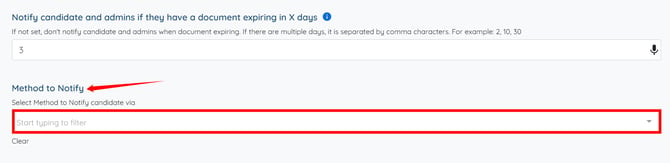
Step 5: Select the notification method(s) you want to use for notifying candidates about expiring documents. 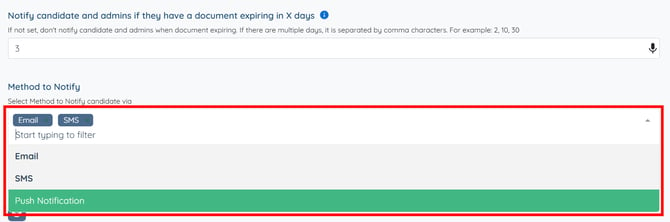
The settings will be saved automatically.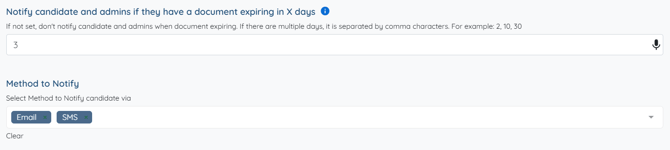
To learn how to create SMS and push notification templates for candidate document expiry notifications, refer to the Configure Document Expiry SMS and Push Notifications article.