![enginehire logo thin dark 1.0.png]](https://learn.enginehire.io/hs-fs/hubfs/enginehire%20logo%20thin%20dark%201.0.png?height=40&name=enginehire%20logo%20thin%20dark%201.0.png)
Let’s get started 🚀
Set the Client Address to the Job Address
Enable this setting to automatically update the main client's profile address to match the address entered when a new job is created by the Backup Care Assistant.
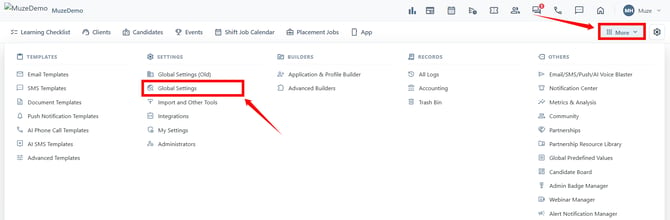
Step 1: Log in to your agent dashboard and click More > Global Settings as shown in the screenshot below.
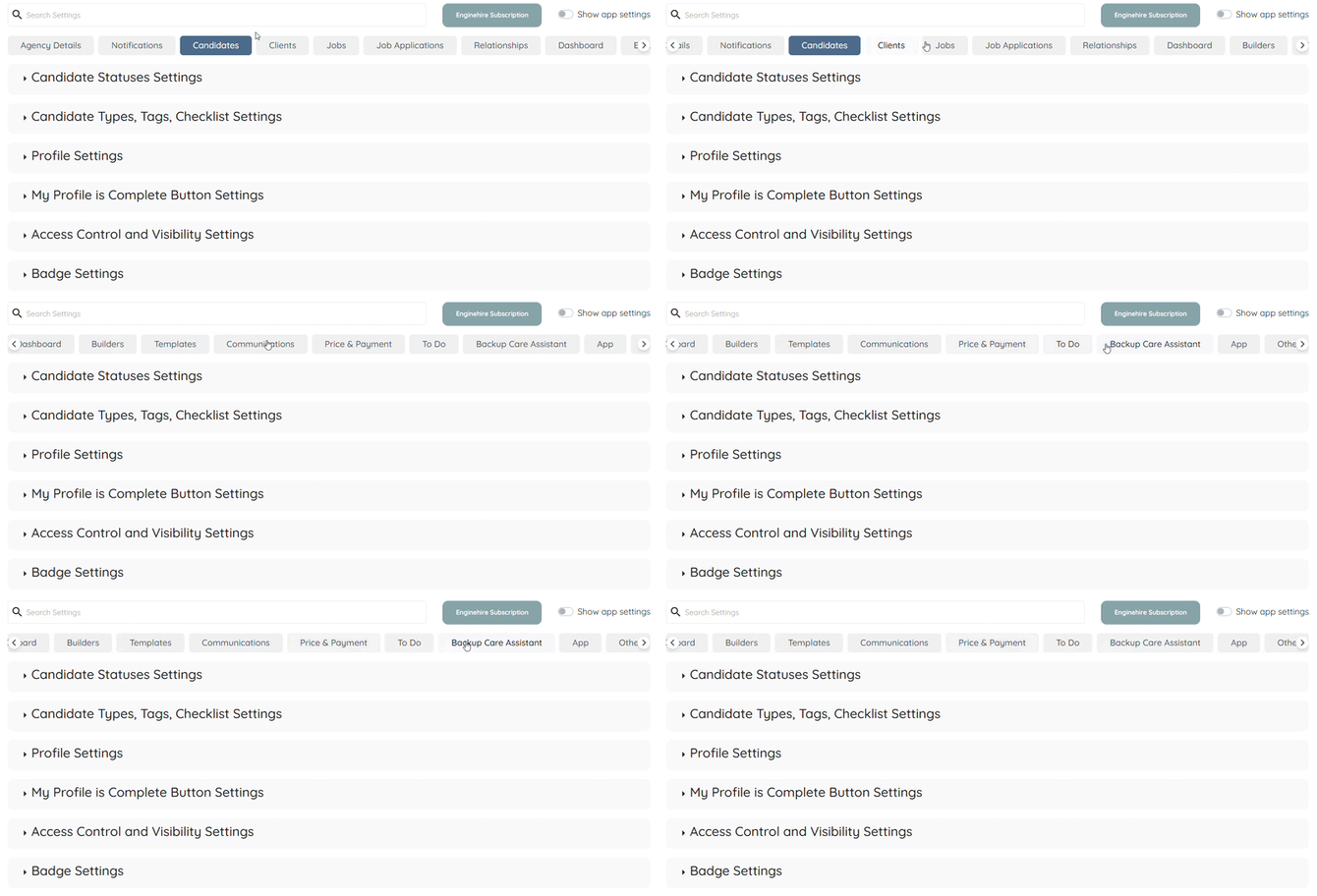
Step 2: Scroll tabs to the left and click the Backup Care Assistant tab.
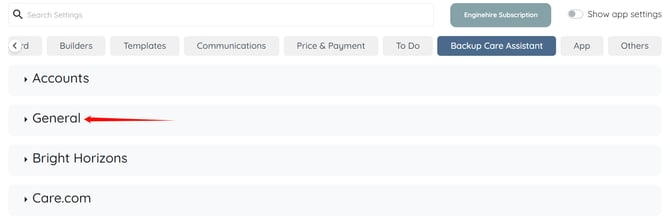
Step 3: Click the General option to expand and view its details.
Step 4: Scroll down to the bottom and select the When a job is created by the backup care assistant, set the client address to the job address checkbox.
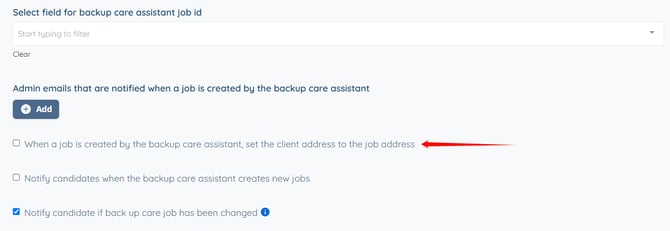
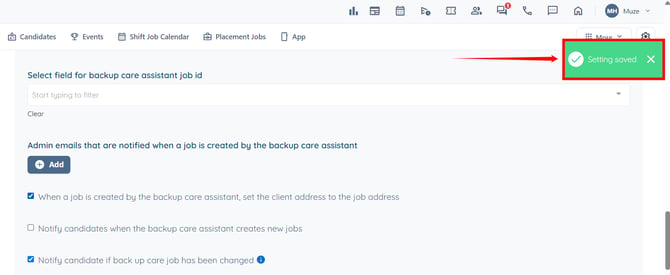
The settings will be saved automatically.
Update Client Contact Information from Bright Horizons
Enable this setting to retrieve available client contact information from Bright Horizons (BH) and update the corresponding fields in the client's profile whenever matching information is available.
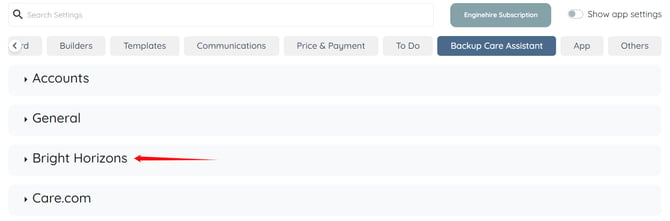
Step 1: On the Backup Care Assistant tab, click the Bright Horizons option to expand and view its details.
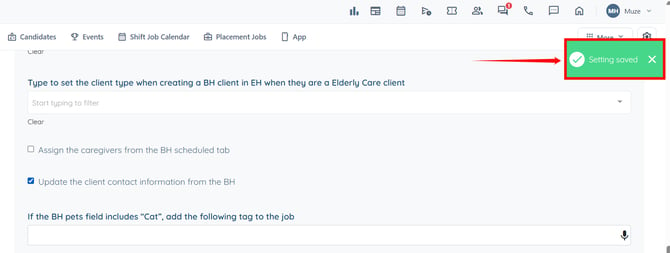
Step 2: Locate and enable the Update the client contact information from the BH checkbox.
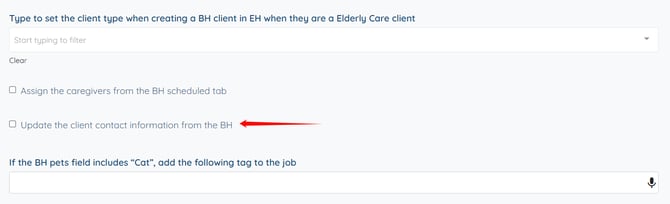
The settings will be saved automatically.