![enginehire logo thin dark 1.0.png]](https://learn.enginehire.io/hs-fs/hubfs/enginehire%20logo%20thin%20dark%201.0.png?height=40&name=enginehire%20logo%20thin%20dark%201.0.png)
Settings
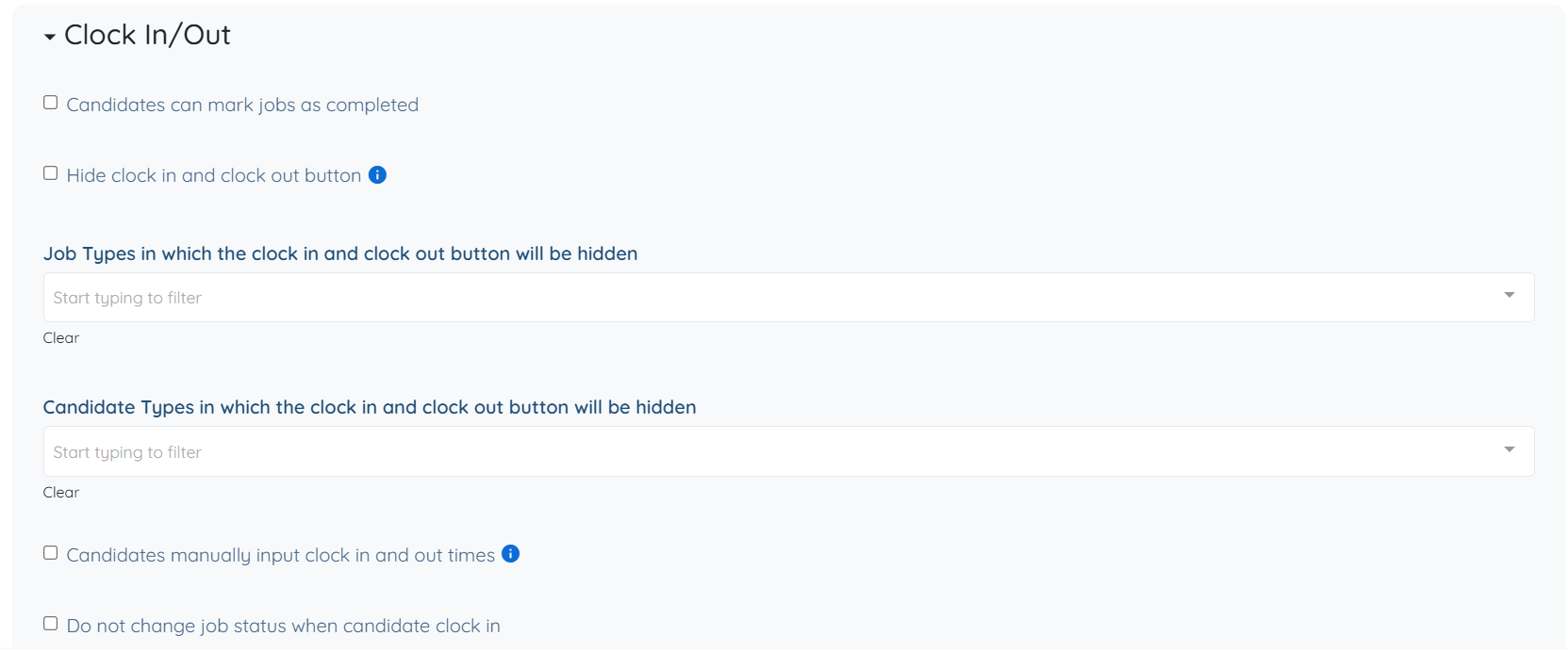
The following settings are available under the Clock In/Out option and can be configured based on your requirements.
- Candidates can mark jobs as completed
Allows candidates to manually mark a job as completed. - Hide clock in and clock out button
Removes the clock in and clock out options from the candidate view. - Job Types in which the clock in and clock out button will be hidden
Defines specific job types where clock in and clock out functionality is disabled. - Candidate Types in which the clock in and clock out button will be hidden
Specifies candidate types for which clock in and clock out options are not available. - Candidates manually input clock in and out times info
Allows candidates to manually enter their clock in and clock out times. - Do not change job status when candidate clocks in
Prevents automatic job status updates when the candidate clocks in. - Do not change job status when candidate clocks out
Prevents automatic job status updates when the candidate clocks out. - Number of minutes before the shift start time to show the clock in button
Defines how early the clock in option becomes available before the shift start time. - Get candidate location when they clock in and out of jobs
Captures the candidate’s location when they clock in and clock out. - Status to set shift jobs to when candidate clocks out
Defines the job status after the candidate clocks out. - Minutes interval when candidate clock in and out
Controls the allowed time intervals for clock in and clock out actions. - If candidate is late clocking in or out by more than X minutes, make adding notes mandatory
Requires candidates to provide notes if they are late beyond a defined threshold. - Custom message for candidates on clockout
Displays a custom message to candidates when they clock out. - Candidate's signature is required to clock out
Requires candidates to provide a signature before completing clock out.
This article covers settings for the Clock In/Out option in the My Jobs tab. To explore all available options and settings, refer to the Configure the My Jobs Tab for Candidates article.