![enginehire logo thin dark 1.0.png]](https://learn.enginehire.io/hs-fs/hubfs/enginehire%20logo%20thin%20dark%201.0.png?height=40&name=enginehire%20logo%20thin%20dark%201.0.png)
Let’s get started 🚀
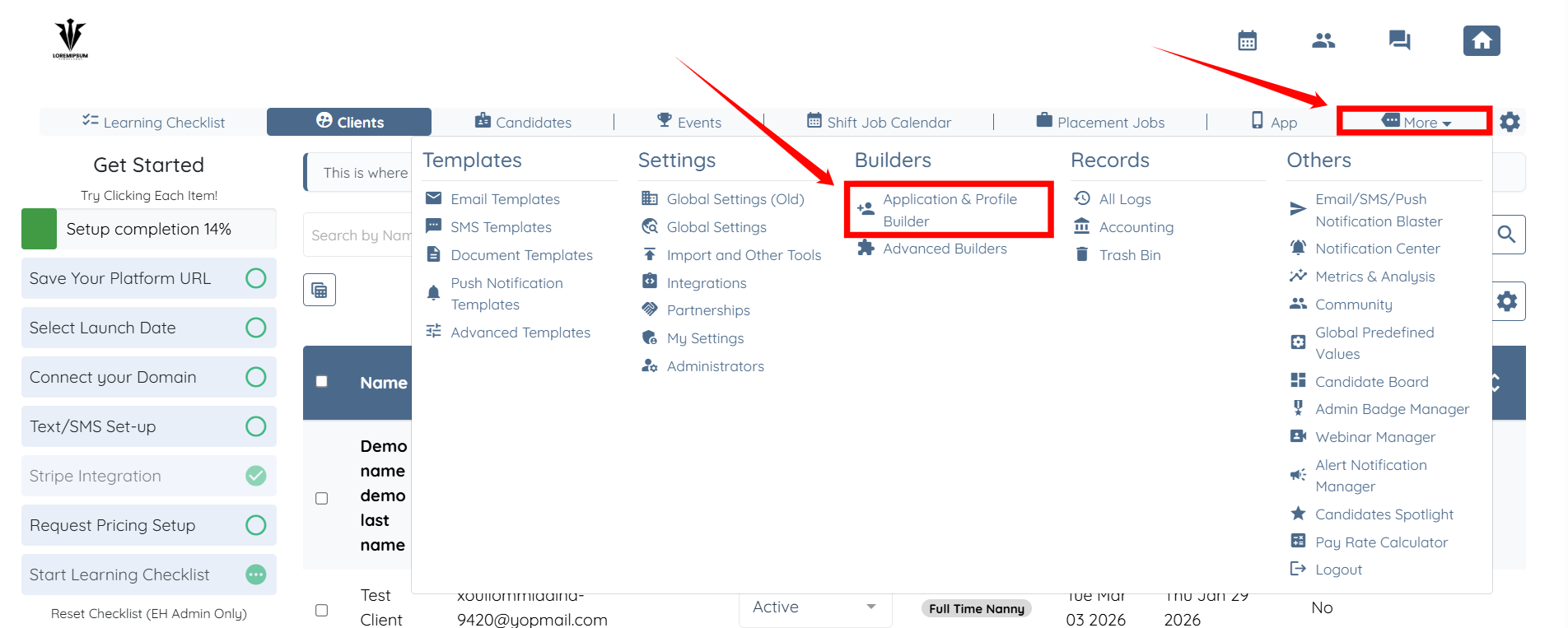
Step 1: Log in to your agent dashboard and click More > Application & Profile Builder as shown in the screenshot below.
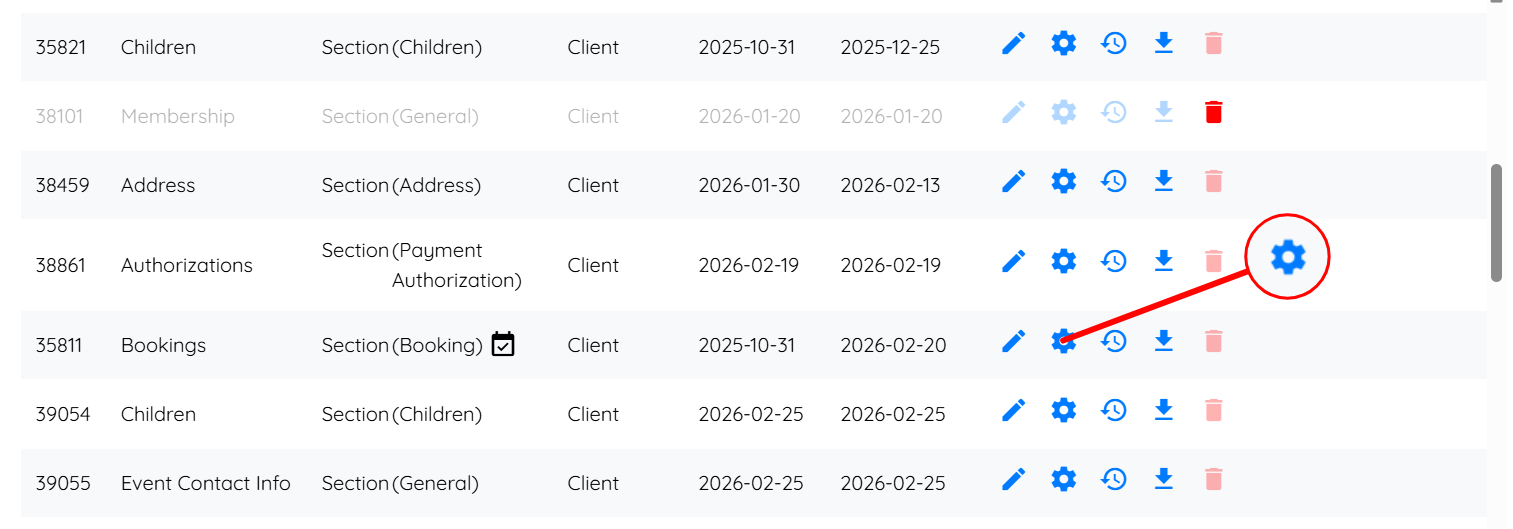
Step 2: Scroll down to locate the Bookings section, and then click the corresponding Gear icon.
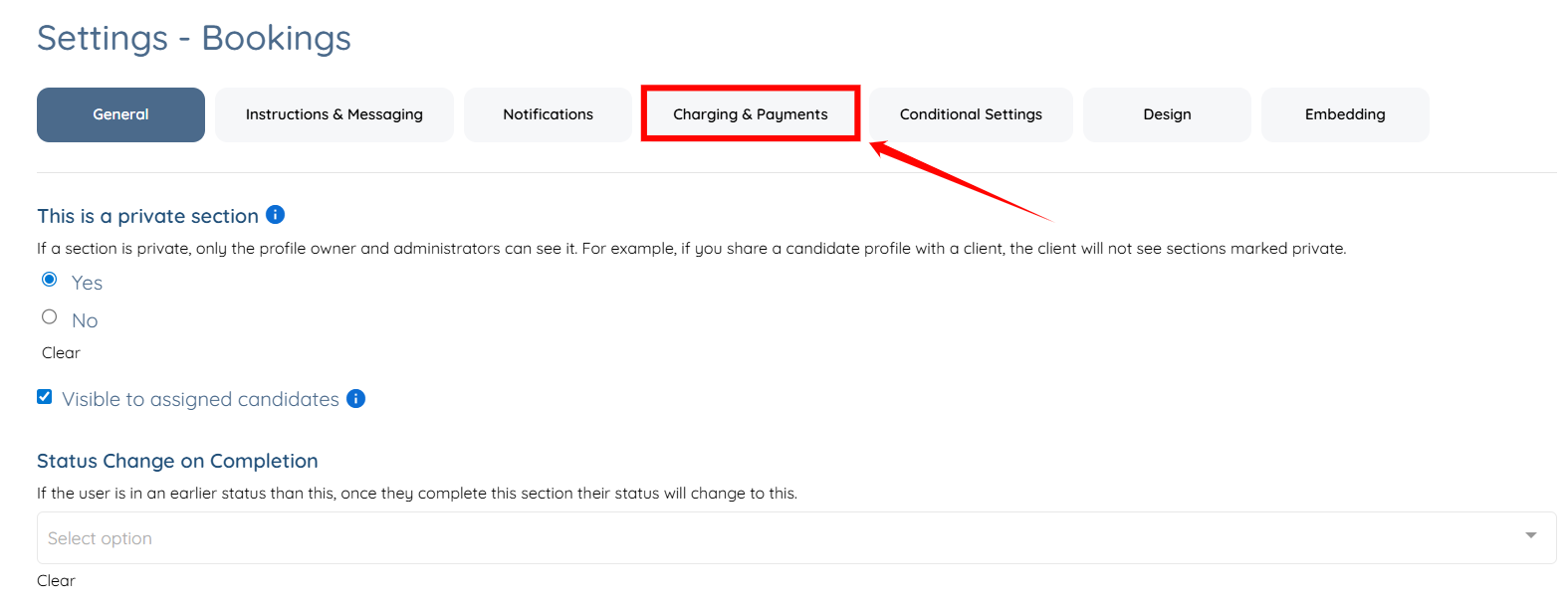
Step 3: Click the Charging & Payments tab from the list of available tabs.
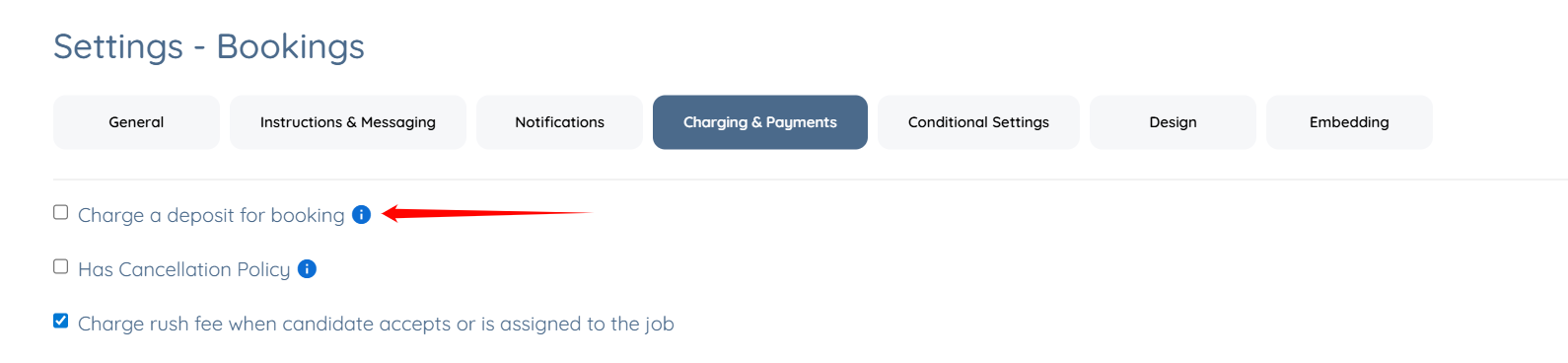
Step 4: Check the Charge a deposit for booking checkbox.
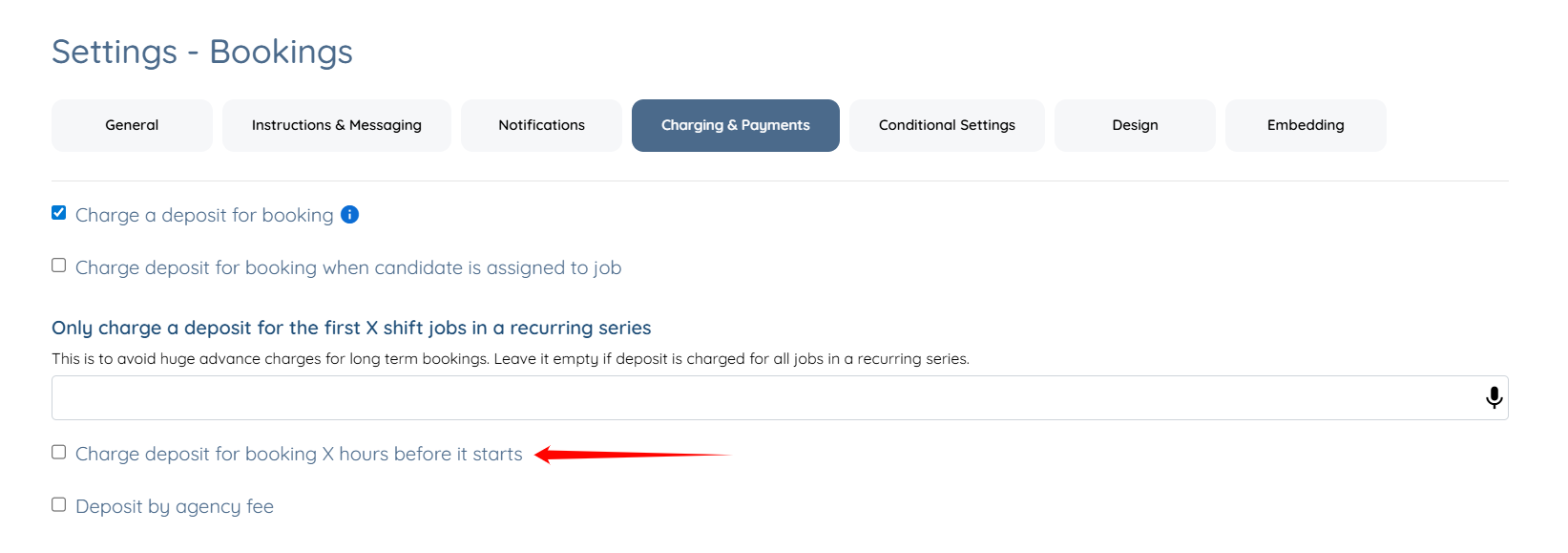
Step 5: Check the Charge deposit for booking X hours before it starts checkbox.
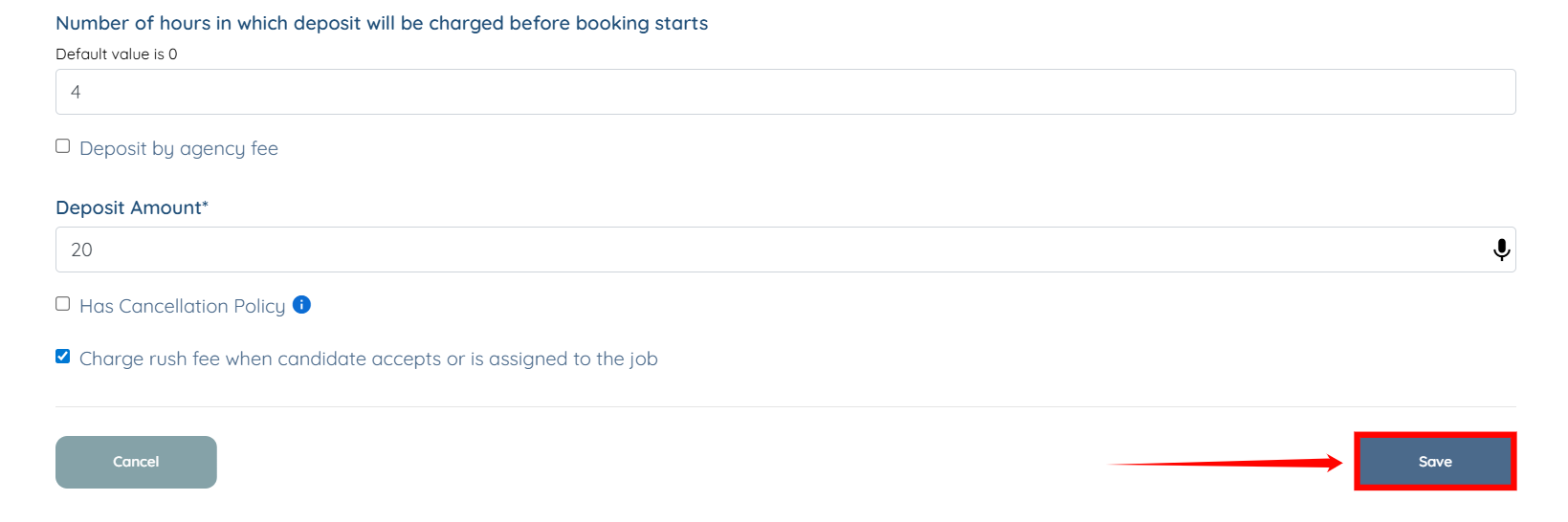
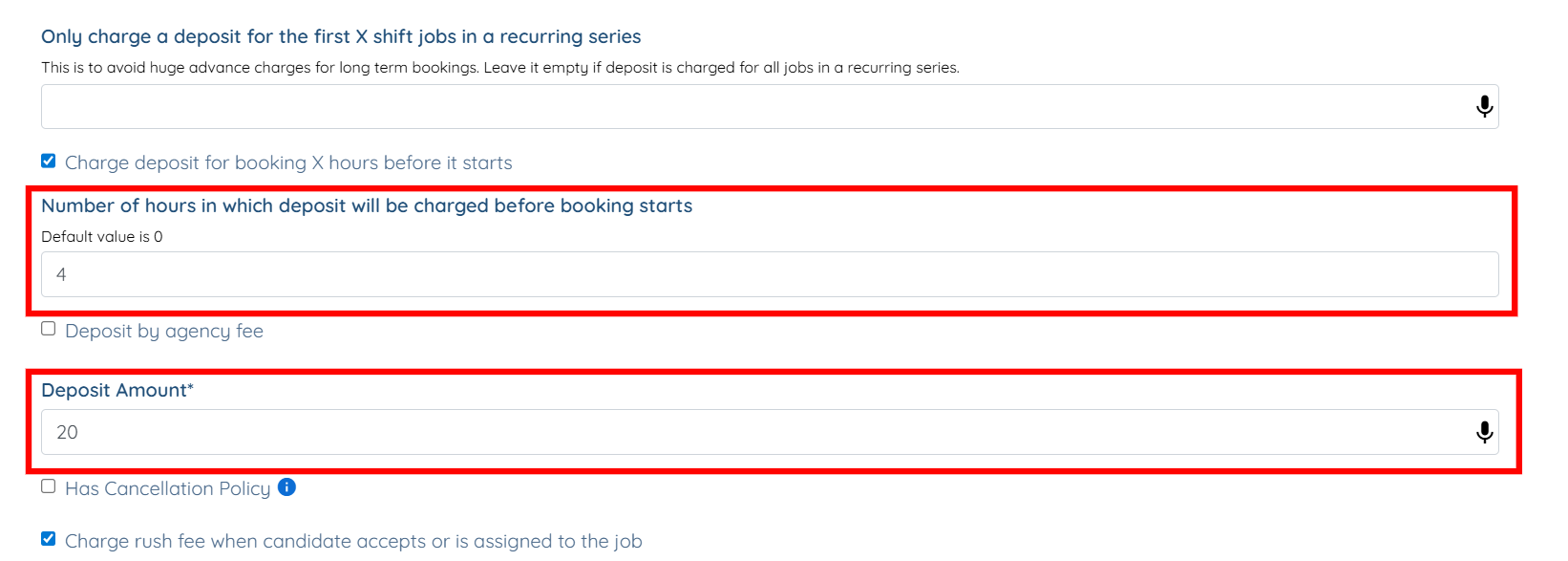
Step 6: Enter the number of hours before the booking starts when the system should charge the deposit. Then enter the Deposit Amount to be charged.
Enter only the numeric deposit amount. Do not include a currency symbol. The currency used for charges is configured in your agency settings. To learn how to configure it, refer to the Set Up Currency in the Dashboard article.
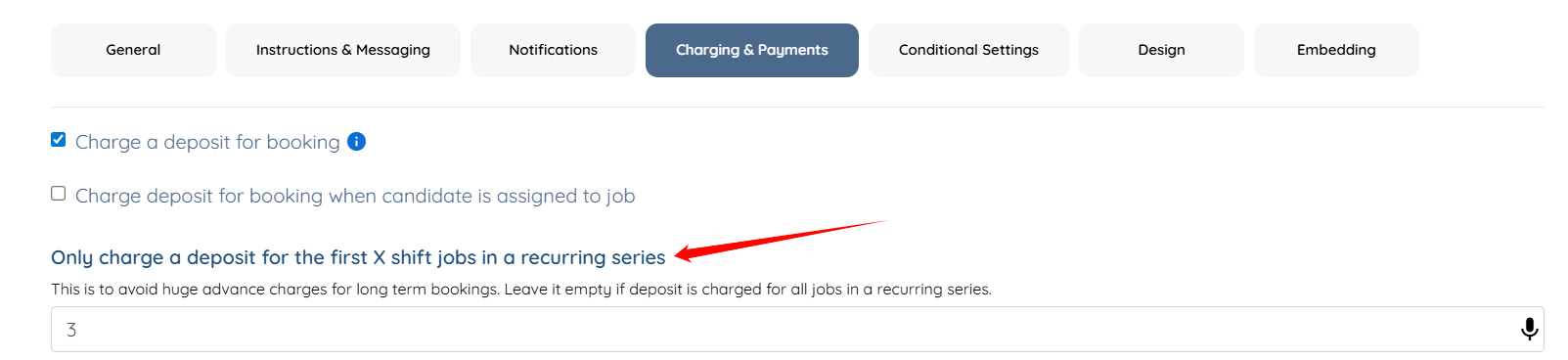
For recurring series of shift jobs you can limit the number of jobs for which the deposit is charged (this is to avoid charging clients a huge amount in advance if they are booking for the long term all at once) by using this setting "Only charge a deposit for the first X shift jobs in a recurring series":
Step 7: Click the Save button to confirm the changes.