![enginehire logo thin dark 1.0.png]](https://learn.enginehire.io/hs-fs/hubfs/enginehire%20logo%20thin%20dark%201.0.png?height=40&name=enginehire%20logo%20thin%20dark%201.0.png)
All Stripe accounts are considered a type of business account. The first question Stripe will ask when creating your account is “What type of business are you?” For this question, you will want to select “Individual” as the business type and “Sole Proprietorship” as the ownership type. It is generally easier to consider yourself as a business of one.
Let’s get started 🚀
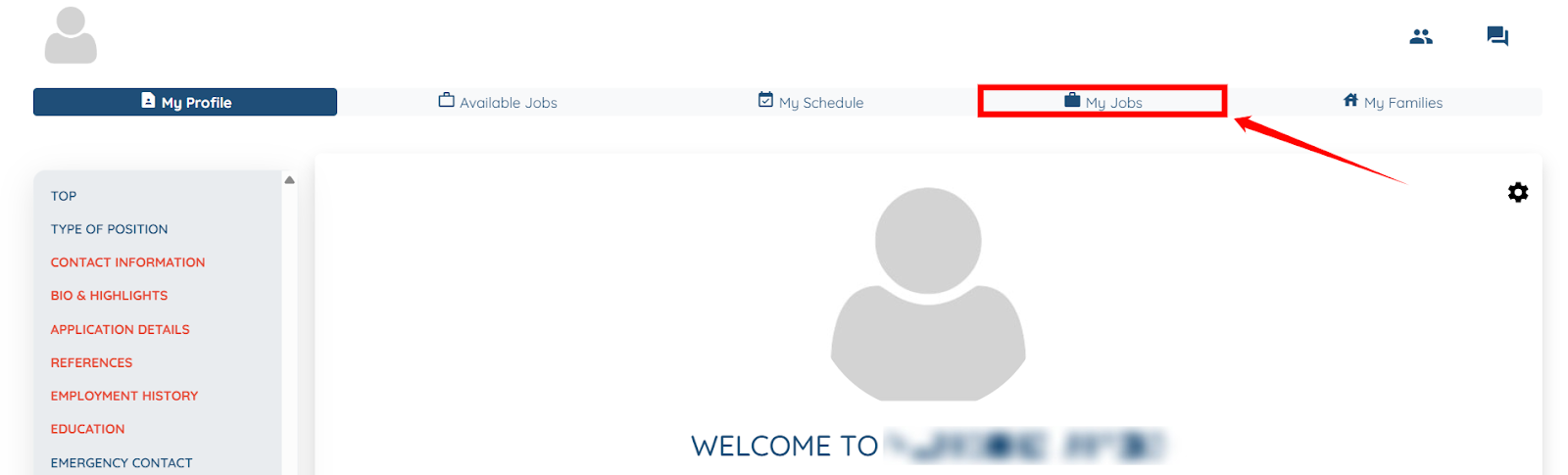
Step 1: Log in to your Engine hire account, and click the My Jobs option from the top navigation bar.
This section is where you see confirmed job details. The button text may vary.
Step 2: Click the Connect with Stripe button as shown in the screenshot below.
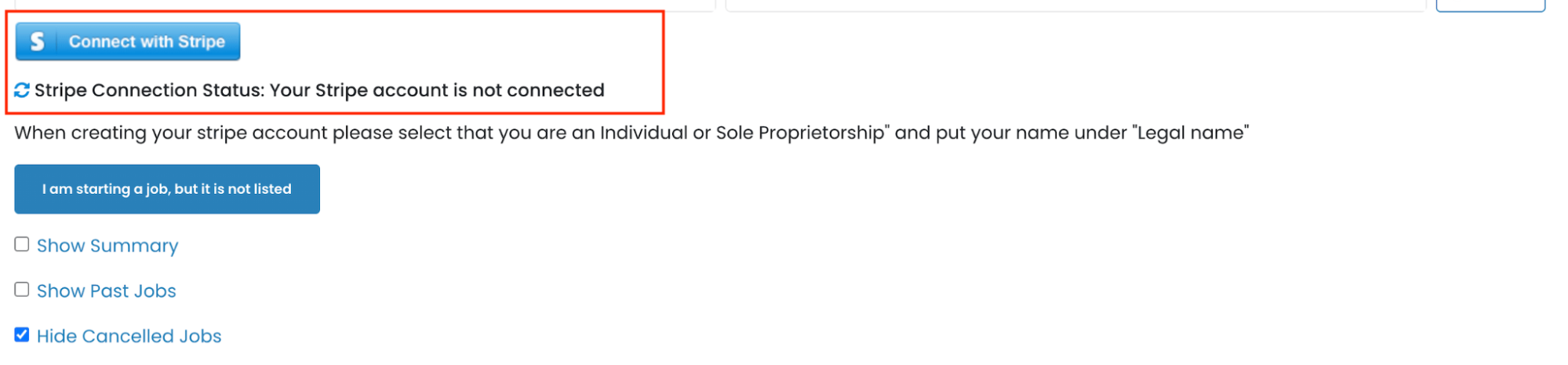
Step 3: Begin by entering the Email address as required.
If you already have an existing account, please click here.

Step 4: Enter Your Details:
-
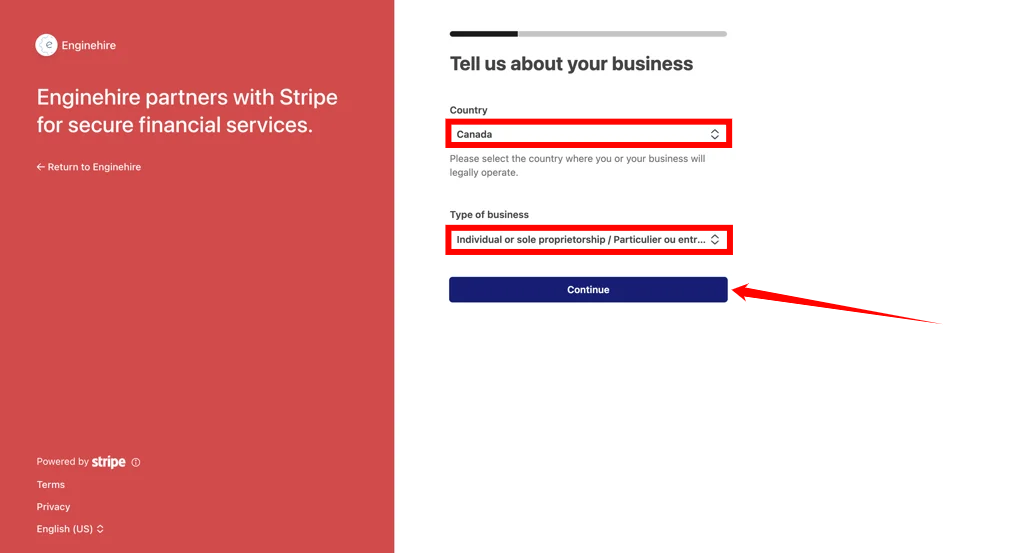
Business Location: Select the location of the company you work for.
-
Type of Business: Choose Individual/Sole Proprietorship. Do not select “Business,” or you will be required to enter an EIN.
Step 5: Add the bank account where your earnings will be deposited. This is the account Stripe will use to send your funds.
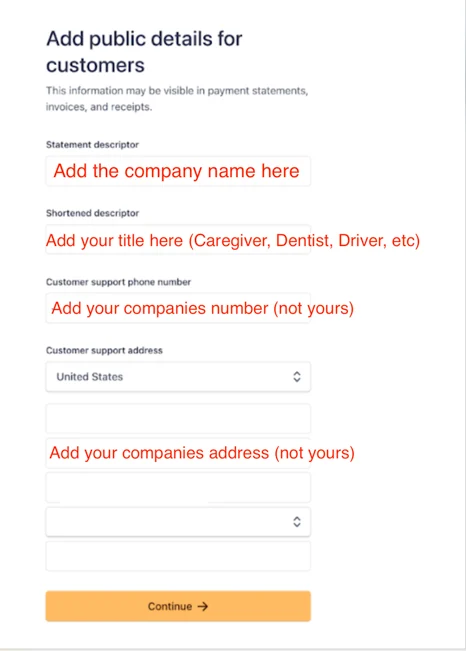
Step 6: Add Details for Customers:
This section is important, and you will need to gather details from the company you work for or work with.
-
Statement Descriptor: Enter your company’s name.
-
Shortened Descriptor: Enter your title (for example: Caregiver, Dentist, Driver, etc.).
-
Customer Support Phone Number: Enter your company’s phone number (do not use your personal number).
-
Customer Support Address: Enter your company’s address (do not use your personal address).
Step 7: Review the details, and then click on Agree and Submit button to proceed.
Now, you will begin receiving payouts as you work!
Frequently Asked Questions
Money is transferred to you within 1-2 days after the client has been charged.
2. Will I have to pay any fees?
No, you will not be charged any fees from your earnings.
3. Can I see my future payouts?
Yes, in your dashboard of Enginehire, you will see your balance and incoming funds.
4. How do I cash out my funds?
You can place a debit card or a bank account on file.
Instant Transfer: (like Venmo) will take a small percentage to the total.
Bank Transfer: (Free) takes 1-2 days