![enginehire logo thin dark 1.0.png]](https://learn.enginehire.io/hs-fs/hubfs/enginehire%20logo%20thin%20dark%201.0.png?height=40&name=enginehire%20logo%20thin%20dark%201.0.png)
Let’s get started 🚀
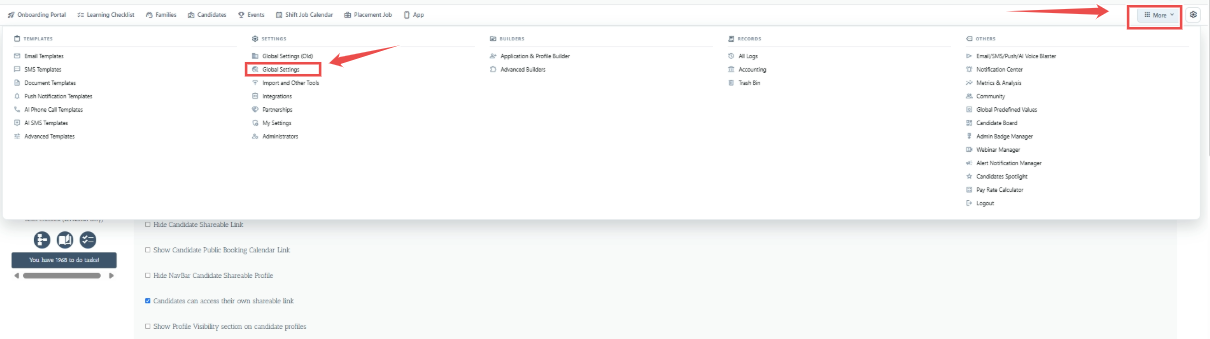
Step 1: Navigate to More and then Gobal settings.
Step 2: Select Candidates Tab.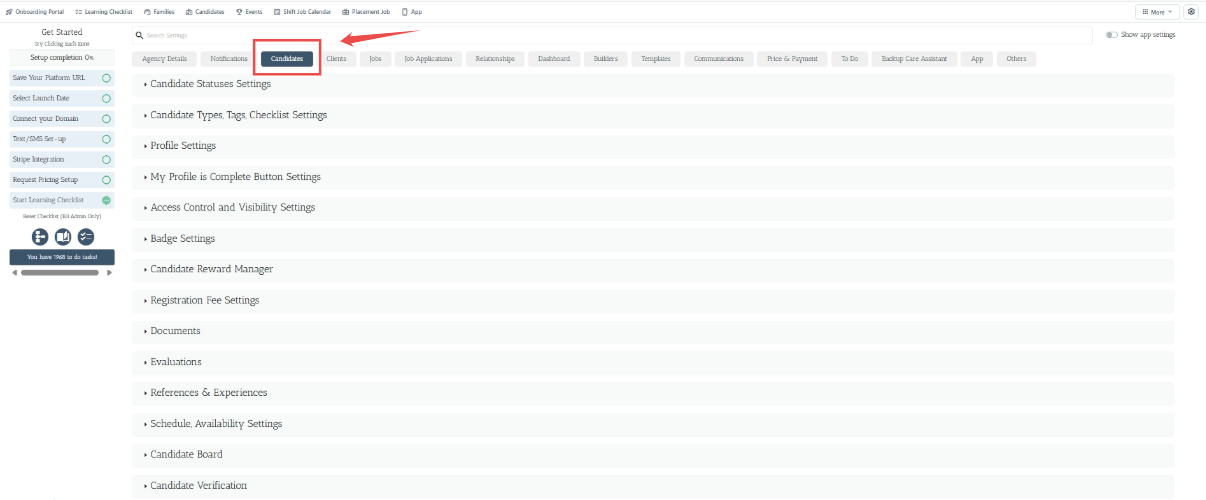
Step 3: Click Profile Settings Section.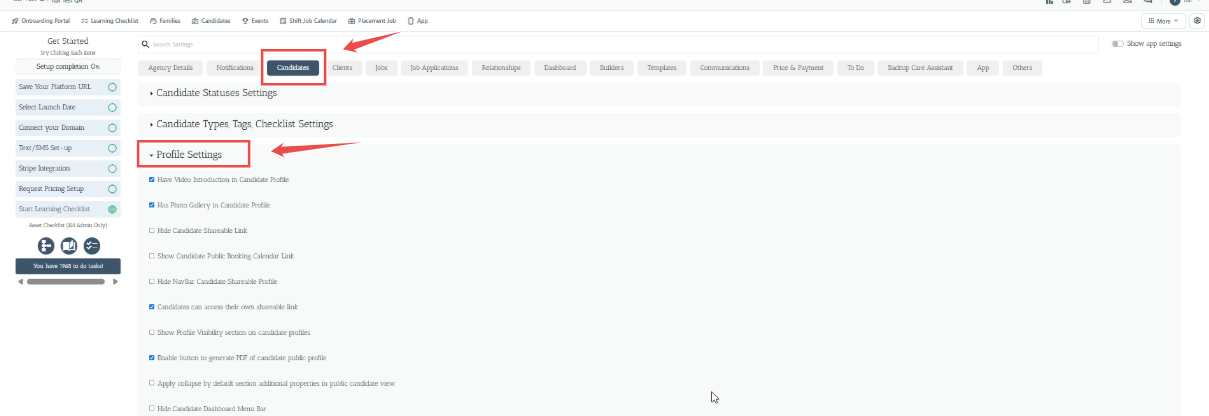
Step 4: Enable the setting i.e. Show Candidate Feedback Collector.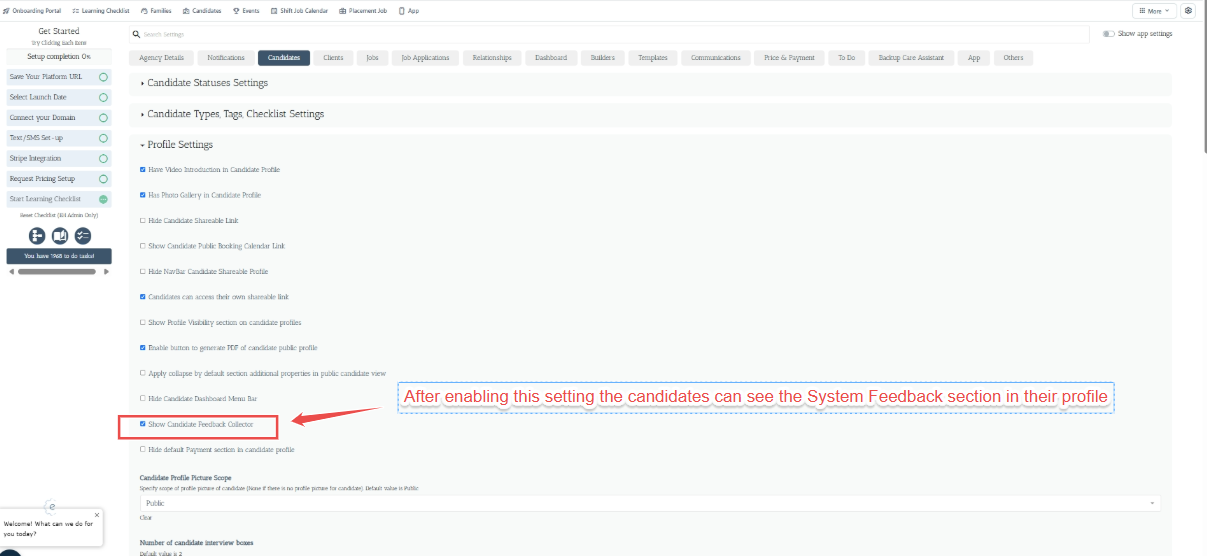
The Feedback Collector will look like this: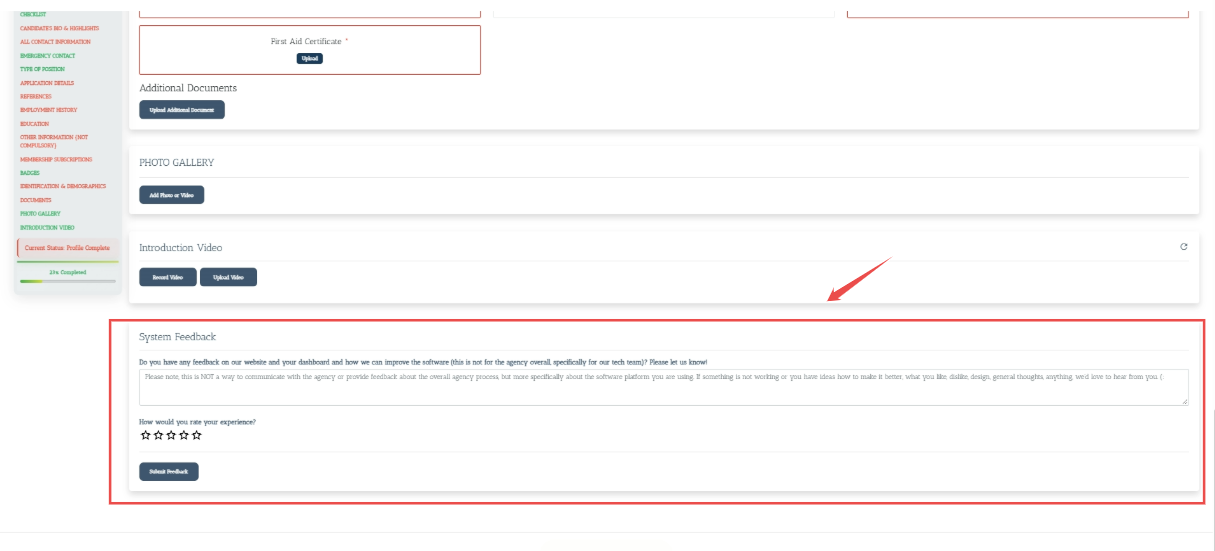 Note* After the setting is disabled, the System Feedback section will no longer be displayed to candidates.