![enginehire logo thin dark 1.0.png]](https://learn.enginehire.io/hs-fs/hubfs/enginehire%20logo%20thin%20dark%201.0.png?height=40&name=enginehire%20logo%20thin%20dark%201.0.png)
The Relationship Logs section now allows agencies to update or delete multiple relationship records simultaneously instead of managing each record individually.
Agencies can select multiple relationship logs using the checkboxes, choose a new status from the New Status dropdown, and apply the selected status to all selected records with a single click.
Additionally, agencies can use the Delete Selected option to delete multiple relationship logs at once.
This feature simplifies relationship log management, saves time, and reduces the effort required to make changes to multiple records individually
Let’s get started 🚀
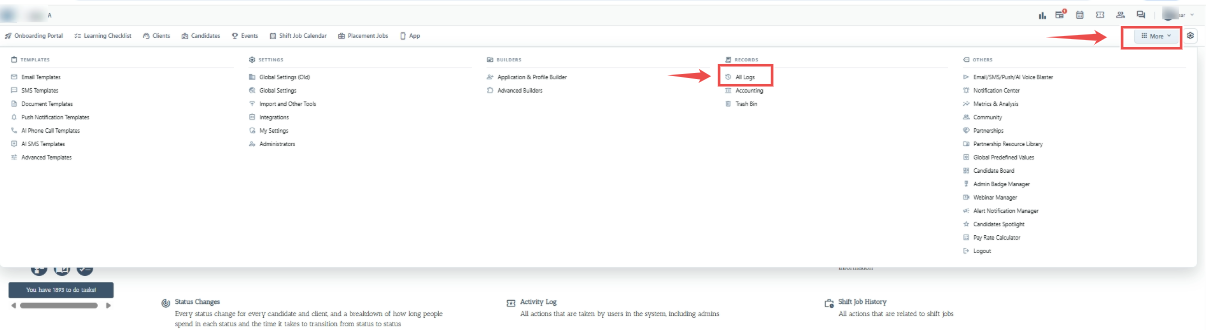
Step 1: Open More from the top navigation. Navigate to All Logs .
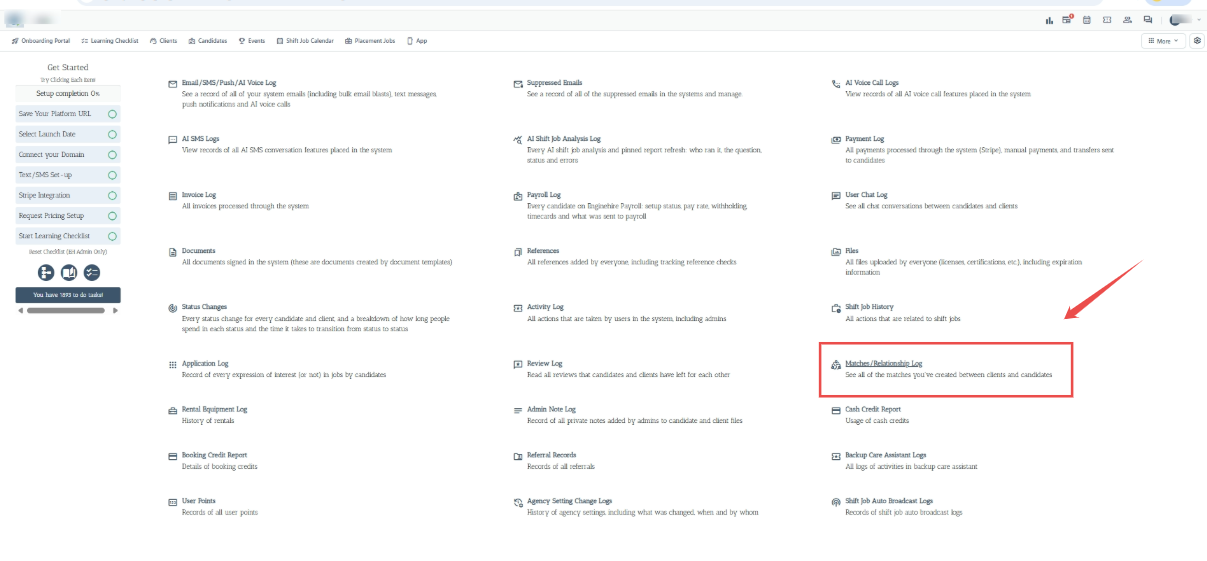
Step 2: Navigate to the Matches/Relationship Logs section.
Step 3: Locate the relationship logs you want to update.
Select the required relationship records using the checkboxes displayed alongside each record.
- You can select multiple records at once.
- Select only the records whose status you want to update.
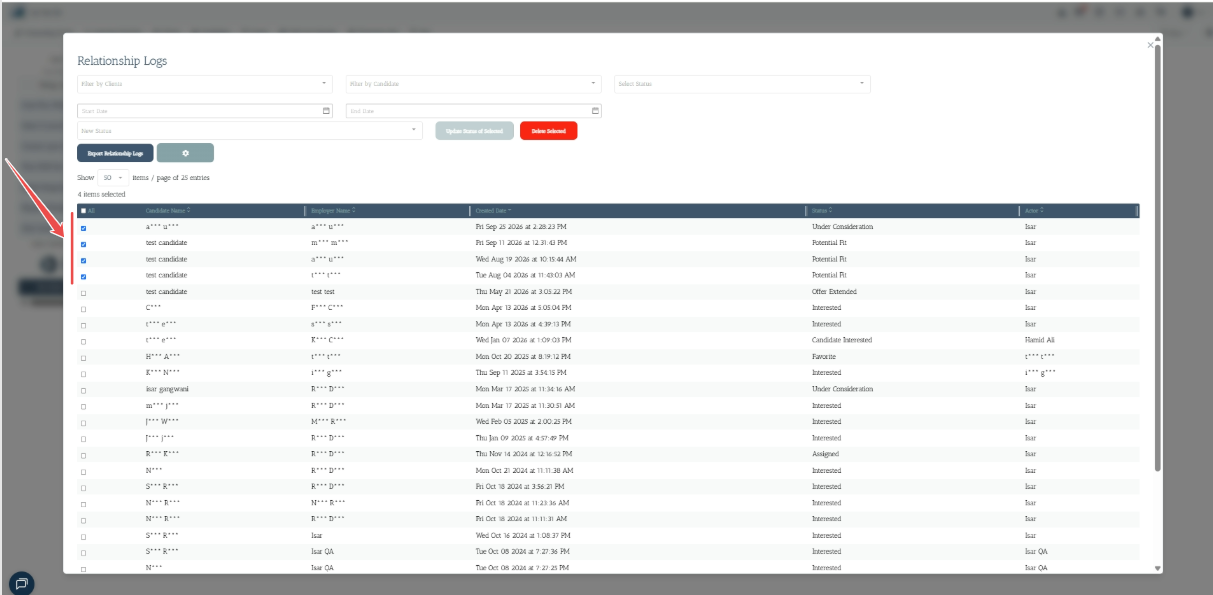
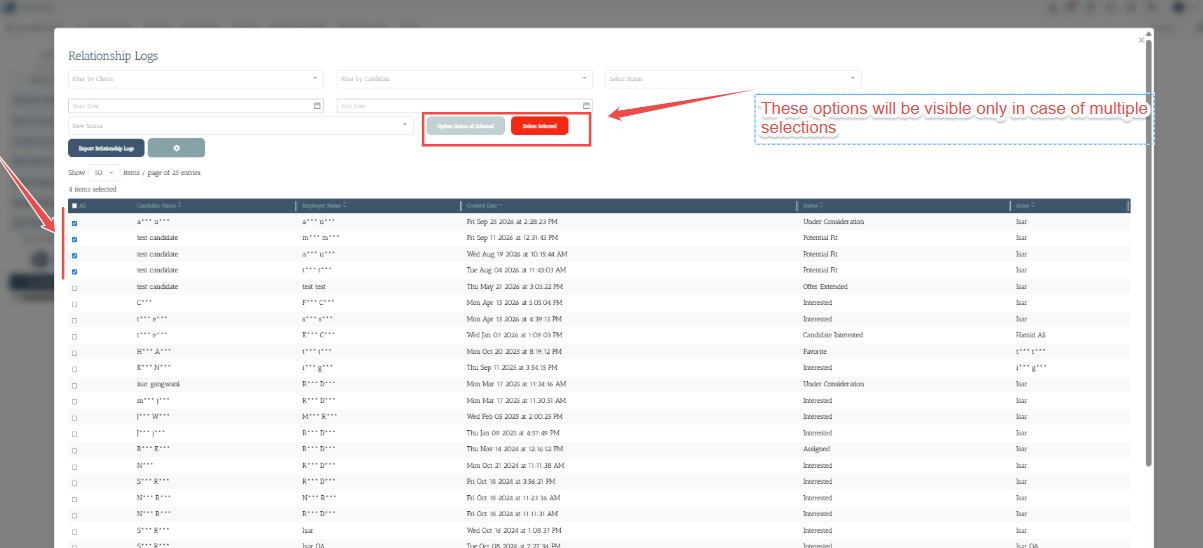
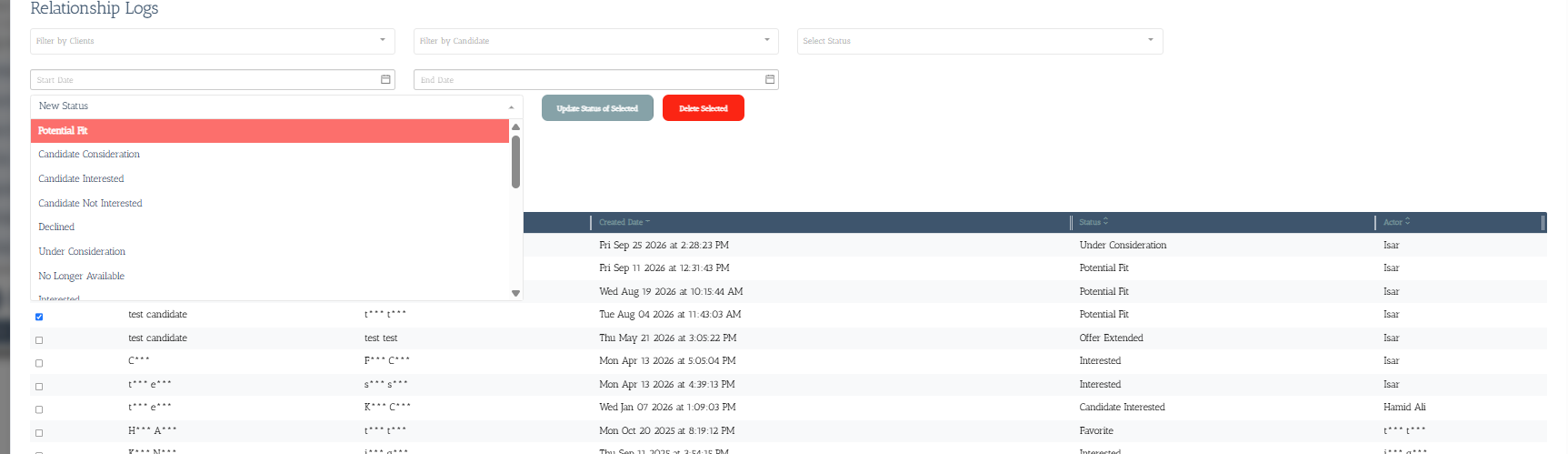
Step 4: Once you have selected the records, locate the New Status dropdown. Click the dropdown and select the status you want to apply to the selected relationship logs. After selecting the desired status, click the Update Status of Selected button
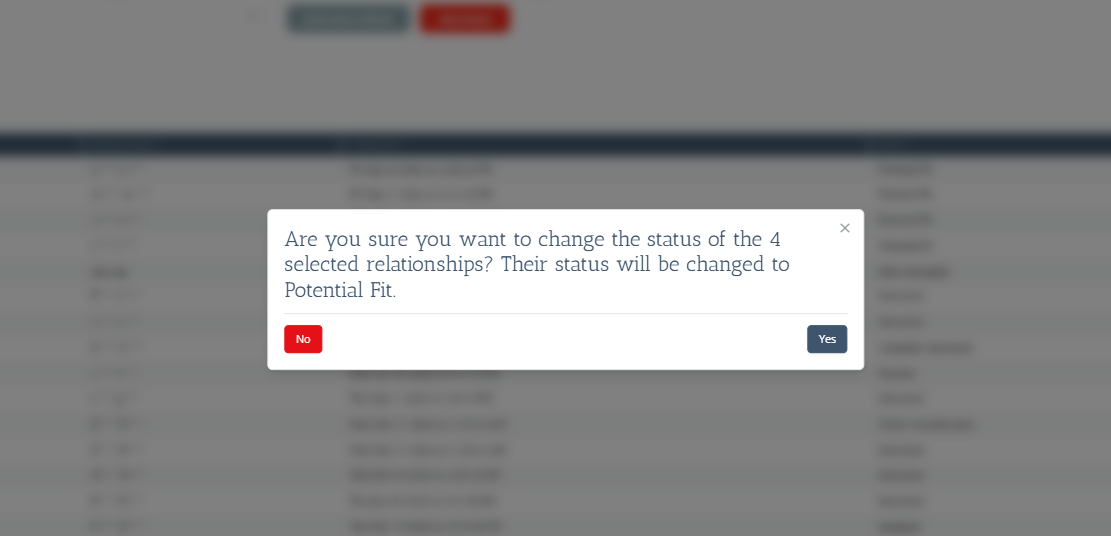
Step 5: Click Yes button to apply the changes.
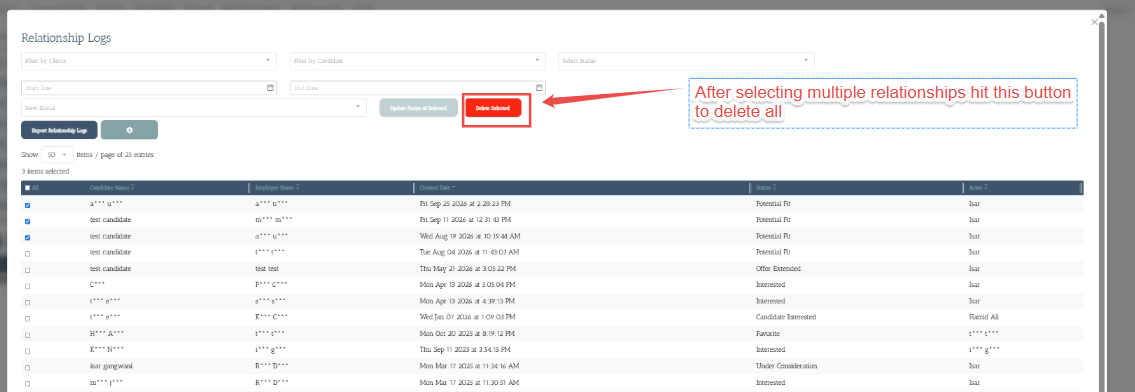
Step 6: Select the required records using the checkboxes displayed alongside each relationship log.
Once you have selected the records, click the Delete Selected button.
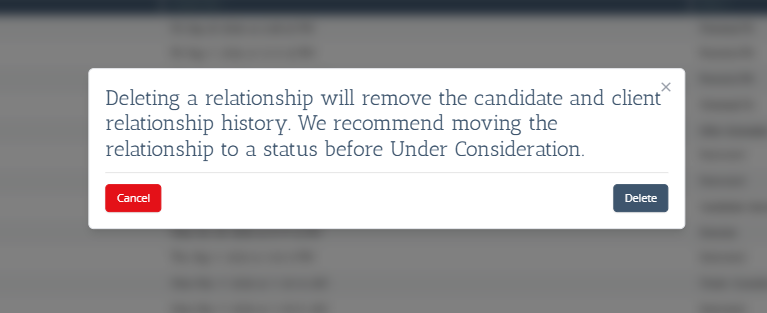
Step 7: Click Delete button to apply the changes.