![enginehire logo thin dark 1.0.png]](https://learn.enginehire.io/hs-fs/hubfs/enginehire%20logo%20thin%20dark%201.0.png?height=40&name=enginehire%20logo%20thin%20dark%201.0.png)
Let’s get started 🚀
Note: The steps are the same for both client and candidate; the documentation will demonstrate it on the candidate profile.
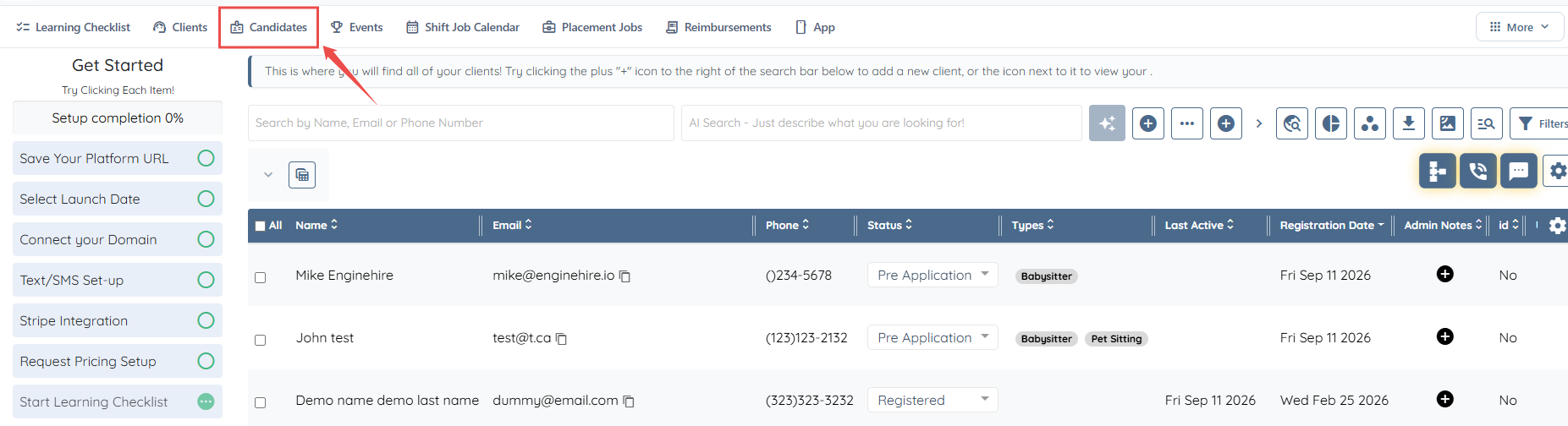
Step 1: From the dashboard, navigate to the Candidate section.
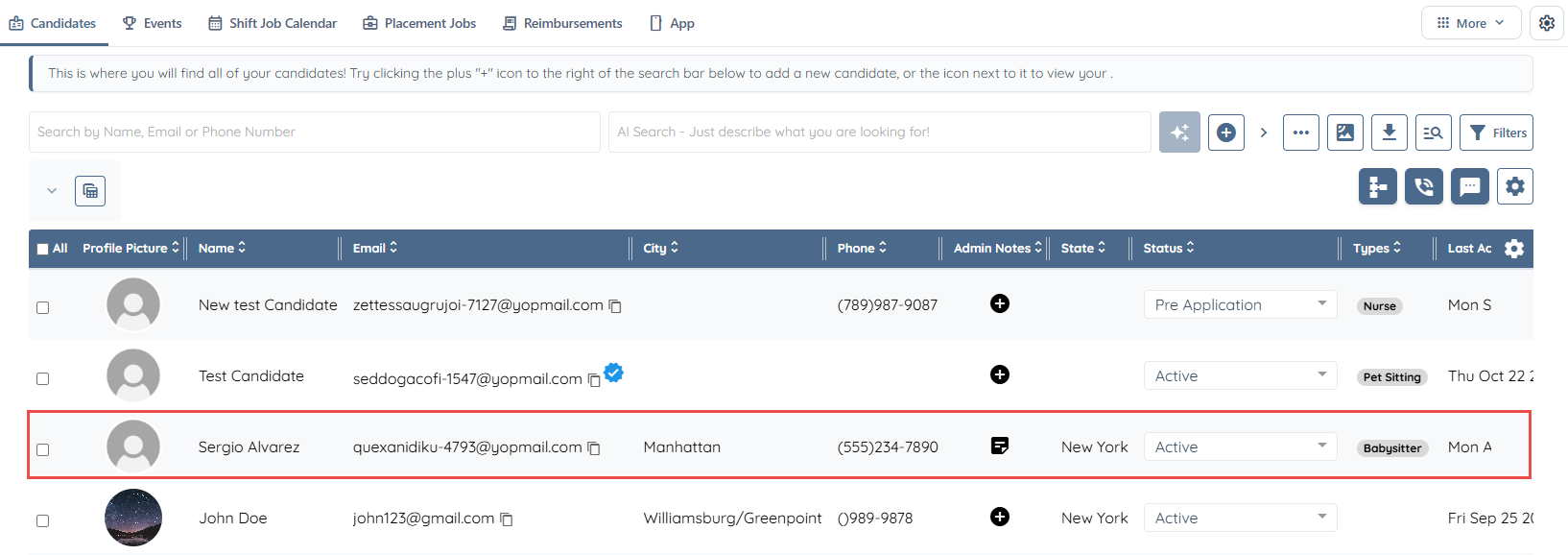
Step 2: Choose the relevant candidate directly from the candidate list.
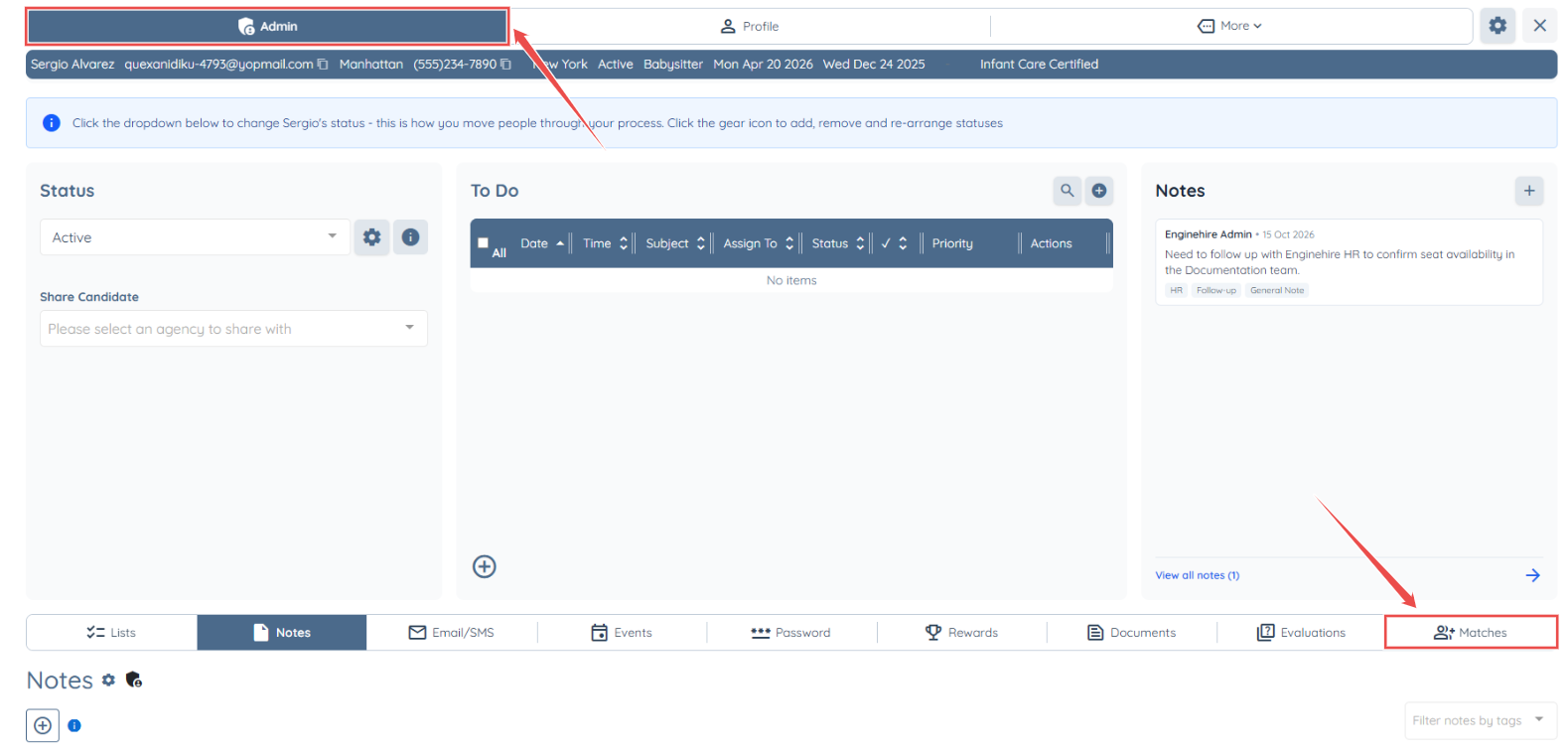
Step 3: To proceed, open the Admin area and select the Matched tab.
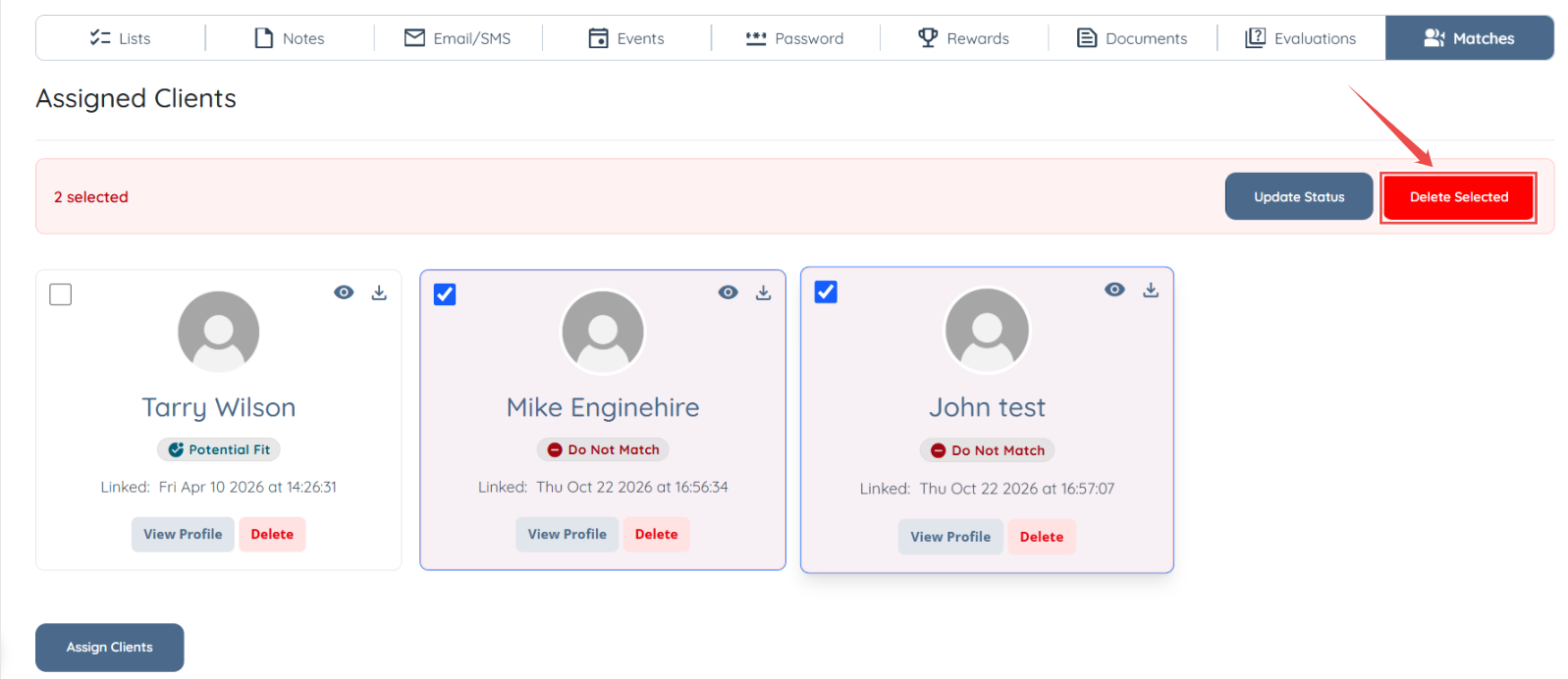
Step 4: Select the clients you wish to update from the list of Assigned Clients.
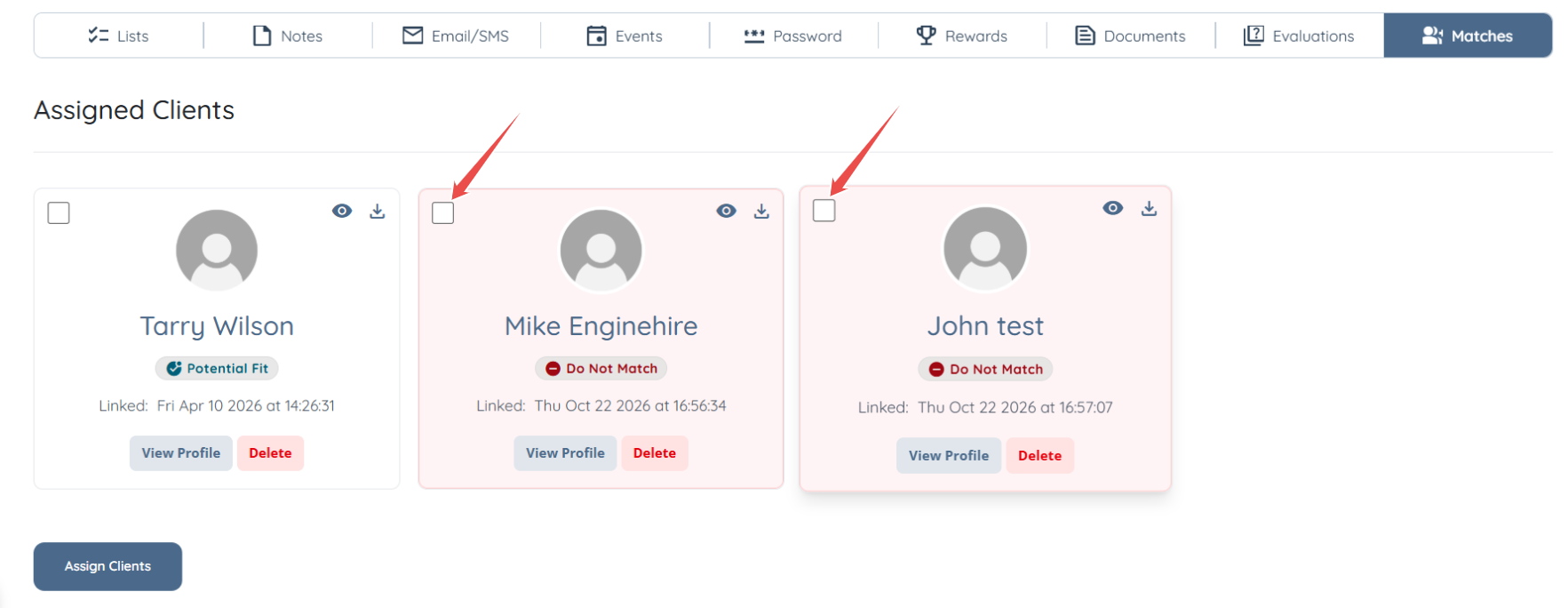
Step 5: Click on the Delete Selected button.
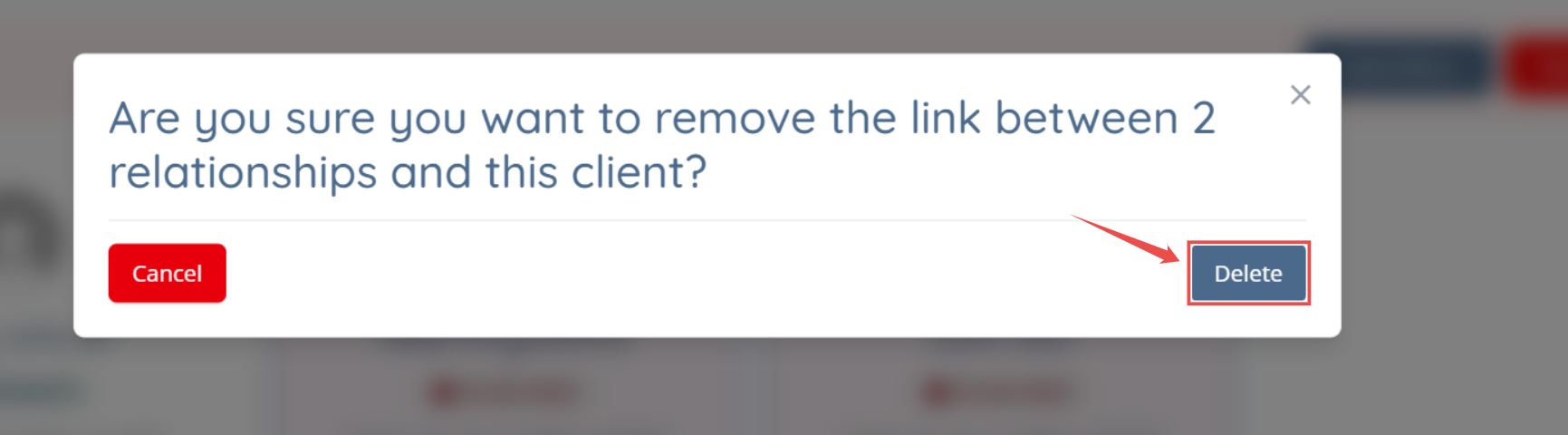
Step 6: When the pop-up opens, click on the Delete button.
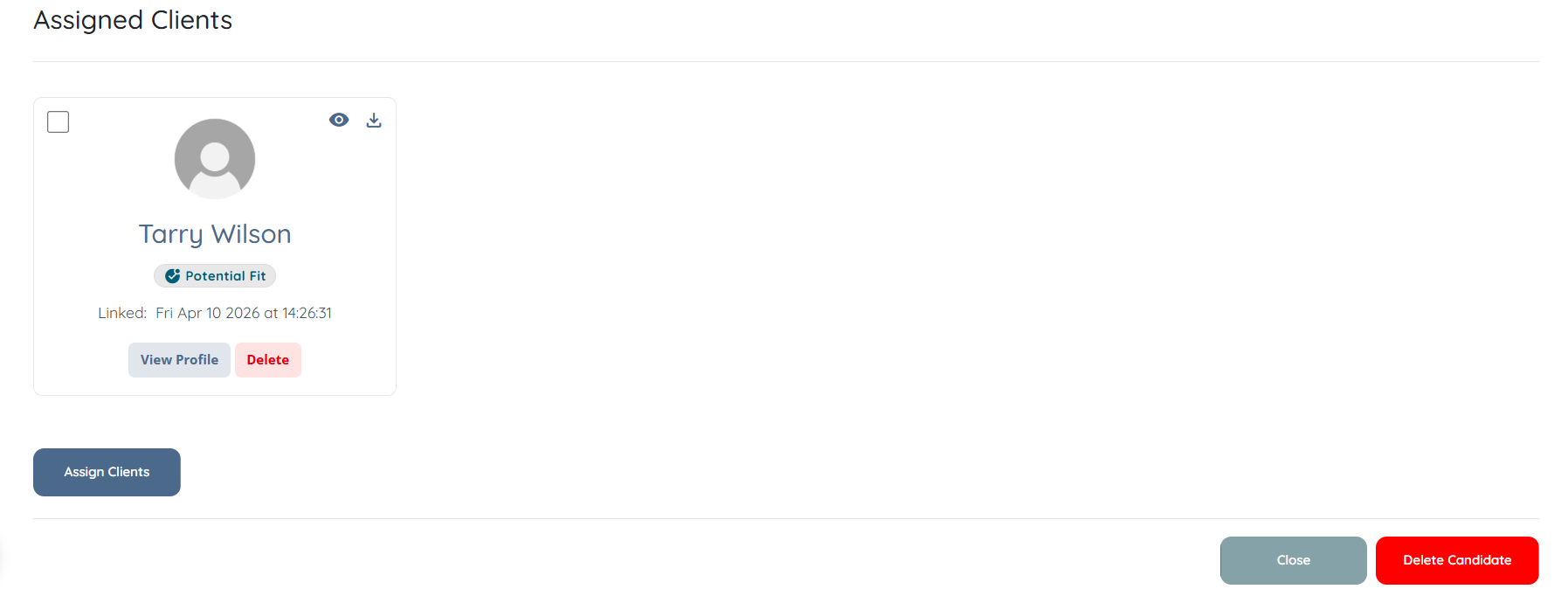
You're all set! The selected clients will be removed from the Matched section.
If you need any further assistance, feel free to contact our support team by clicking here: https://share.hsforms.com/1yIx2IRKyQQaVcMJW8kLbJg39wil