![enginehire logo thin dark 1.0.png]](https://learn.enginehire.io/hs-fs/hubfs/enginehire%20logo%20thin%20dark%201.0.png?height=40&name=enginehire%20logo%20thin%20dark%201.0.png)
For demonstration purposes, this article uses candidate profiles to showcase document archiving. However, you can follow the same steps to archive documents in client profiles as well.
Let’s get started 🚀
Step 1: Log in to your agent dashboard and click Candidates in the navigation bar.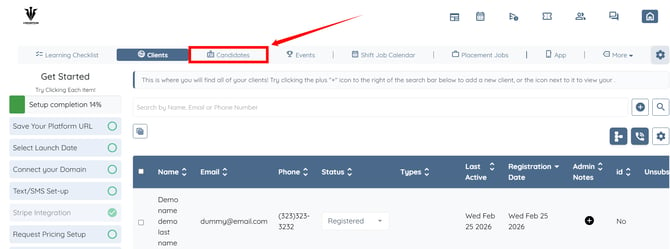
Step 2: Click the candidate from the list whose documents you want to archive in the profile.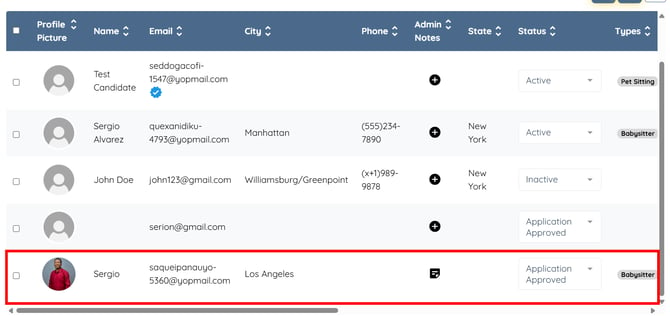
Step 3: Click the Profile tab to navigate to the candidate profile.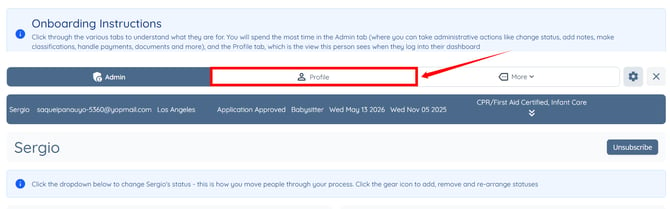
Step 4: Click the Access Control button for the document you want to archive.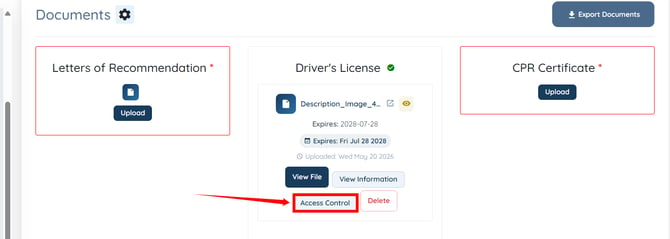
Step 5: Select the Archive (Hidden, stored for records) option from the dropdown list.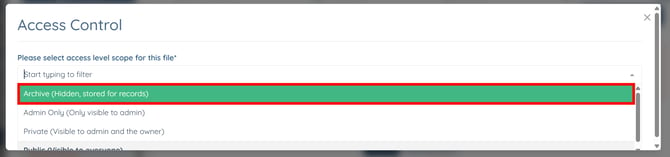
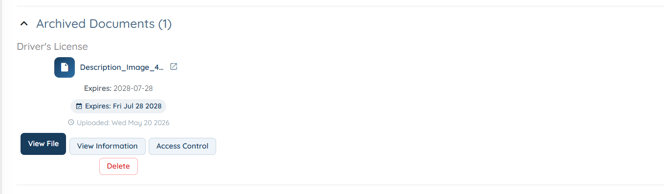
Step 6: Click the Submit button. The document will be moved successfully to the Archived Documents section. 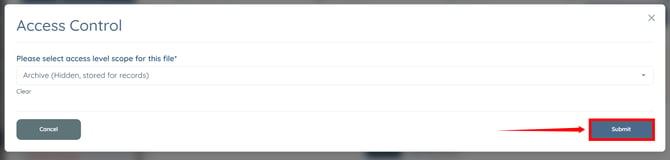
Step 7: Click the Archived Documents option as shown in the screenshot below.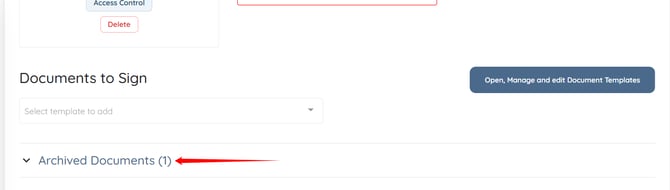
The archived document will be displayed successfully under the Archived Documents section.