![enginehire logo thin dark 1.0.png]](https://learn.enginehire.io/hs-fs/hubfs/enginehire%20logo%20thin%20dark%201.0.png?height=40&name=enginehire%20logo%20thin%20dark%201.0.png)
Let’s get started 🚀
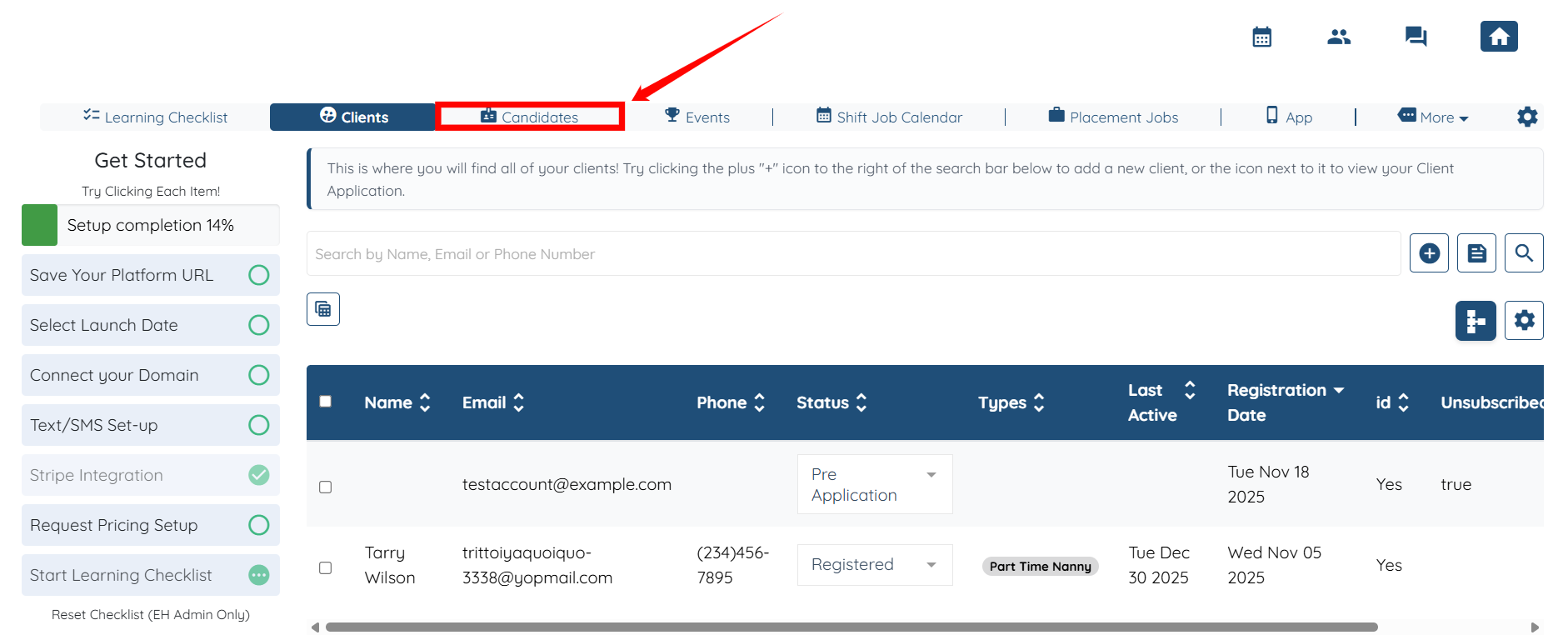
Step 1: Log in to your agent dashboard and click Candidates in the top navigation bar.
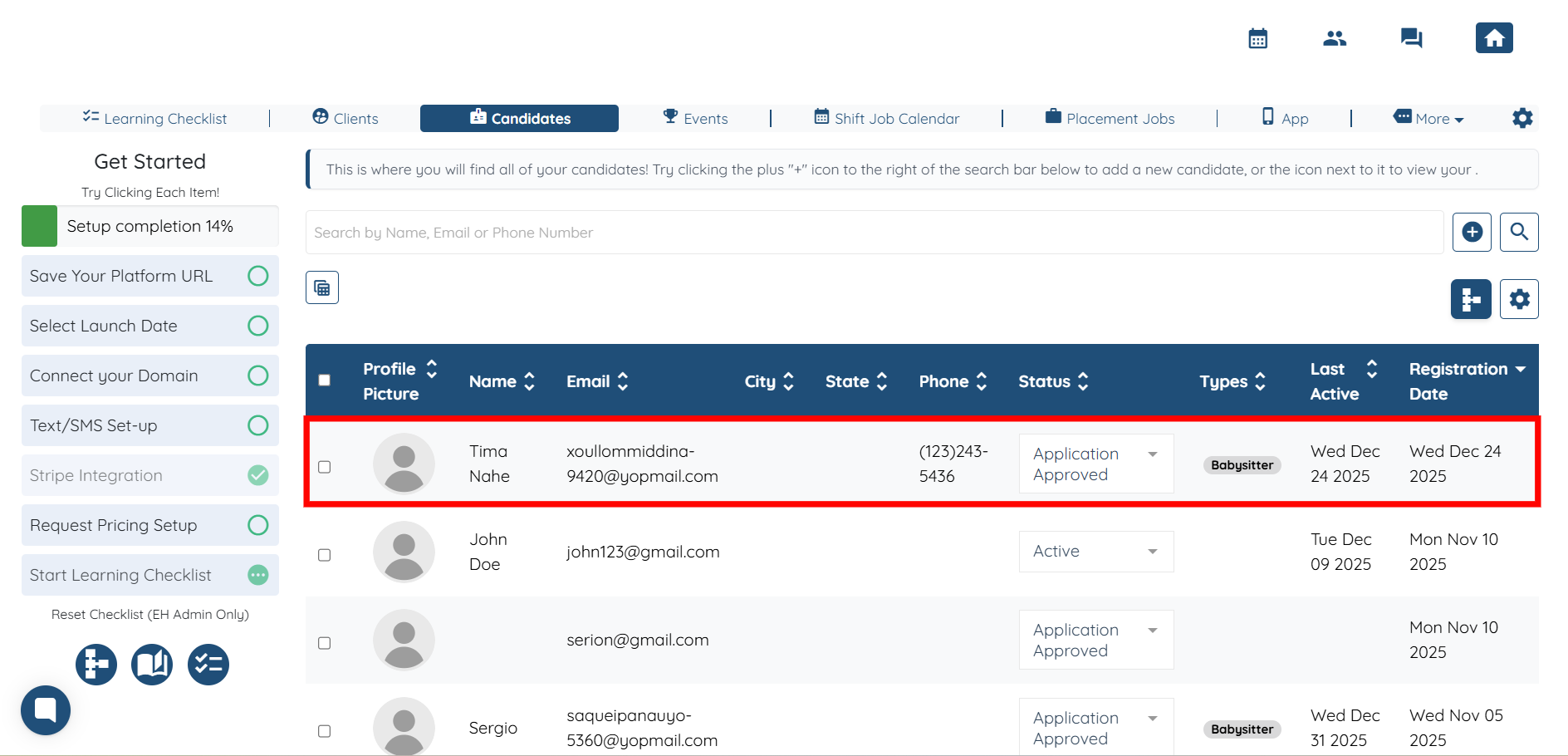
Step 2: Click on any candidate from the list of candidates.
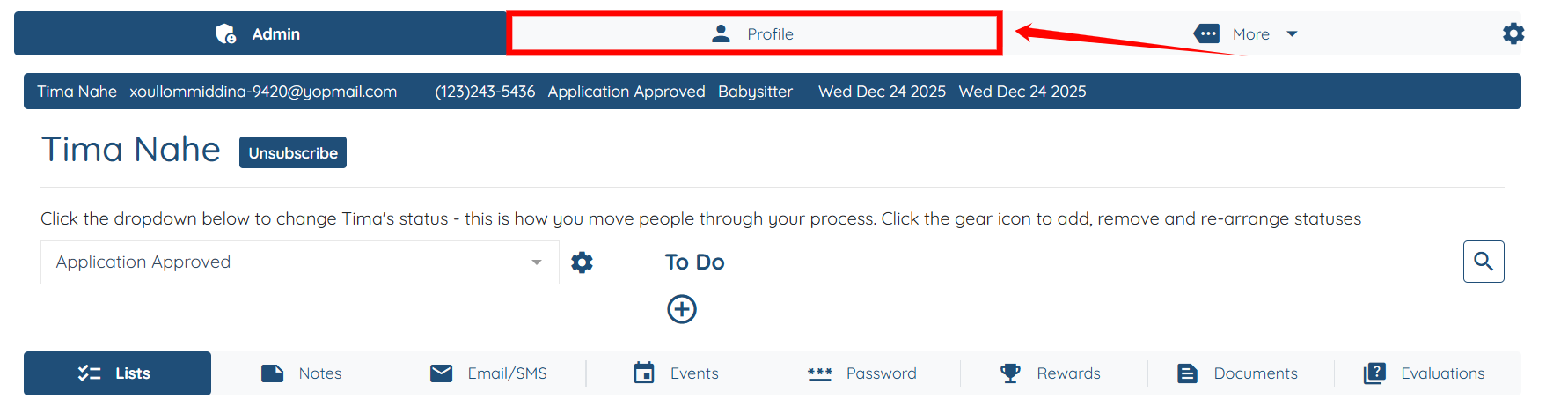
Step 3: Click the Profile tab.
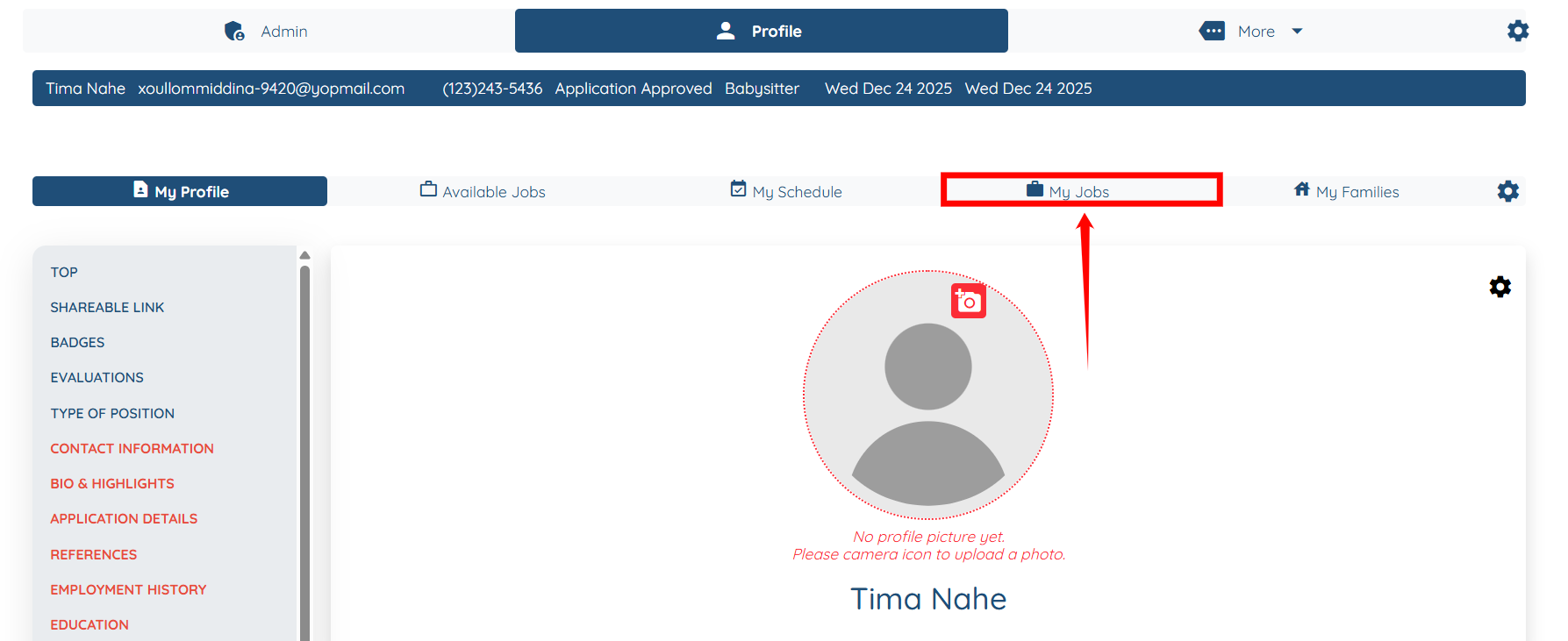
Step 4: Under the Profile tab, click the My Jobs option.
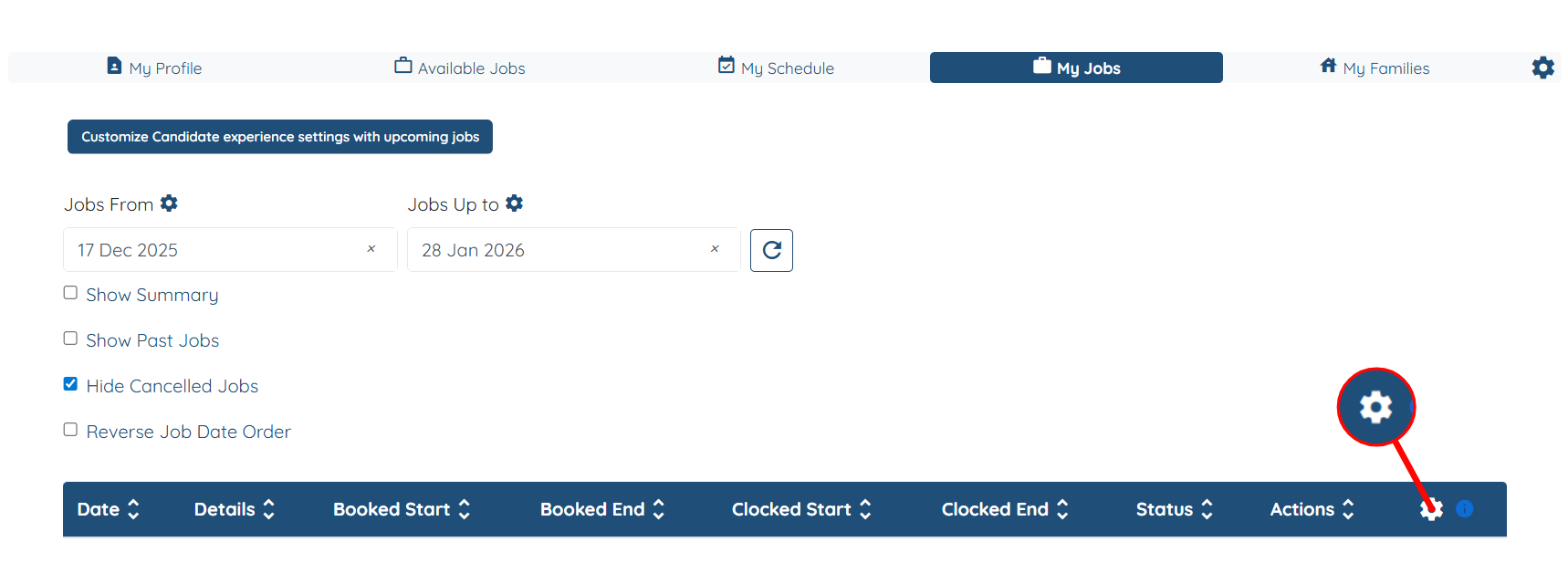
Step 5: Click the Gear icon on the right-hand side of the table, as shown in the screenshot.
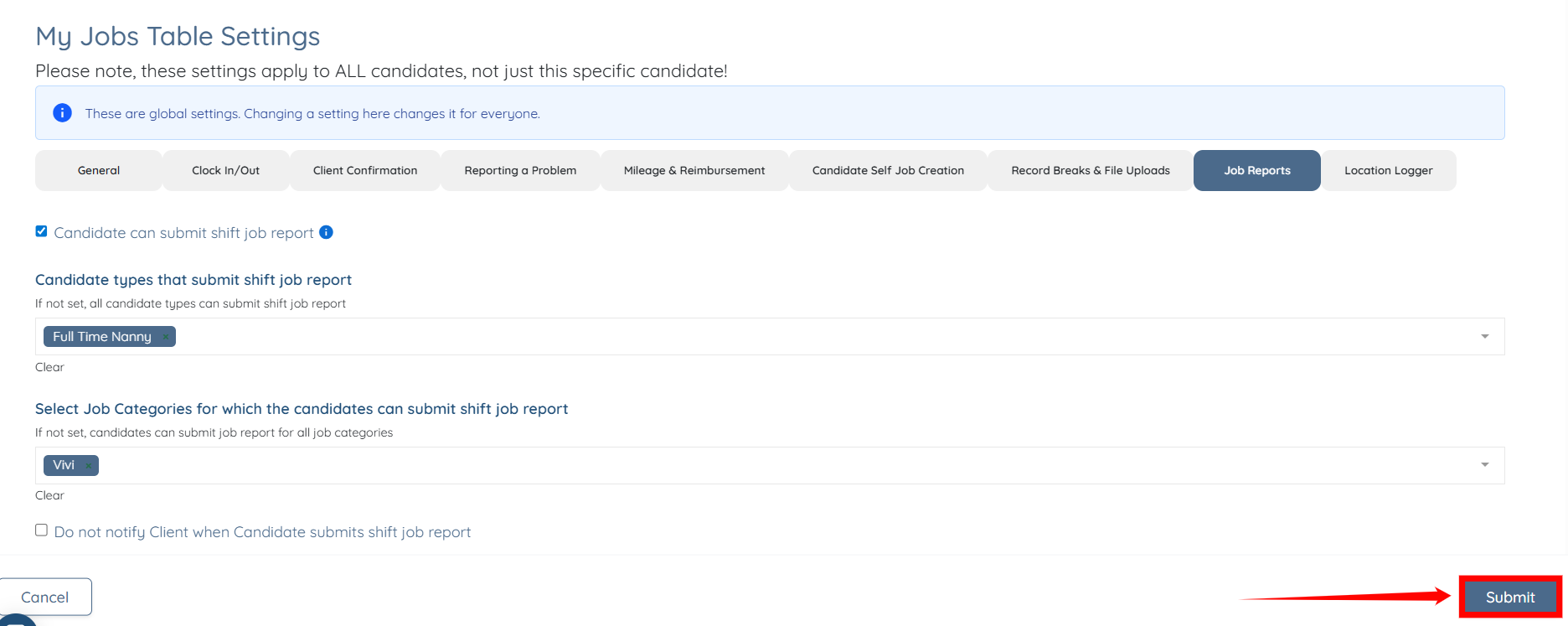
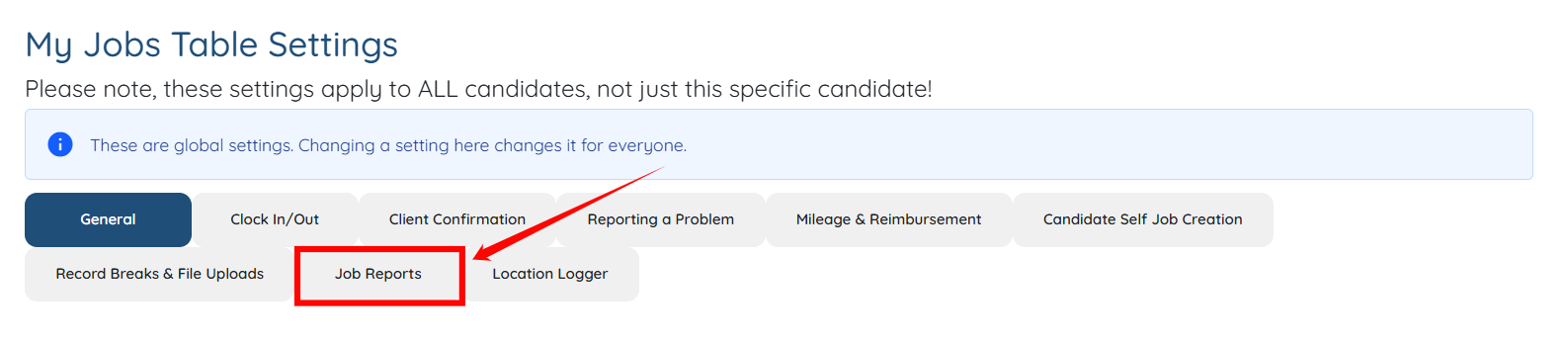
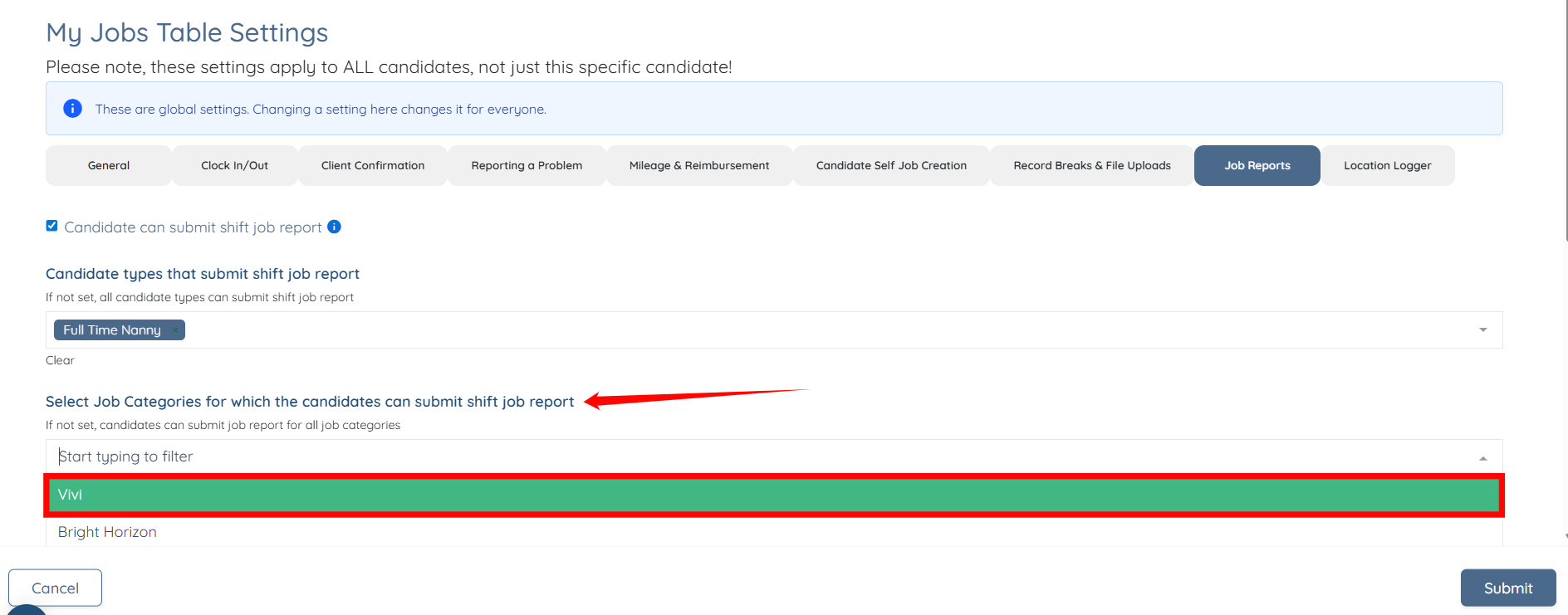
Step 6: From the list of available tabs, click the Job Reports tab.
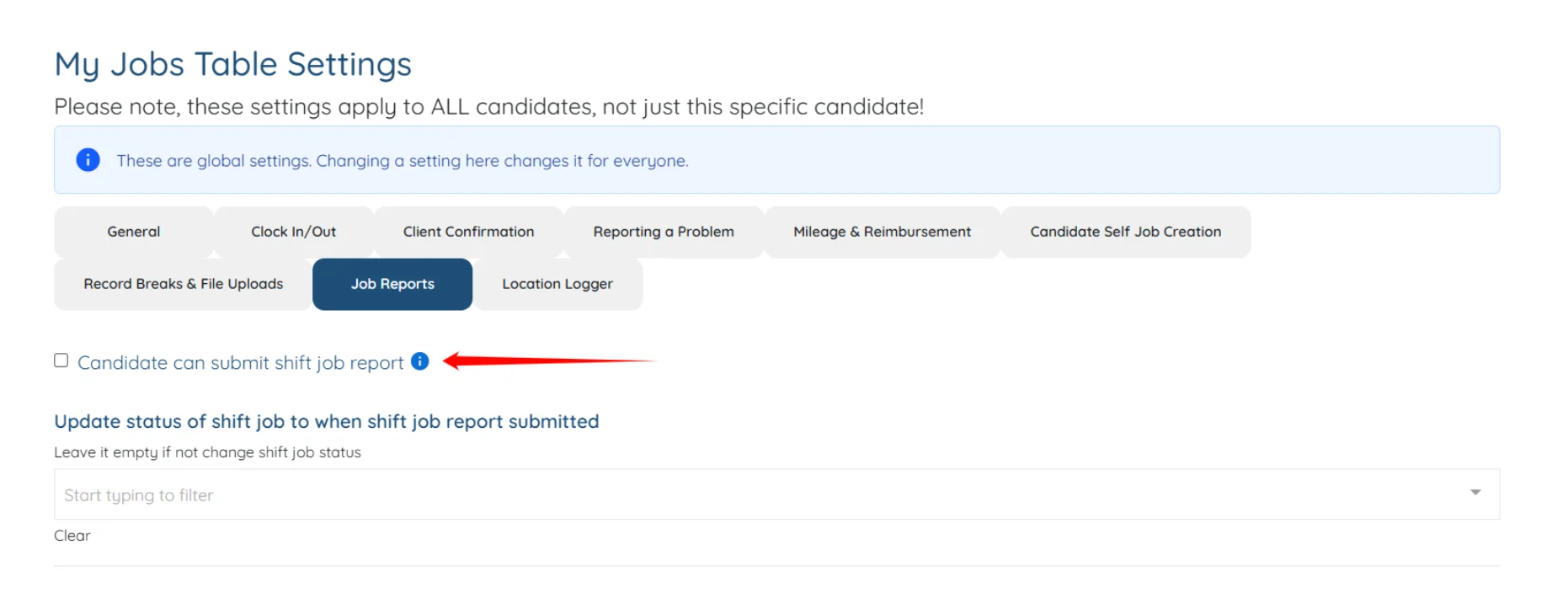
Step 7: Check the Candidate can submit shift job report checkbox.
Step 8: Select the candidate types from the dropdown list that are authorized to submit the shift job report.

Step 9: Select the job categories from the dropdown list for which candidates can submit the shift job report.
You can further manage candidate shift job report behavior by configuring additional submission settings. Refer to the Manage Candidate Shift Job Report Submission Settings article for more details.
Step 10: Click the Submit button to confirm the changes.