---
title: All Field Types Explained
description: When it comes to creating questions and answers for forms, surveys, or applications, the variety of field types available allows for maximum flexibility and customization.
---

[Skip to content](https://learn.enginehire.io/en/knowledge/all-field-types-explained#main-content)

English

Show submenu for translations

[Contact us](https://learn.enginehire.io/en/knowledge/kb-tickets/new?hsLang=en) [Customer portal](https://learn.enginehire.io/tickets-view?hsLang=en)

![enginehire logo thin dark 1.0.png\]](https://learn.enginehire.io/hs-fs/hubfs/enginehire%20logo%20thin%20dark%201.0.png?height=40&name=enginehire%20logo%20thin%20dark%201.0.png)

- Home
- Products
- Pricing
- Blog
- Company

Open main navigation

Close main navigation

- Home
- Products
- Pricing
- Blog
- Company
- English
  
  Show submenu for translations
- [Contact us](https://learn.enginehire.io/en/knowledge/kb-tickets/new)
- [Customer portal](https://learn.enginehire.io/tickets-view)
- Go to main page

 Go to main page

 Hello! You can find guides on how to do everything in Enginehire here. If you can't find what you are looking for or anything feels out of date, please contact us!

- There are no suggestions because the search field is empty.

1. [Enginehire Help Center](https://learn.enginehire.io/en/knowledge?hsLang=en)
2. [Application Forms & Profiles](https://learn.enginehire.io/en/knowledge/application-forms-profiles?hsLang=en)

# All Field Types Explained

## When it comes to creating questions and answers for forms, surveys, or applications, the variety of field types available allows for maximum flexibility and customization.

By choosing the right field types, you can structure your questions to capture the information you need in the way that works best for your specific purpose.

**Scroll to the bottom of this page to see every field in action on a form you can interact with.** 


Here's an overview of the variety and their uses:

### **Text Box**

When adding a text box, this will allow a single line of text.

![](https://learn.enginehire.io/hs-fs/hubfs/image-png-May-04-2023-05-10-57-5348-PM.png?width=549&height=95&name=image-png-May-04-2023-05-10-57-5348-PM.png)

**Example:**   
This is best used for a one word answer that you can't already quantify, like a name.

In the Form![](https://learn.enginehire.io/hs-fs/hubfs/image-png-May-04-2023-05-11-52-5953-PM.png?width=562&height=98&name=image-png-May-04-2023-05-11-52-5953-PM.png)

---

### **Text Area**

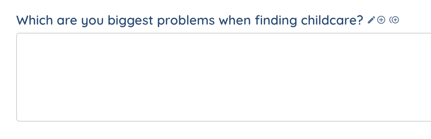
When adding a text area, it allows for a paragraph or multiple lines of text.

In the builder  

![](https://learn.enginehire.io/hs-fs/hubfs/image-png-May-04-2023-05-14-07-4500-PM.png?width=572&height=79&name=image-png-May-04-2023-05-14-07-4500-PM.png)

**Example:** 

In the Form![](https://learn.enginehire.io/hs-fs/hubfs/image-png-May-04-2023-05-17-26-2601-PM.png?width=431&height=139&name=image-png-May-04-2023-05-17-26-2601-PM.png)

---

### Radio

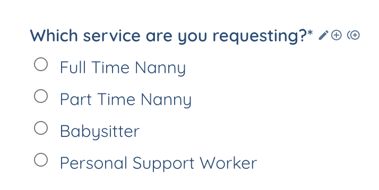
Adding radio icon allows you to add a list of options for the applicant to choose from but they can only choose 1.

In the builder![](https://learn.enginehire.io/hs-fs/hubfs/image-png-May-04-2023-05-14-59-0464-PM.png?width=550&height=80&name=image-png-May-04-2023-05-14-59-0464-PM.png)

**Example:** 

In the Form![](https://learn.enginehire.io/hs-fs/hubfs/image-png-May-04-2023-05-16-58-5335-PM.png?width=379&height=190&name=image-png-May-04-2023-05-16-58-5335-PM.png)

---


### **Radio Icon**

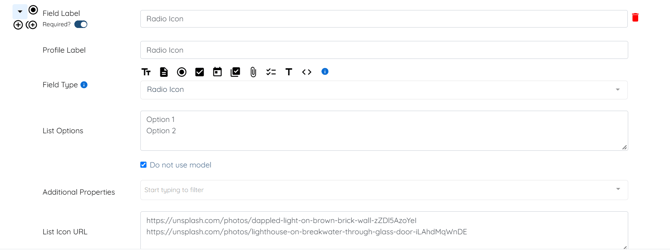
A horizontal list of  radio buttons along with the option to add image for every radio option.

In the Builder  
![](https://learn.enginehire.io/hs-fs/hubfs/image-png-Sep-22-2026-10-40-23-8175-AM.png?width=670&height=251&name=image-png-Sep-22-2026-10-40-23-8175-AM.png)

**Example**:

In the Form:  
![](https://learn.enginehire.io/hs-fs/hubfs/image-png-Sep-22-2026-10-41-01-3544-AM.png?width=670&height=122&name=image-png-Sep-22-2026-10-41-01-3544-AM.png)

---

### **Radio Buttons**

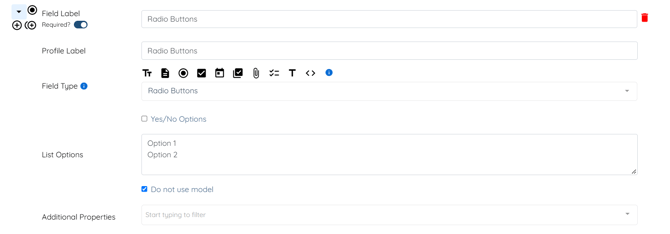
Use this field type to present a horizontal list of radio options as buttons.

In the Builder  
![](https://learn.enginehire.io/hs-fs/hubfs/image-png-Sep-22-2026-10-53-59-0729-AM.png?width=670&height=235&name=image-png-Sep-22-2026-10-53-59-0729-AM.png)

**Example**:

In the Form  
![](https://learn.enginehire.io/hs-fs/hubfs/image-png-Sep-22-2026-10-54-43-2008-AM.png?width=670&height=71&name=image-png-Sep-22-2026-10-54-43-2008-AM.png)


---

### **Checkbox Item (Single Checkbox)**

Choosing the Checkbox Single button only allows the applicant to view and select 1 option.

In the builder![](https://learn.enginehire.io/hs-fs/hubfs/image-png-May-04-2023-05-18-47-4411-PM.png?width=503&height=84&name=image-png-May-04-2023-05-18-47-4411-PM.png)

**Example:** This is typically used for "I agree" statements

In the Form![](https://learn.enginehire.io/hs-fs/hubfs/image-png-May-04-2023-05-21-04-5075-PM.png?width=255&height=67&name=image-png-May-04-2023-05-21-04-5075-PM.png)

 

---

### **Checkbox Group**

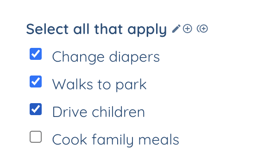
List multiple options, allowing the applicant to select more than 1 option.

In the builder![](https://learn.enginehire.io/hs-fs/hubfs/image-png-May-04-2023-05-22-46-8859-PM.png?width=489&height=128&name=image-png-May-04-2023-05-22-46-8859-PM.png)

**Example:** 

In the Form![](https://learn.enginehire.io/hs-fs/hubfs/image-png-May-04-2023-05-23-58-6433-PM.png?width=264&height=164&name=image-png-May-04-2023-05-23-58-6433-PM.png)


---

### **Dropdown**

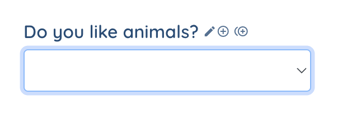
Drop down option will allow you to list options for the application.  The user will be able to select 1 options from the drop down.

In the builder![](https://learn.enginehire.io/hs-fs/hubfs/image-png-May-04-2023-05-27-00-4166-PM.png?width=474&height=73&name=image-png-May-04-2023-05-27-00-4166-PM.png)

Example:

In the Form![](https://learn.enginehire.io/hs-fs/hubfs/image-png-May-04-2023-05-29-12-3437-PM.png?width=347&height=113&name=image-png-May-04-2023-05-29-12-3437-PM.png)

![](https://learn.enginehire.io/hs-fs/hubfs/image-png-May-04-2023-05-29-21-5493-PM.png?width=384&height=149&name=image-png-May-04-2023-05-29-21-5493-PM.png)


---

### Section Title

This allows you to create a section title for the application in any area.

In the builder![](https://learn.enginehire.io/hubfs/image-png-May-04-2023-05-44-07-5933-PM.png)

**Example:** 

In the Form![](https://learn.enginehire.io/hs-fs/hubfs/image-png-May-04-2023-05-43-47-4021-PM.png?width=452&height=155&name=image-png-May-04-2023-05-43-47-4021-PM.png)


---

### Section Secondary Title

This is a smaller title that will allow you to define what you want the user to do.

In the builder![](https://learn.enginehire.io/hs-fs/hubfs/image-png-May-04-2023-05-47-49-3379-PM.png?width=423&height=59&name=image-png-May-04-2023-05-47-49-3379-PM.png)

**Example:** 

In the Form![](https://learn.enginehire.io/hs-fs/hubfs/image-png-May-04-2023-05-47-07-4227-PM.png?width=172&height=137&name=image-png-May-04-2023-05-47-07-4227-PM.png)


---

### Date Picker

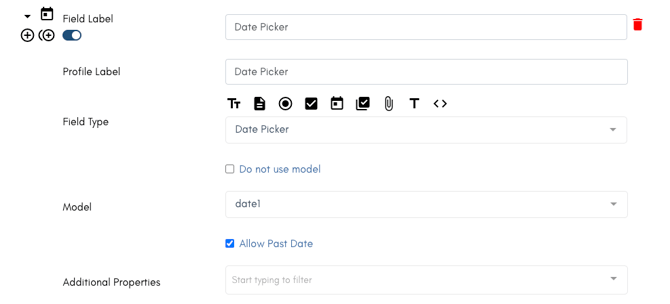
This box will open a tiny calendar when you applicant select it to assist them in selecting a date.

Example: Use this when asking for any information that a date is needed, like a Start Date.

In the builder
![](https://learn.enginehire.io/hs-fs/hubfs/Screen%20Shot%202025-01-22%20at%204-58-36%20PM-png.png?width=670&height=305&name=Screen%20Shot%202025-01-22%20at%204-58-36%20PM-png.png)


In the form![](https://learn.enginehire.io/hs-fs/hubfs/Screen%20Shot%202025-01-22%20at%204-12-02%20PM-png.png?width=670&height=98&name=Screen%20Shot%202025-01-22%20at%204-12-02%20PM-png.png)

---

### Multi Select

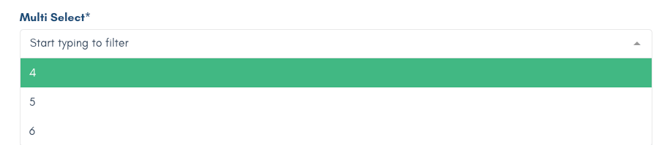
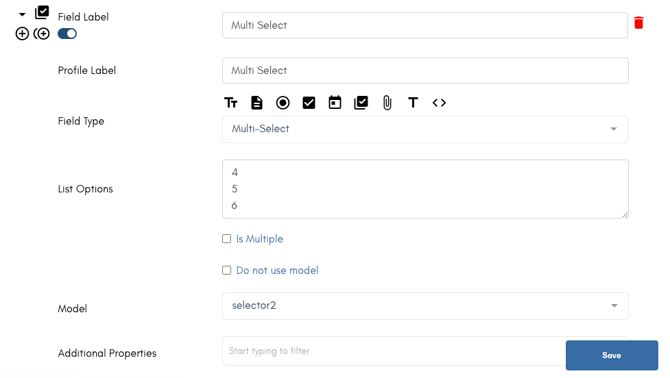
Multi Select works similar to a drop down.

In the Builder![](https://learn.enginehire.io/hs-fs/hubfs/Screen%20Shot%202025-01-22%20at%204-57-31%20PM-png.png?width=670&height=379&name=Screen%20Shot%202025-01-22%20at%204-57-31%20PM-png.png)
In the form![](https://learn.enginehire.io/hs-fs/hubfs/Screen%20Shot%202025-01-22%20at%204-58-10%20PM-png.png?width=670&height=146&name=Screen%20Shot%202025-01-22%20at%204-58-10%20PM-png.png)


---

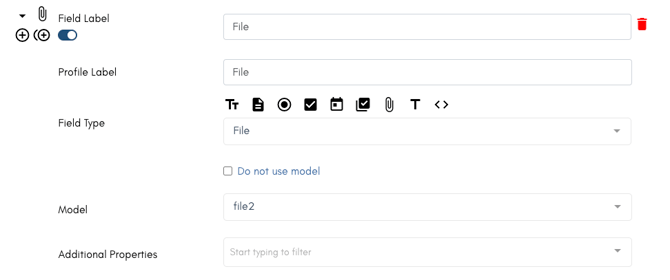
### File

This option allows your user to upload a file of any type.
![](https://learn.enginehire.io/hs-fs/hubfs/Screen%20Shot%202025-01-22%20at%205-16-55%20PM-png.png?width=670&height=280&name=Screen%20Shot%202025-01-22%20at%205-16-55%20PM-png.png)

This can be used to gather documents, a profile picture, resume, and more.

In the form![](https://learn.enginehire.io/hs-fs/hubfs/Screen%20Shot%202025-01-22%20at%205-16-17%20PM-png-1.png?width=670&height=110&name=Screen%20Shot%202025-01-22%20at%205-16-17%20PM-png-1.png)

---

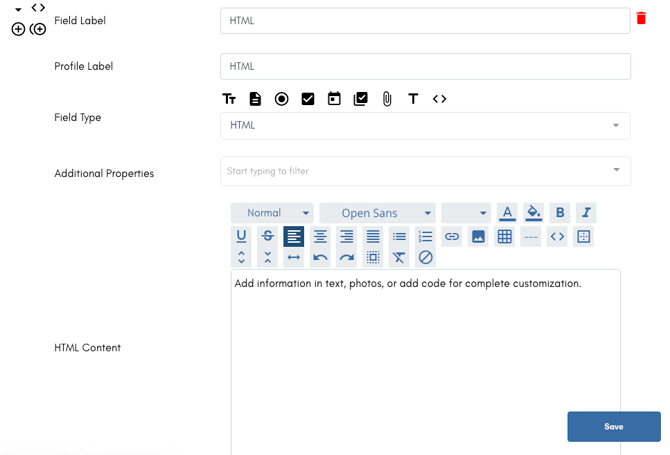
### HTML

The HTML section has many uses and can allow you to utilize code should there be something you'd like to embed, it can be used a way to simply type and share information, add a photo, and so much more.

In the builder
![](https://learn.enginehire.io/hs-fs/hubfs/Screen%20Shot%202025-01-22%20at%205-18-52%20PM-png.png?width=670&height=456&name=Screen%20Shot%202025-01-22%20at%205-18-52%20PM-png.png)

In the form![](https://learn.enginehire.io/hs-fs/hubfs/Screen%20Shot%202025-01-22%20at%206-00-50%20PM-png.png?width=670&height=57&name=Screen%20Shot%202025-01-22%20at%206-00-50%20PM-png.png)

---

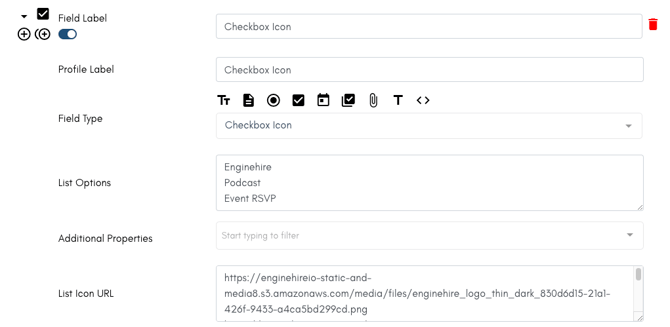
### Checkbox Icon

Checkbox Icon allows you to show images of options which is great when when you want to share option of services or give someone a glimpse of what something might look like as they choose. 

Use List Icon URL to share the URL of an image, which means the images must be hosted somewhere like a Google Upload or upload your image into your Resource Library and utilize the url it creates for that.

In the builder
![](https://learn.enginehire.io/hs-fs/hubfs/Screen%20Shot%202025-01-24%20at%2010-31-30%20AM-png.png?width=670&height=327&name=Screen%20Shot%202025-01-24%20at%2010-31-30%20AM-png.png)

In the form

![](https://learn.enginehire.io/hs-fs/hubfs/Screen%20Shot%202025-01-24%20at%2010-31-41%20AM-png.png?width=670&height=120&name=Screen%20Shot%202025-01-24%20at%2010-31-41%20AM-png.png)

---

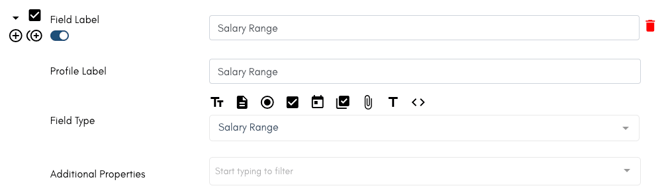
### Salary Range

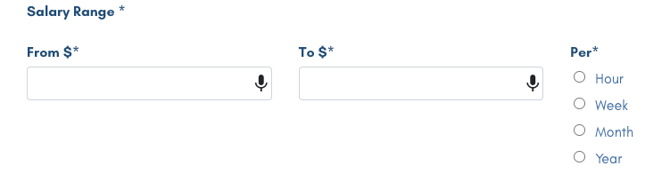
Ask your clients how much they are willing to budget or your candidates how much they are hoping to make. This simple field creates are power section in your form.

In the builder
![](https://learn.enginehire.io/hs-fs/hubfs/Screen%20Shot%202025-01-24%20at%2010-36-09%20AM-png.png?width=670&height=195&name=Screen%20Shot%202025-01-24%20at%2010-36-09%20AM-png.png)

In the form

![](https://learn.enginehire.io/hs-fs/hubfs/Screen%20Shot%202025-01-24%20at%2010-35-57%20AM-png.png?width=670&height=175&name=Screen%20Shot%202025-01-24%20at%2010-35-57%20AM-png.png)

---

### Multi Date Picker

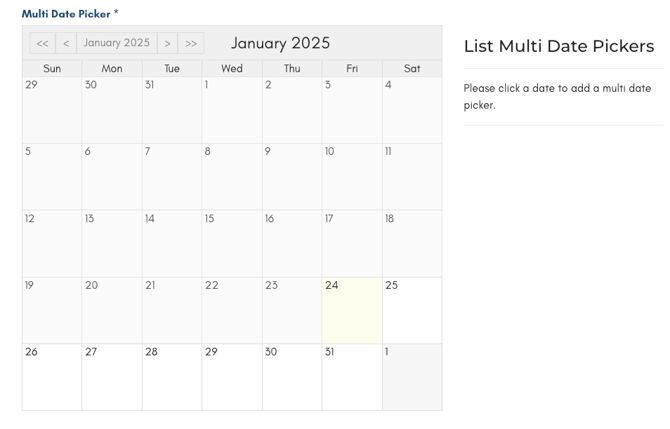
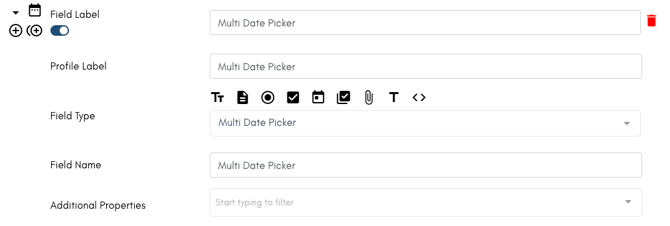
This is most often used in a booking section to allow clients to select specific days for their service.

In the builder:
![](https://learn.enginehire.io/hs-fs/hubfs/Screen%20Shot%202025-01-24%20at%2010-38-12%20AM-png.png?width=670&height=226&name=Screen%20Shot%202025-01-24%20at%2010-38-12%20AM-png.png)

In the form:

![](https://learn.enginehire.io/hs-fs/hubfs/Screen%20Shot%202025-01-24%20at%2010-38-32%20AM-png.png?width=670&height=429&name=Screen%20Shot%202025-01-24%20at%2010-38-32%20AM-png.png)

---

### Time Picker

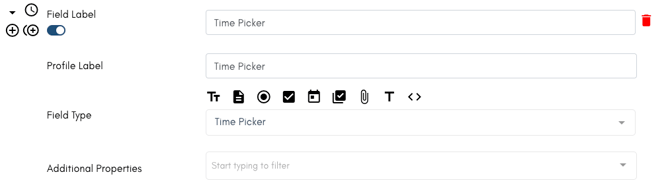
This option allows someone to select a time, which is helpful when selecting a start time, end time, or when someone is available.

In the builder:
![](https://learn.enginehire.io/hs-fs/hubfs/Screen%20Shot%202025-01-24%20at%2010-40-07%20AM-png.png?width=670&height=194&name=Screen%20Shot%202025-01-24%20at%2010-40-07%20AM-png.png)

In the form:

![](https://learn.enginehire.io/hs-fs/hubfs/Screen%20Shot%202025-01-24%20at%2010-39-57%20AM-png.png?width=619&height=94&name=Screen%20Shot%202025-01-24%20at%2010-39-57%20AM-png.png)

---

### Date Time Picker

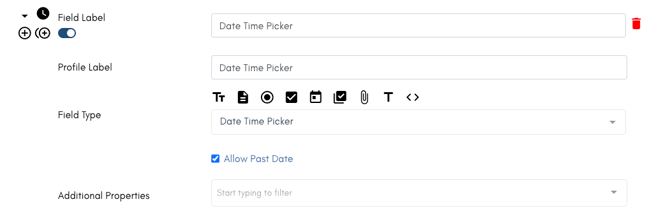
The Date Time Picker is a combination of the year, month, day, and time.  This is most commonly used to have a client select a date for a service and the time it must be done.

In the builder:
![](https://learn.enginehire.io/hs-fs/hubfs/Screen%20Shot%202025-01-24%20at%2010-41-59%20AM-png.png?width=670&height=219&name=Screen%20Shot%202025-01-24%20at%2010-41-59%20AM-png.png)

In the form:

![](https://learn.enginehire.io/hs-fs/hubfs/Screen%20Shot%202025-01-24%20at%2010-43-27%20AM-png.png?width=632&height=92&name=Screen%20Shot%202025-01-24%20at%2010-43-27%20AM-png.png)

---

### Month Picker

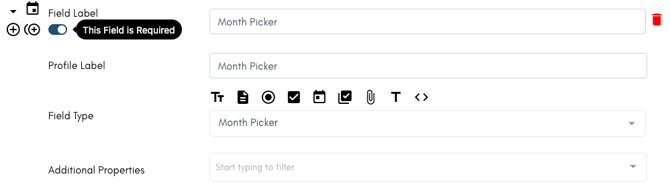
Have a user simply select a year and month. This field is a great option when inquiring about someone's past employment history.

In the builder:
![](https://learn.enginehire.io/hs-fs/hubfs/Screen%20Shot%202025-01-24%20at%2010-46-43%20AM-png.png?width=670&height=191&name=Screen%20Shot%202025-01-24%20at%2010-46-43%20AM-png.png)


In the form:

![](https://learn.enginehire.io/hs-fs/hubfs/Screen%20Shot%202025-01-24%20at%2010-45-22%20AM-png.png?width=670&height=65&name=Screen%20Shot%202025-01-24%20at%2010-45-22%20AM-png.png)

---

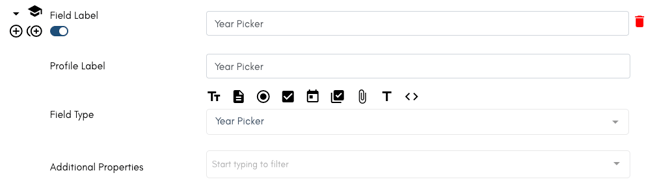
### Year Picker

Allow your users to select a year.

In the builder:![](https://learn.enginehire.io/hs-fs/hubfs/Screen%20Shot%202025-01-24%20at%2011-11-08%20AM-png.png?width=670&height=187&name=Screen%20Shot%202025-01-24%20at%2011-11-08%20AM-png.png)
In the form:

![](https://learn.enginehire.io/hs-fs/hubfs/Screen%20Shot%202025-01-24%20at%2011-10-18%20AM-png.png?width=670&height=65&name=Screen%20Shot%202025-01-24%20at%2011-10-18%20AM-png.png)

---

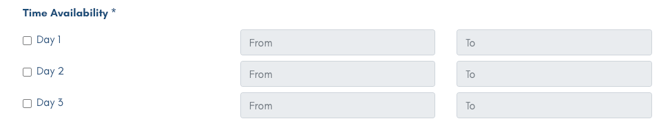
### Time Availability

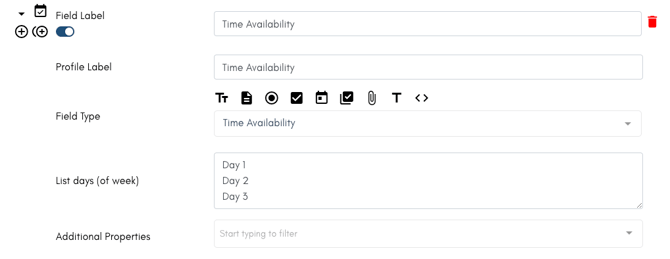
Time Availability is most commonly used to when asking a client what days of the week they need assistance and when asking candidates when they are available.

List the days of the week you want people to choose from when adding the field to your sections.

In the builder:![](https://learn.enginehire.io/hs-fs/hubfs/Screen%20Shot%202025-01-24%20at%2011-11-43%20AM-png.png?width=670&height=259&name=Screen%20Shot%202025-01-24%20at%2011-11-43%20AM-png.png)
 

In the form:![](https://learn.enginehire.io/hs-fs/hubfs/Screen%20Shot%202025-01-24%20at%2011-25-54%20AM-png.png?width=670&height=135&name=Screen%20Shot%202025-01-24%20at%2011-25-54%20AM-png.png)

---

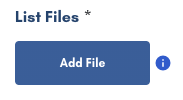
### List Files

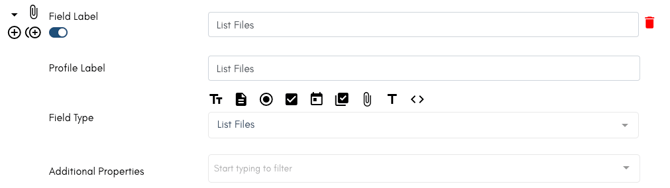
Use this field to cut down on multiple places to add files and to allow clients or candidate the option to add multiple relevant pages of a document or multiple documents in one place.

In the builder![](https://learn.enginehire.io/hs-fs/hubfs/Screen%20Shot%202025-01-24%20at%2011-29-41%20AM-png.png?width=670&height=188&name=Screen%20Shot%202025-01-24%20at%2011-29-41%20AM-png.png)
 

In the form:

![](https://learn.enginehire.io/hs-fs/hubfs/Screen%20Shot%202025-01-24%20at%2011-27-46%20AM-png.png?width=183&height=100&name=Screen%20Shot%202025-01-24%20at%2011-27-46%20AM-png.png)

---

### Label

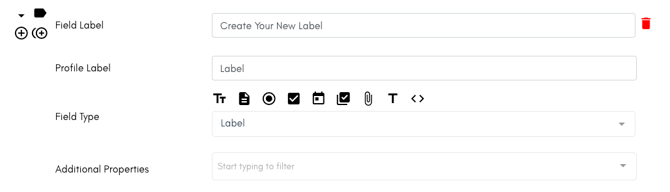
Replace an existing label with one of your own creation. This will make sure that your label matches the rest of your form.

In the builder:![](https://learn.enginehire.io/hs-fs/hubfs/Screen%20Shot%202025-01-24%20at%2011-33-18%20AM-png.png?width=670&height=193&name=Screen%20Shot%202025-01-24%20at%2011-33-18%20AM-png.png)
In the form:

---

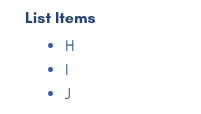
### List Items

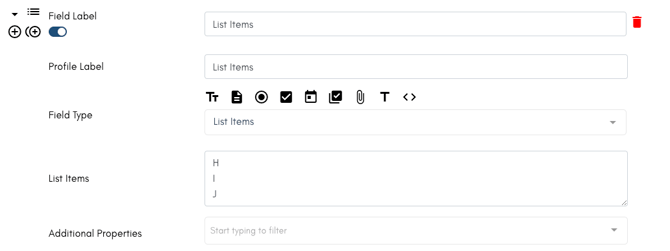
Use this filed to add a list of unclickable items. This is best used for sharing bullet points of a service.

In the builder:  
![](https://learn.enginehire.io/hs-fs/hubfs/Screen%20Shot%202025-01-24%20at%2011-57-41%20AM-png.png?width=670&height=252&name=Screen%20Shot%202025-01-24%20at%2011-57-41%20AM-png.png)

In the form:  
![](https://learn.enginehire.io/hs-fs/hubfs/Screen%20Shot%202025-01-24%20at%2011-58-00%20AM-png.png?width=201&height=114&name=Screen%20Shot%202025-01-24%20at%2011-58-00%20AM-png.png)

---

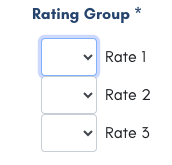
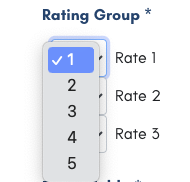
### Rating Group

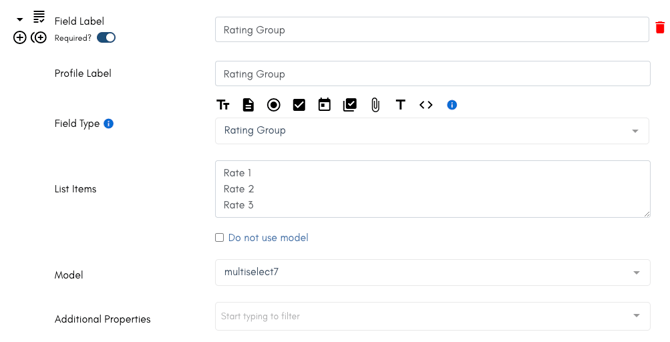
Use this field to allow people to share a preference or rate items.

In the builder:
![](https://learn.enginehire.io/hs-fs/hubfs/Screen%20Shot%202025-01-25%20at%2012-02-14%20PM-png.png?width=670&height=342&name=Screen%20Shot%202025-01-25%20at%2012-02-14%20PM-png.png)

In the form:

![](https://learn.enginehire.io/hs-fs/hubfs/Screen%20Shot%202025-01-25%20at%2012-02-59%20PM-png.png?width=172&height=165&name=Screen%20Shot%202025-01-25%20at%2012-02-59%20PM-png.png) ![](https://learn.enginehire.io/hs-fs/hubfs/Screen%20Shot%202025-01-25%20at%2012-03-11%20PM-png.png?width=190&height=182&name=Screen%20Shot%202025-01-25%20at%2012-03-11%20PM-png.png)

---

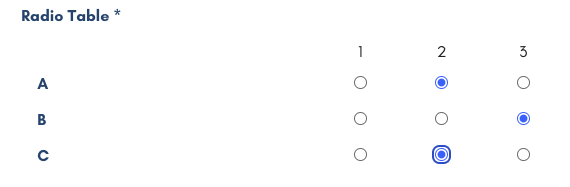
### Radio Table

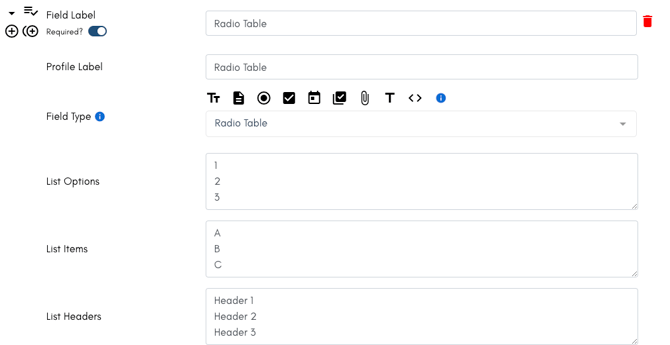
Use the table to allow people to chose a single rating per option.

In the builder:  
![](https://learn.enginehire.io/hs-fs/hubfs/Screen%20Shot%202025-01-25%20at%2012-18-13%20PM-png.png?width=670&height=346&name=Screen%20Shot%202025-01-25%20at%2012-18-13%20PM-png.png)

In the form:![](https://learn.enginehire.io/hs-fs/hubfs/Screen%20Shot%202025-01-25%20at%2012-18-40%20PM-png.png?width=570&height=187&name=Screen%20Shot%202025-01-25%20at%2012-18-40%20PM-png.png)

---

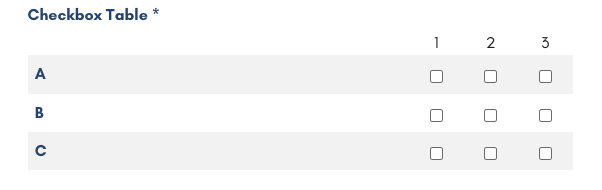
### Checkbox Table

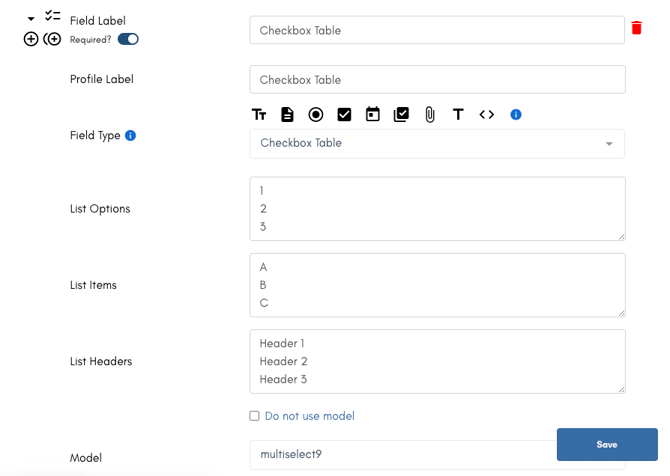
Use the table to allow people to chose a multiple rating per option.

In the builder:![](https://learn.enginehire.io/hs-fs/hubfs/Screen%20Shot%202025-01-25%20at%2012-25-39%20PM-png.png?width=670&height=476&name=Screen%20Shot%202025-01-25%20at%2012-25-39%20PM-png.png)
In the form.![](https://learn.enginehire.io/hs-fs/hubfs/Screen%20Shot%202025-01-25%20at%2012-18-50%20PM-png.png?width=602&height=190&name=Screen%20Shot%202025-01-25%20at%2012-18-50%20PM-png.png)

---

### Language Input

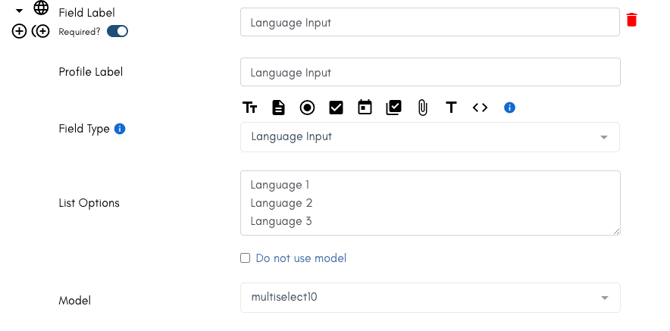
Set languages for users to select from and allow them to add an additional language.
![](https://learn.enginehire.io/hs-fs/hubfs/Screen%20Shot%202025-01-25%20at%2012-34-35%20PM-png.png?width=670&height=331&name=Screen%20Shot%202025-01-25%20at%2012-34-35%20PM-png.png)

![](https://learn.enginehire.io/hs-fs/hubfs/Screen%20Shot%202025-01-25%20at%2012-48-22%20PM-png.png?width=670&height=112&name=Screen%20Shot%202025-01-25%20at%2012-48-22%20PM-png.png)

---

### Separator

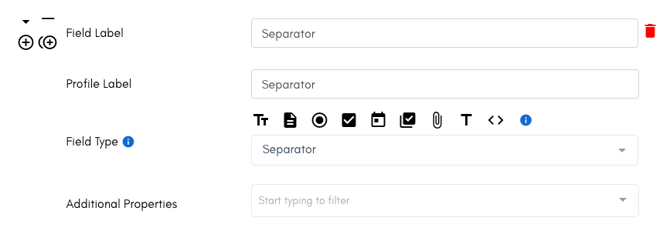
Use this to distinguish areas of a sections.
![](https://learn.enginehire.io/hs-fs/hubfs/Screen%20Shot%202025-01-25%20at%2012-34-42%20PM-png.png?width=670&height=232&name=Screen%20Shot%202025-01-25%20at%2012-34-42%20PM-png.png)

![](https://learn.enginehire.io/hs-fs/hubfs/Screen%20Shot%202025-01-25%20at%2012-52-00%20PM-png.png?width=670&height=30&name=Screen%20Shot%202025-01-25%20at%2012-52-00%20PM-png.png)

---

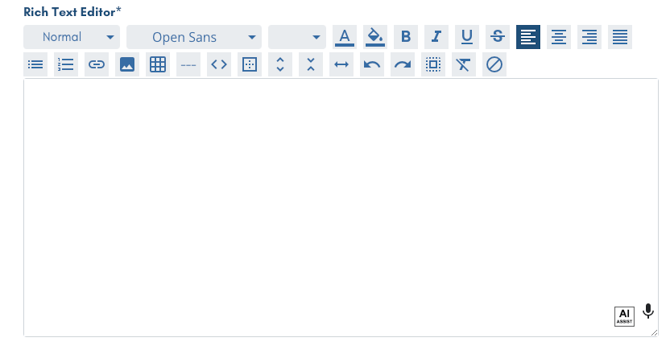
### Rich Text Editor

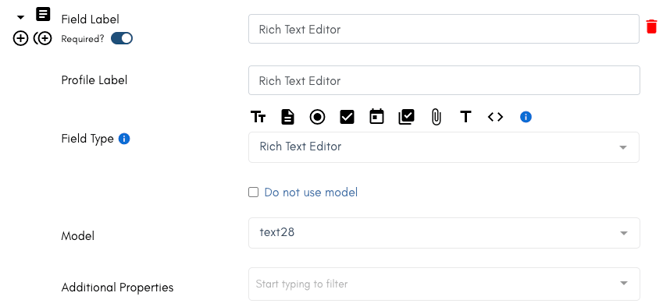
This area can allow a client or candidate to write in an area with the full availability of  fonts, text size, alignment, embed code, hyperlink, and more.
![](https://learn.enginehire.io/hs-fs/hubfs/Screen%20Shot%202025-01-25%20at%2012-34-50%20PM-png-1.png?width=670&height=308&name=Screen%20Shot%202025-01-25%20at%2012-34-50%20PM-png-1.png)

![](https://learn.enginehire.io/hs-fs/hubfs/Screen%20Shot%202025-01-25%20at%2012-48-29%20PM-png.png?width=670&height=351&name=Screen%20Shot%202025-01-25%20at%2012-48-29%20PM-png.png)

---

### Sign Document

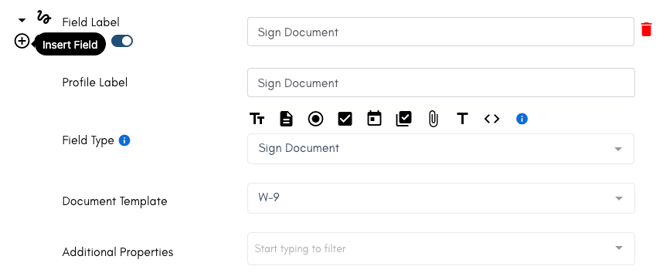
Open up a document to allow for it to be signed.

This is best when you want a document to appear in an application, so someone signs before they submit.
![](https://learn.enginehire.io/hs-fs/hubfs/Screen%20Shot%202025-01-25%20at%2012-34-59%20PM-png.png?width=670&height=274&name=Screen%20Shot%202025-01-25%20at%2012-34-59%20PM-png.png)

![](https://learn.enginehire.io/hs-fs/hubfs/Screen%20Shot%202025-01-25%20at%2012-48-33%20PM-png.png?width=183&height=97&name=Screen%20Shot%202025-01-25%20at%2012-48-33%20PM-png.png)

---

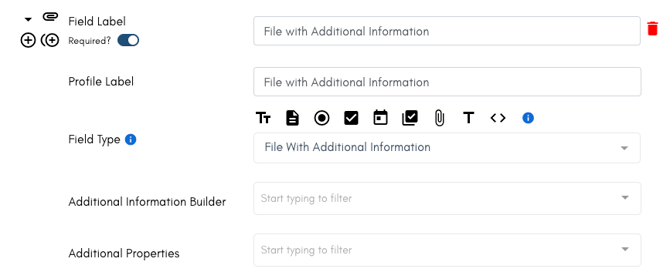
### File with Additional Information

Allow numerous files to be uploaded in one spot. 

This makes the uploading easy, containing it in one place. But it is best used for allowing a 'like' document or continuations to a single field.

![](https://learn.enginehire.io/hs-fs/hubfs/Screen%20Shot%202025-01-25%20at%2012-35-06%20PM-png.png?width=670&height=273&name=Screen%20Shot%202025-01-25%20at%2012-35-06%20PM-png.png)

![](https://learn.enginehire.io/hs-fs/hubfs/Screen%20Shot%202025-01-25%20at%2012-48-41%20PM-png.png?width=670&height=124&name=Screen%20Shot%202025-01-25%20at%2012-48-41%20PM-png.png)

---

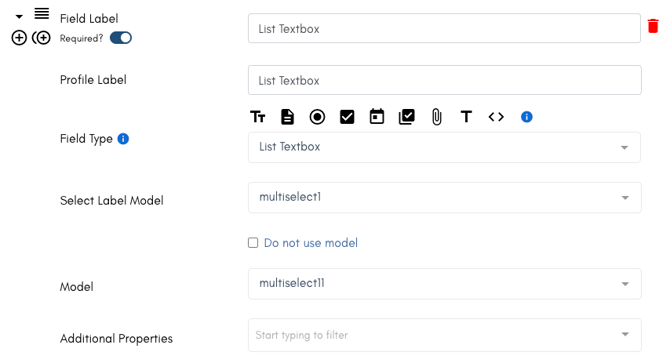
### List Textbox

![](https://learn.enginehire.io/hs-fs/hubfs/Screen%20Shot%202025-01-25%20at%2012-35-17%20PM-png.png?width=670&height=363&name=Screen%20Shot%202025-01-25%20at%2012-35-17%20PM-png.png)


---

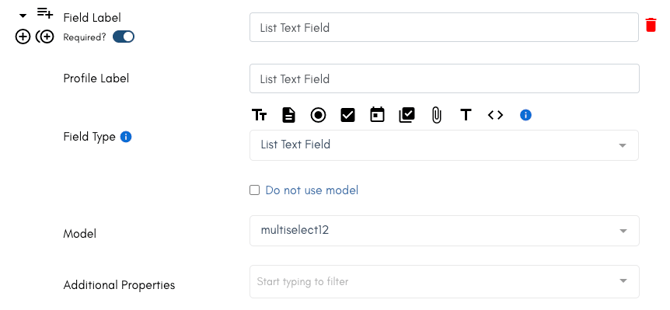
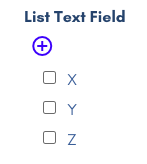
### List Text Field

Similar to a radio or checkbox, this field allows users to easily add options for them to select. 

This area is great when sharing specific services someone needs because you can list the most common and allow the client to add more.
![](https://learn.enginehire.io/hs-fs/hubfs/Screen%20Shot%202025-01-25%20at%2012-35-26%20PM-png.png?width=670&height=310&name=Screen%20Shot%202025-01-25%20at%2012-35-26%20PM-png.png)

![](https://learn.enginehire.io/hs-fs/hubfs/Screen%20Shot%202025-01-25%20at%2012-48-47%20PM-png.png?width=147&height=164&name=Screen%20Shot%202025-01-25%20at%2012-48-47%20PM-png.png)

---

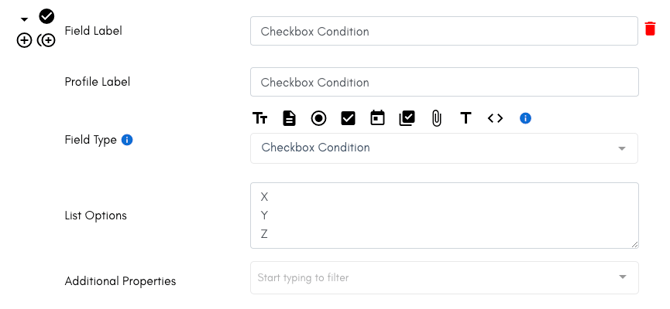
### Checkbox Condition


![](https://learn.enginehire.io/hs-fs/hubfs/Screen%20Shot%202025-01-25%20at%2012-35-34%20PM-png.png?width=670&height=310&name=Screen%20Shot%202025-01-25%20at%2012-35-34%20PM-png.png)


---

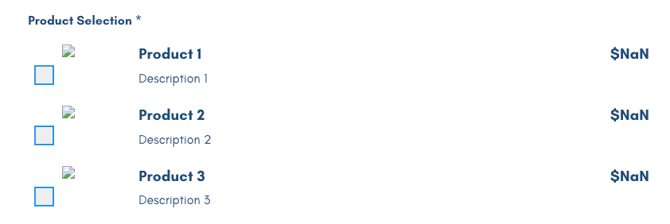
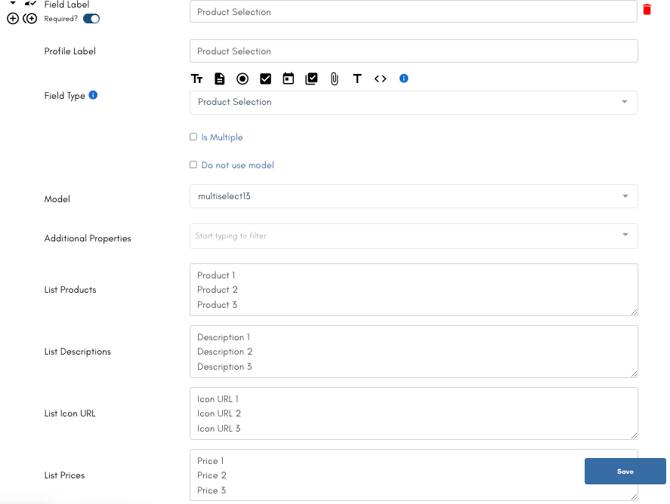
### Product Selection

The product selection makes it easy for you to sell goods and services in a section without using the product shop.

This is best when you want to highlight a single option.
![](https://learn.enginehire.io/hs-fs/hubfs/Screen%20Shot%202025-01-25%20at%2012-35-52%20PM-png.png?width=670&height=504&name=Screen%20Shot%202025-01-25%20at%2012-35-52%20PM-png.png) 

![](https://learn.enginehire.io/hs-fs/hubfs/Screen%20Shot%202025-01-25%20at%2012-48-52%20PM-png.png?width=670&height=224&name=Screen%20Shot%202025-01-25%20at%2012-48-52%20PM-png.png)

---

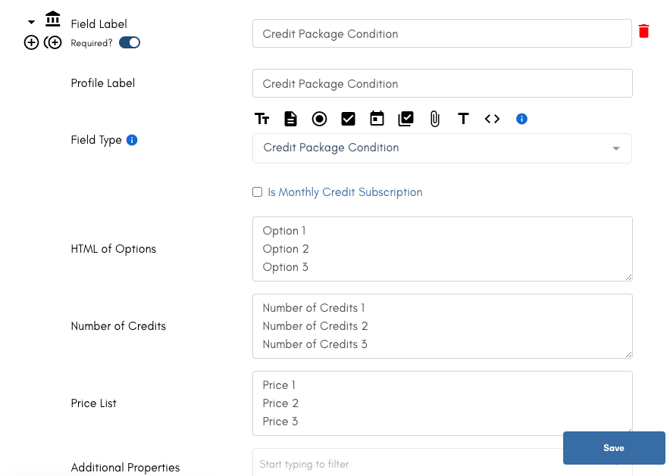
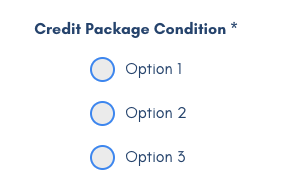
### Credit Package Condition

Use this to add a section for clients to select their credit options.

[Learn more about credits here.](https://learn.enginehire.io/en/knowledge/understanding-booking-credits-cash-credits?hsLang=en)
![](https://learn.enginehire.io/hs-fs/hubfs/Screen%20Shot%202025-01-25%20at%2012-36-06%20PM-png.png?width=670&height=477&name=Screen%20Shot%202025-01-25%20at%2012-36-06%20PM-png.png)

![](https://learn.enginehire.io/hs-fs/hubfs/Screen%20Shot%202025-01-25%20at%2012-49-07%20PM-png.png?width=306&height=188&name=Screen%20Shot%202025-01-25%20at%2012-49-07%20PM-png.png)

---

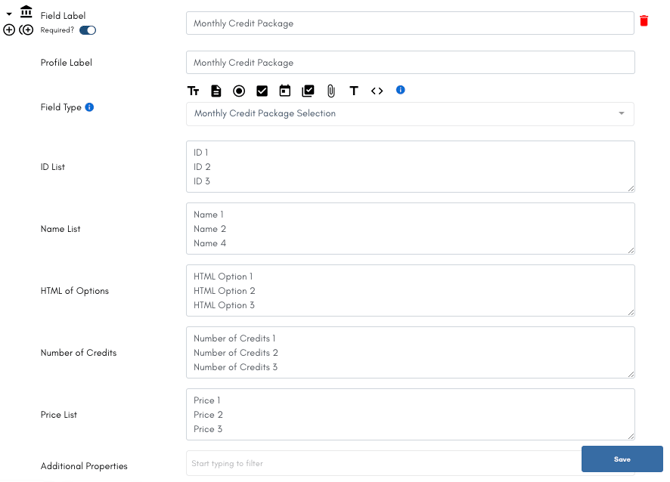
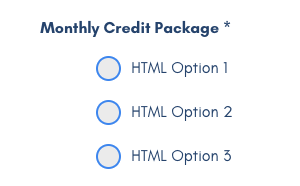
### Monthly Credit Package

Similar to the credit option about, this is for monthly packages. 

[Learn more about credits here.](https://learn.enginehire.io/en/knowledge/understanding-booking-credits-cash-credits?hsLang=en)
![](https://learn.enginehire.io/hs-fs/hubfs/Screen%20Shot%202025-01-25%20at%2012-36-27%20PM-png.png?width=670&height=482&name=Screen%20Shot%202025-01-25%20at%2012-36-27%20PM-png.png)

![](https://learn.enginehire.io/hs-fs/hubfs/Screen%20Shot%202025-01-25%20at%2012-49-12%20PM-png.png?width=300&height=186&name=Screen%20Shot%202025-01-25%20at%2012-49-12%20PM-png.png)

---

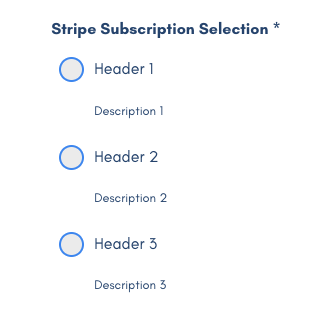
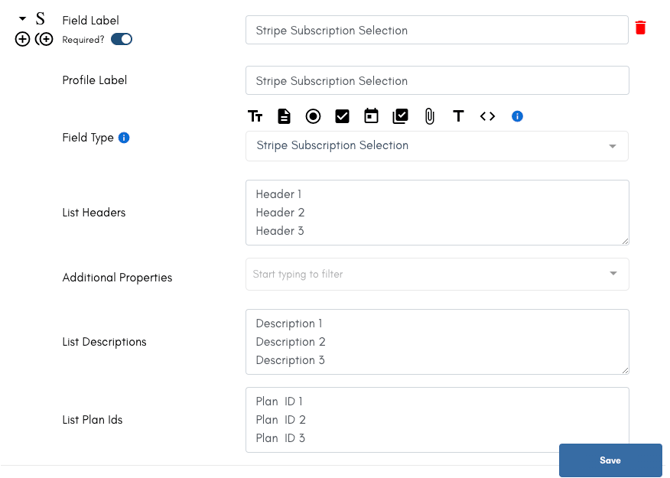
### Stripe Subscription Selection

Allow clients to select a subscription that is based in Stripe.

This can be used for reoccurring services that do no require scheduling.
![](https://learn.enginehire.io/hs-fs/hubfs/Screen%20Shot%202025-01-25%20at%2012-36-40%20PM-png.png?width=670&height=478&name=Screen%20Shot%202025-01-25%20at%2012-36-40%20PM-png.png)

![](https://learn.enginehire.io/hs-fs/hubfs/Screen%20Shot%202025-01-25%20at%2012-49-17%20PM-png.png?width=322&height=309&name=Screen%20Shot%202025-01-25%20at%2012-49-17%20PM-png.png)

---

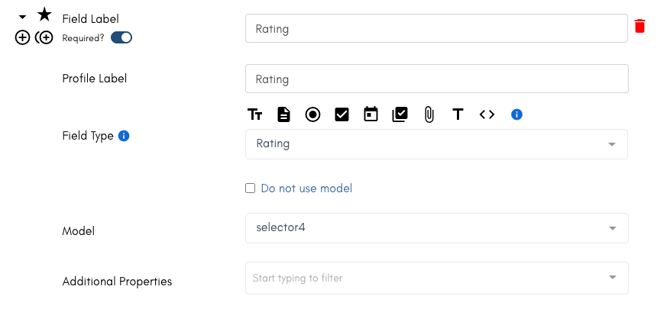
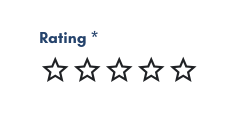
### Rating

Add a 5 start rating.

Use this in the reviews at the end of shifts or at the end of a placement to see how well you did.
![](https://learn.enginehire.io/hs-fs/hubfs/Screen%20Shot%202025-01-25%20at%2012-36-49%20PM-png-1.png?width=670&height=310&name=Screen%20Shot%202025-01-25%20at%2012-36-49%20PM-png-1.png)

![](https://learn.enginehire.io/hs-fs/hubfs/Screen%20Shot%202025-01-25%20at%2012-49-24%20PM-png.png?width=250&height=117&name=Screen%20Shot%202025-01-25%20at%2012-49-24%20PM-png.png)

---

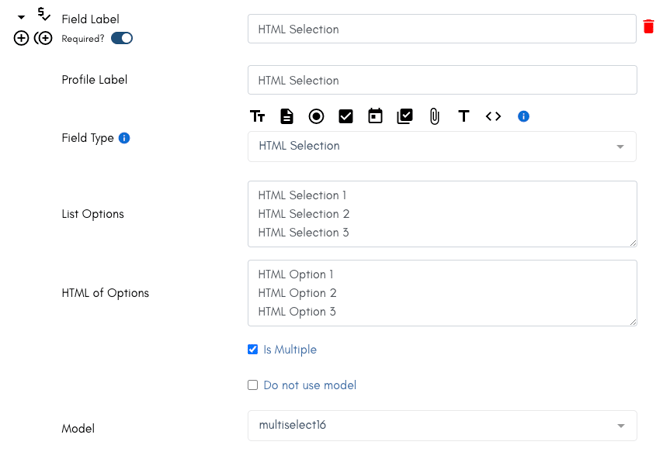
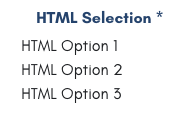
### HTML Selection


![](https://learn.enginehire.io/hs-fs/hubfs/Screen%20Shot%202025-01-25%20at%2012-37-00%20PM-png.png?width=670&height=453&name=Screen%20Shot%202025-01-25%20at%2012-37-00%20PM-png.png)

![](https://learn.enginehire.io/hs-fs/hubfs/Screen%20Shot%202025-01-25%20at%2012-49-31%20PM-png.png?width=183&height=115&name=Screen%20Shot%202025-01-25%20at%2012-49-31%20PM-png.png)

---

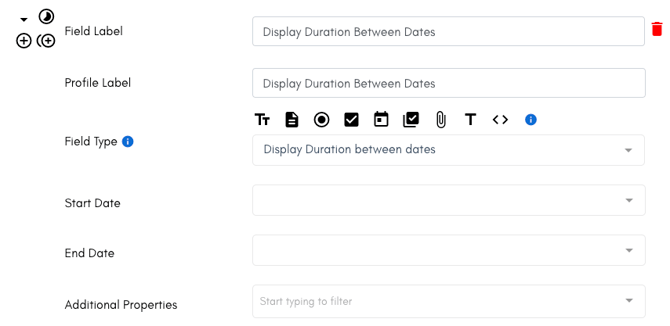
### Display Duration Between Dates
 

![](https://learn.enginehire.io/hs-fs/hubfs/Screen%20Shot%202025-01-25%20at%2012-37-18%20PM-png.png?width=670&height=327&name=Screen%20Shot%202025-01-25%20at%2012-37-18%20PM-png.png)


---

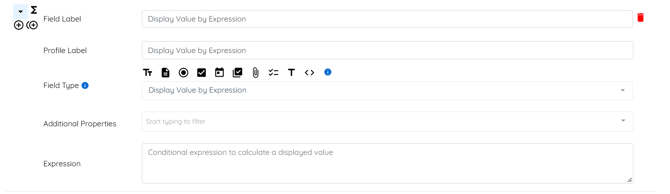
### **Display Value by Expression**

In the Builder  
![](https://learn.enginehire.io/hs-fs/hubfs/image-png-Sep-22-2026-11-07-59-6241-AM.png?width=670&height=194&name=image-png-Sep-22-2026-11-07-59-6241-AM.png)


---

### Payment

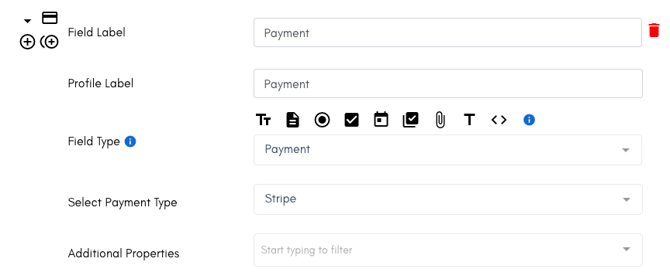
Add this field directly into an application or a profile as it's own section. 

Take payments, collect payment information, and determine when you want it to charge in this field's Additional Properties.

![](https://learn.enginehire.io/hs-fs/hubfs/Screen%20Shot%202025-01-25%20at%2012-37-26%20PM-png.png?width=670&height=279&name=Screen%20Shot%202025-01-25%20at%2012-37-26%20PM-png.png)

![](https://learn.enginehire.io/hs-fs/hubfs/Screen%20Shot%202025-01-25%20at%2012-50-18%20PM-png.png?width=670&height=79&name=Screen%20Shot%202025-01-25%20at%2012-50-18%20PM-png.png)

---

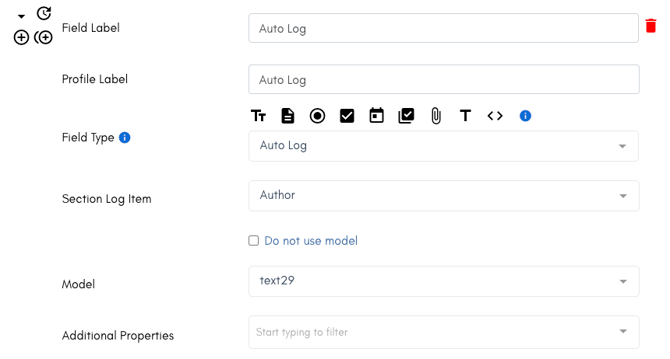
### Auto Log

Add this field within your Interview Notes section to auto log the Admin completing the interview (including the date and time completed).

![](https://learn.enginehire.io/hs-fs/hubfs/Screen%20Shot%202025-01-25%20at%2012-37-33%20PM-png.png?width=670&height=360&name=Screen%20Shot%202025-01-25%20at%2012-37-33%20PM-png.png)

![](https://learn.enginehire.io/hs-fs/hubfs/Screen%20Shot%202025-01-25%20at%2012-50-25%20PM-png.png?width=670&height=79&name=Screen%20Shot%202025-01-25%20at%2012-50-25%20PM-png.png)

---

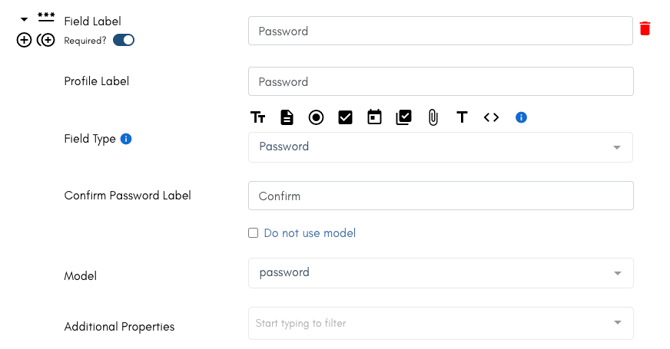
### Password

![](https://learn.enginehire.io/hs-fs/hubfs/Screen%20Shot%202025-01-25%20at%2012-37-40%20PM-png.png?width=670&height=350&name=Screen%20Shot%202025-01-25%20at%2012-37-40%20PM-png.png)

![](https://learn.enginehire.io/hs-fs/hubfs/Screen%20Shot%202025-01-25%20at%2012-50-35%20PM-png.png?width=670&height=83&name=Screen%20Shot%202025-01-25%20at%2012-50-35%20PM-png.png)

---

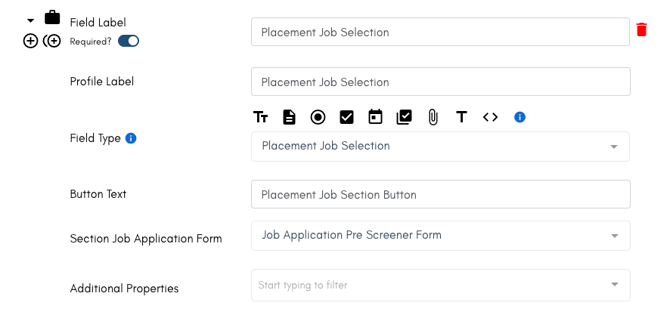
### Placement Job Selection


![](https://learn.enginehire.io/hs-fs/hubfs/Screen%20Shot%202025-01-25%20at%2012-37-47%20PM-png.png?width=670&height=316&name=Screen%20Shot%202025-01-25%20at%2012-37-47%20PM-png.png)

![](https://learn.enginehire.io/hs-fs/hubfs/Screen%20Shot%202025-01-25%20at%2012-50-45%20PM-png.png?width=250&height=110&name=Screen%20Shot%202025-01-25%20at%2012-50-45%20PM-png.png)

---

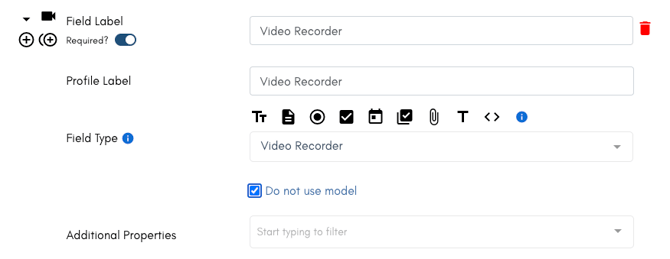
### Video Recorder

Create a great introduction for client, or candidate and the video recorder into your application or profile.

This is a great way for clients and candidates to get a glimpse of each other before they meet.
![](https://learn.enginehire.io/hs-fs/hubfs/Screen%20Shot%202025-01-25%20at%2012-38-05%20PM-png.png?width=670&height=260&name=Screen%20Shot%202025-01-25%20at%2012-38-05%20PM-png.png)

![](https://learn.enginehire.io/hs-fs/hubfs/Screen%20Shot%202025-01-25%20at%2012-50-52%20PM-png.png?width=162&height=94&name=Screen%20Shot%202025-01-25%20at%2012-50-52%20PM-png.png)

---

### Returning Applicant Button

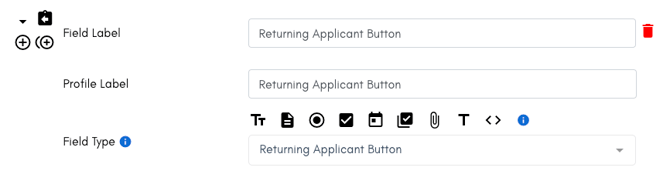
Allow those that have started an application to return and finish.

Adding this will put a button at the top of the application where they will be asked to add their email address, they will get a code to verify it is them, and then the application will populate with everything they have already filled in and they can continue without starting over.
![](https://learn.enginehire.io/hs-fs/hubfs/Screen%20Shot%202025-01-25%20at%2012-38-12%20PM-png.png?width=670&height=175&name=Screen%20Shot%202025-01-25%20at%2012-38-12%20PM-png.png)

![](https://learn.enginehire.io/hs-fs/hubfs/Screen%20Shot%202025-01-25%20at%2012-50-58%20PM-png.png?width=245&height=71&name=Screen%20Shot%202025-01-25%20at%2012-50-58%20PM-png.png)

---

### Signature

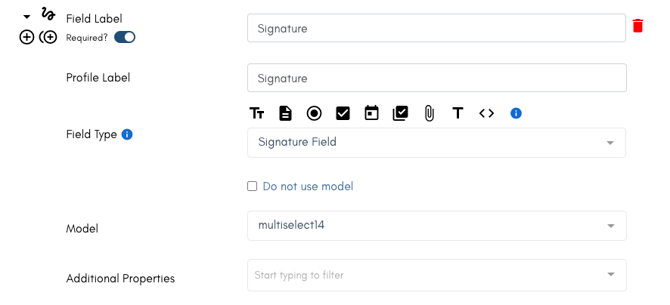
The signature is a special text box to allow someone to sign a document, where the signature is logged.

Use then when you are wanting to someone to verify they have read a page or agree to something without opening an entire document.

![](https://learn.enginehire.io/hs-fs/hubfs/Screen%20Shot%202025-01-25%20at%2012-38-20%20PM-png.png?width=670&height=306&name=Screen%20Shot%202025-01-25%20at%2012-38-20%20PM-png.png)

![](https://learn.enginehire.io/hs-fs/hubfs/Screen%20Shot%202025-01-25%20at%2012-51-10%20PM-png.png?width=670&height=111&name=Screen%20Shot%202025-01-25%20at%2012-51-10%20PM-png.png)

---

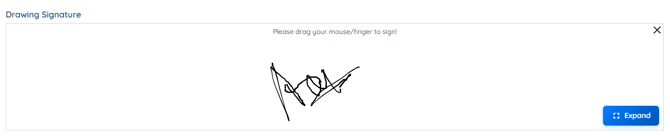
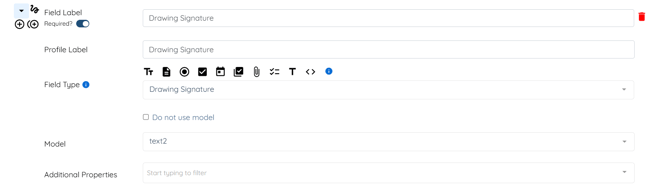
### Drawing Signature

Similar to signature field, where the user can drag mouse or finger to sign.

In the Builder  
![](https://learn.enginehire.io/hs-fs/hubfs/image-png-Sep-22-2026-11-12-23-4386-AM.png?width=670&height=192&name=image-png-Sep-22-2026-11-12-23-4386-AM.png) 

In the Form   
![](https://learn.enginehire.io/hs-fs/hubfs/image-png-Sep-22-2026-11-12-43-2806-AM.png?width=670&height=137&name=image-png-Sep-22-2026-11-12-43-2806-AM.png)

---

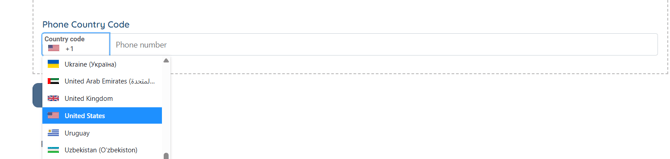
### **Phone Country Code**

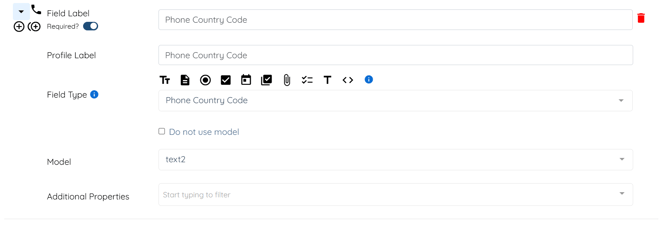
With this field type added, the user can select the county code while adding contact number in the application form.

In the Builder  
![](https://learn.enginehire.io/hs-fs/hubfs/image-png-Sep-22-2026-11-55-57-6675-AM.png?width=670&height=226&name=image-png-Sep-22-2026-11-55-57-6675-AM.png)

**Example**

In the Form  
![](https://learn.enginehire.io/hs-fs/hubfs/image-png-Sep-22-2026-11-58-40-2082-AM.png?width=670&height=160&name=image-png-Sep-22-2026-11-58-40-2082-AM.png)

---

### **Checkbox Preferred/Required**

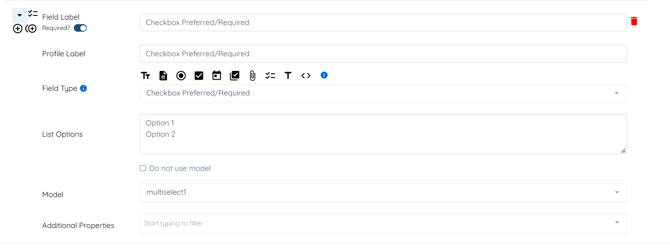
With the help of this Field type, you can make things easier for users by allowing them to simply click an option to indicate their preference and requirement.

In the Builder  
![](https://learn.enginehire.io/hs-fs/hubfs/image-png-Sep-22-2026-12-13-12-9680-PM.png?width=670&height=248&name=image-png-Sep-22-2026-12-13-12-9680-PM.png)

In the Form  
![](https://learn.enginehire.io/hs-fs/hubfs/image-png-Sep-22-2026-12-12-03-1064-PM.png?width=670&height=113&name=image-png-Sep-22-2026-12-12-03-1064-PM.png)


---

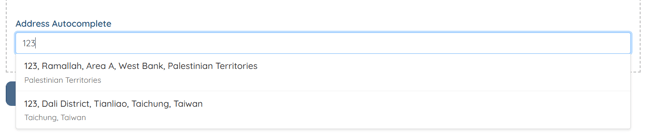
### **Address Autocomplete**

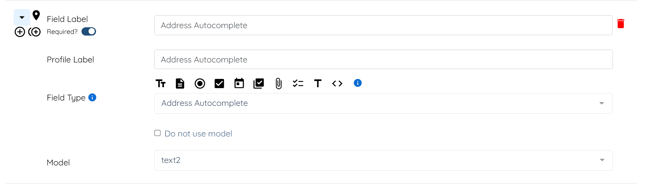
Add this field to the application form to help users fill out the address. It will start providing suggestions once the user starts typing in the created field.

In the Builder  
![](https://learn.enginehire.io/hs-fs/hubfs/image-png-Sep-22-2026-11-48-48-8161-AM.png?width=670&height=184&name=image-png-Sep-22-2026-11-48-48-8161-AM.png)

**Example**

In the Form  
![](https://learn.enginehire.io/hs-fs/hubfs/image-png-Sep-22-2026-11-50-41-5293-AM.png?width=670&height=137&name=image-png-Sep-22-2026-11-50-41-5293-AM.png)

---

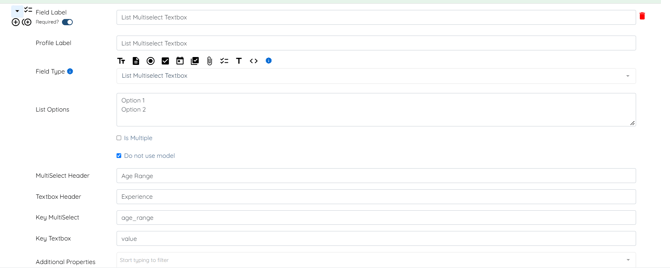
### **List Multiselect Textbox**

A field type with a combination of list and textboxes, where the user can select one option from the dropdown list and add the appropriate value for the selected option in the corresponding checkbox.

In the Builder  
![](https://learn.enginehire.io/hs-fs/hubfs/image-png-Sep-22-2026-11-40-11-6769-AM.png?width=670&height=269&name=image-png-Sep-22-2026-11-40-11-6769-AM.png)

In the Form  
![](https://learn.enginehire.io/hs-fs/hubfs/image-png-Sep-22-2026-11-42-04-1255-AM.png?width=670&height=111&name=image-png-Sep-22-2026-11-42-04-1255-AM.png)

---

### Try the form and test every field yourself.

<iframe height="1000" src="https://danny.enginehire.io/application-form/609/26711" style="border: none; min-height: 1000px;" width="100%"></iframe>

Note: 

[If you have a question regarding any of our other fields, please contact support so we can help you!](https://learn.enginehire.io/en/knowledge/kb-tickets/new?hsLang=en)


---


[If this doesn't answer your questions you can always contact us by clicking here](https://share.hsforms.com/1yIx2IRKyQQaVcMJW8kLbJg39wil)


- [Onboarding](https://learn.enginehire.io/en/knowledge/onboarding?hsLang=en)
- [Application Forms & Profiles](https://learn.enginehire.io/en/knowledge/application-forms-profiles?hsLang=en)
- [Templates & Communication](https://learn.enginehire.io/en/knowledge/templates-communication?hsLang=en#main-content)

    - [Documents](https://learn.enginehire.io/en/knowledge/templates-communication?hsLang=en#documents)
- [Jobs](https://learn.enginehire.io/en/knowledge/jobs?hsLang=en)
- [Payments](https://learn.enginehire.io/en/knowledge/payments?hsLang=en)
- [Integrations](https://learn.enginehire.io/en/knowledge/integrations?hsLang=en)
- [App](https://learn.enginehire.io/en/knowledge/app?hsLang=en)
- [For Candidates & Clients](https://learn.enginehire.io/en/knowledge/for-candidates-clients?hsLang=en)
- [Backup Care](https://learn.enginehire.io/en/knowledge/backup-care?hsLang=en#main-content)

    - [Instant Book](https://learn.enginehire.io/en/knowledge/backup-care?hsLang=en#instant-book)
- [Data Import & Export](https://learn.enginehire.io/en/knowledge/data-import-export?hsLang=en)
- [Reporting & Logs](https://learn.enginehire.io/en/knowledge/reporting-logs?hsLang=en)
- [Error](https://learn.enginehire.io/en/knowledge/error?hsLang=en#main-content)

    - [Authentication](https://learn.enginehire.io/en/knowledge/error?hsLang=en#authentication)
- [Settings](https://learn.enginehire.io/en/knowledge/settings?hsLang=en)
- [Domain](https://learn.enginehire.io/en/knowledge/domain?hsLang=en)
- [Webinars and Training](https://learn.enginehire.io/en/knowledge/webinars-and-training?hsLang=en)
- [Ways to Grow and Make More Money](https://learn.enginehire.io/en/knowledge/ways-to-grow-and-make-more-money?hsLang=en)
- [Placements](https://learn.enginehire.io/en/knowledge/placements?hsLang=en#main-content)

    - [Job Board](https://learn.enginehire.io/en/knowledge/placements?hsLang=en#job-board)
- [Enginehire Team Internal Videos](https://learn.enginehire.io/en/knowledge/enginehire-team-internal-videos?hsLang=en#main-content)

    - [Settings](https://learn.enginehire.io/en/knowledge/enginehire-team-internal-videos?hsLang=en#settings)
- [AI](https://learn.enginehire.io/en/knowledge/ai?hsLang=en)

- Home
- Products
- Pricing
- Blog
- Company

[![Chill listening crop-3](https://learn.enginehire.io/hs-fs/hubfs/enginehire%20logo%20thin%20dark%201.0-1.png?width=68&height=24&name=enginehire%20logo%20thin%20dark%201.0-1.png "Chill listening crop-3")](https://enginehire.io)

Enginehire Help Center

<https://www.facebook.com/enginehire> <https://www.instagram.com/enginehire/>

Copyright © 2026, Enginehire Inc.