![enginehire logo thin dark 1.0.png]](https://learn.enginehire.io/hs-fs/hubfs/enginehire%20logo%20thin%20dark%201.0.png?height=40&name=enginehire%20logo%20thin%20dark%201.0.png)
You must create an Evaluation Builder before adding it to an application form. For more information on creating an evaluation builder, refer to the Create an Evaluation Builder document.
For demonstration purposes, this article uses a candidate application form to show how to add an evaluation form. The same steps apply when adding evaluation forms to a client application form.
Let’s get started 🚀
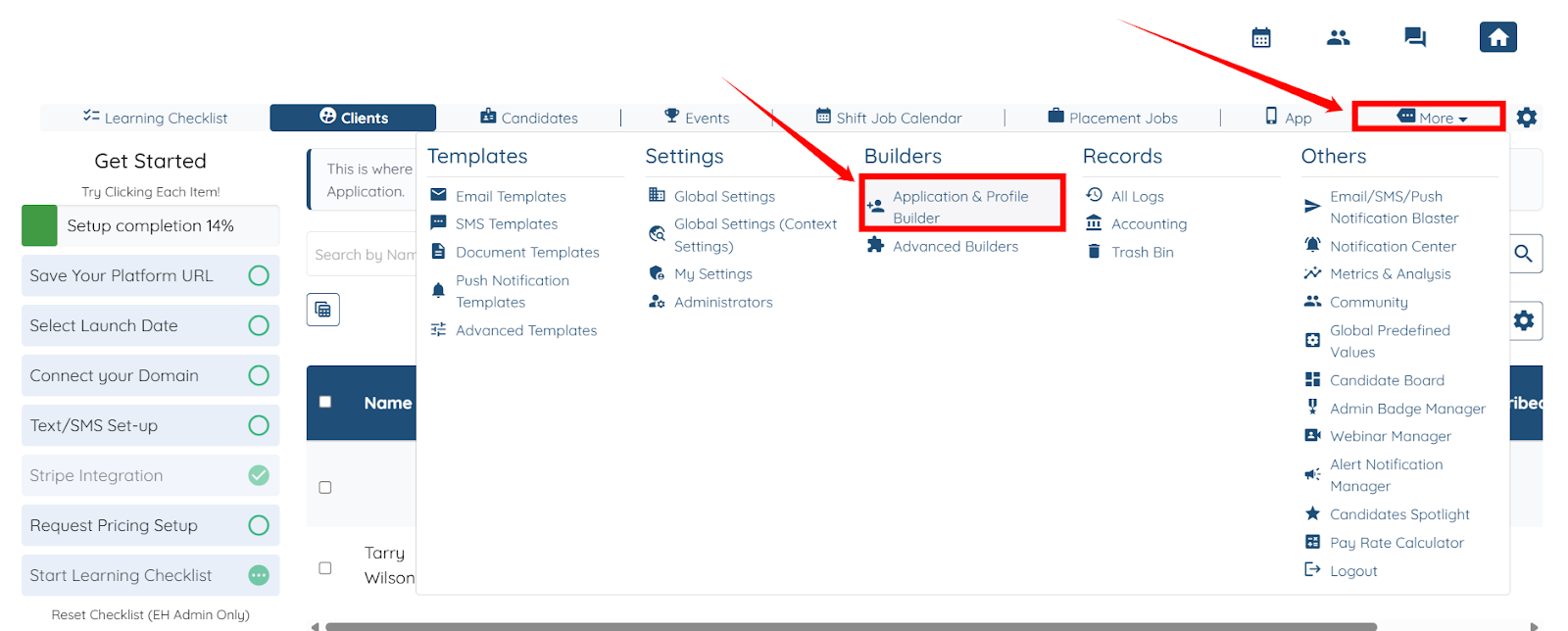
Step 1: Log in to your agent dashboard and click More > Application & Profile Builder, as shown in the screenshot below.
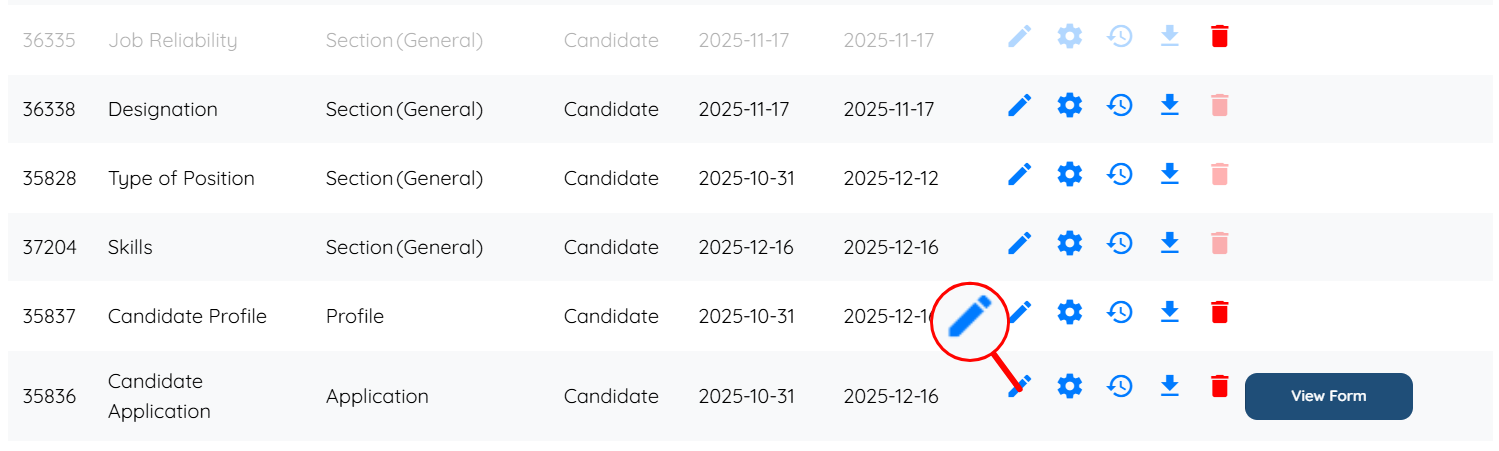
Step 2: Locate the Candidate Application form and click the pencil icon to begin adding the evaluation form.
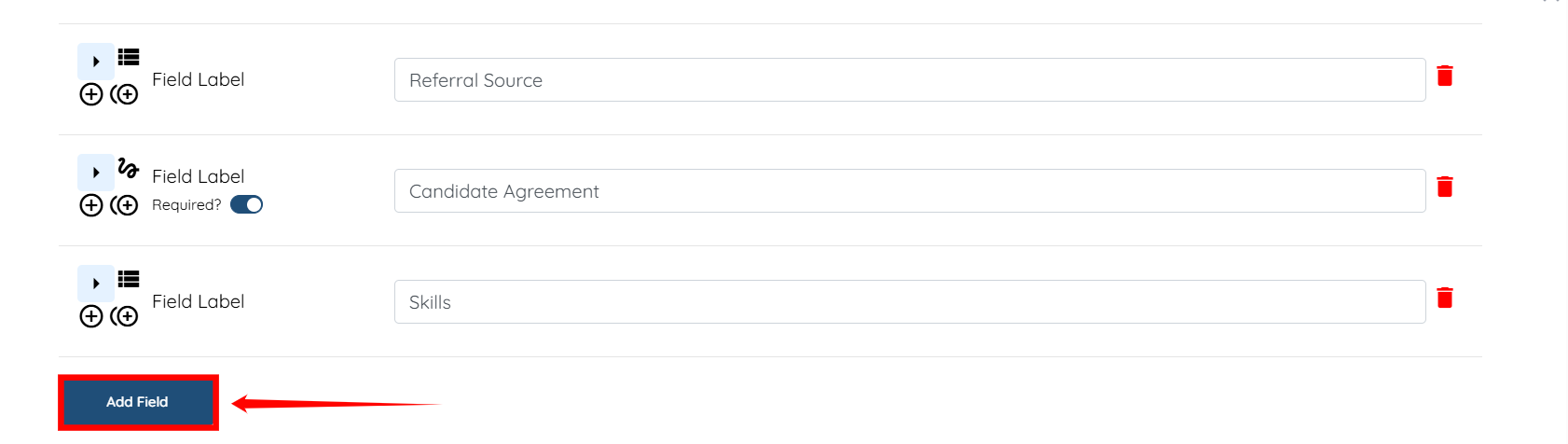
Step 3: Click the Add Field button.
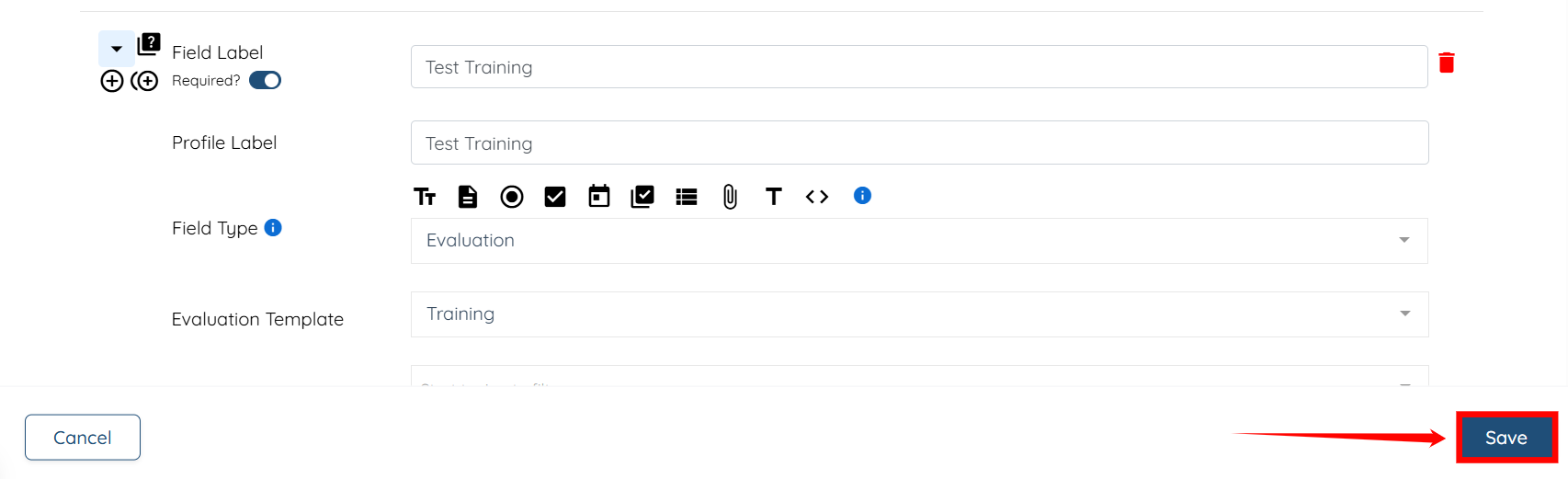
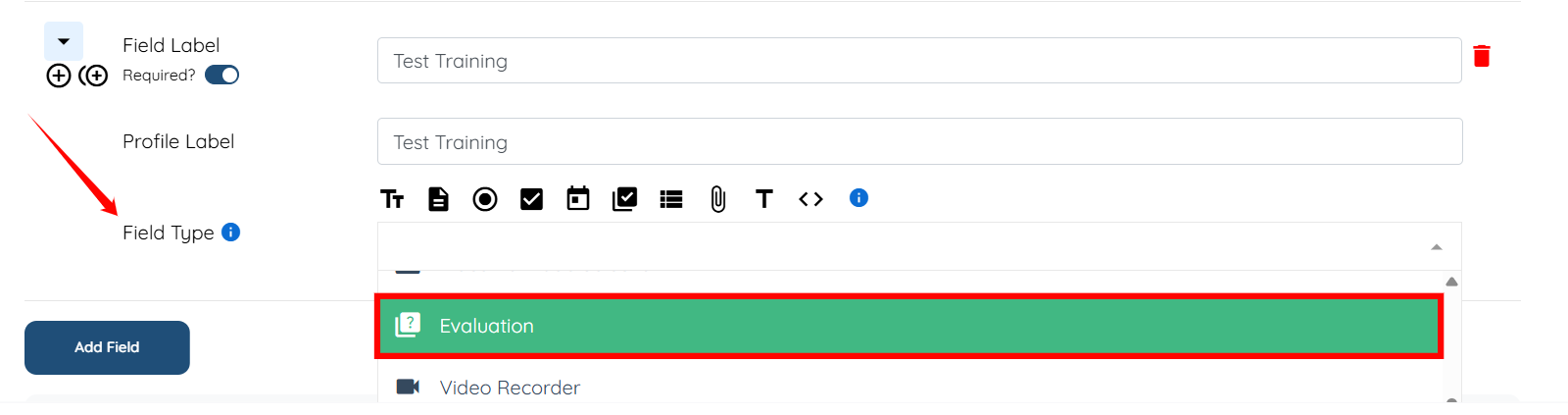
Step 4: Enter the Field Label and Profile Label.

Step 5: Select Evaluation as the Field Type from the dropdown list.
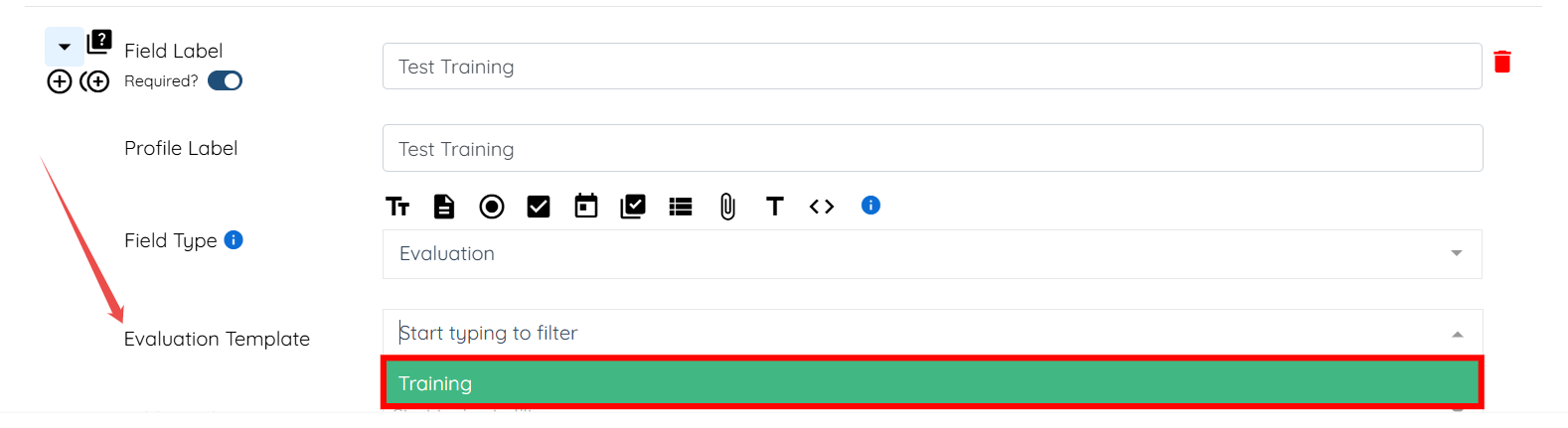
Step 6: Select the Evaluation Template you want to add to the application form from the dropdown. In our case, it is Training.
Step 7: Click the Save button to proceed.