![enginehire logo thin dark 1.0.png]](https://learn.enginehire.io/hs-fs/hubfs/enginehire%20logo%20thin%20dark%201.0.png?height=40&name=enginehire%20logo%20thin%20dark%201.0.png)
Let’s get started 🚀
Step 1: Log in to your agent dashboard and click More > Application & Profile Builder as shown in the screenshot below.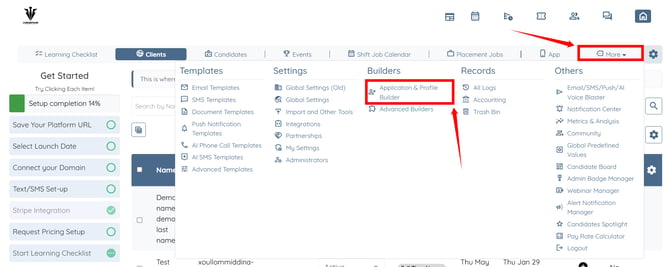
Step 2: Open the booking section where you want to add the donation field. 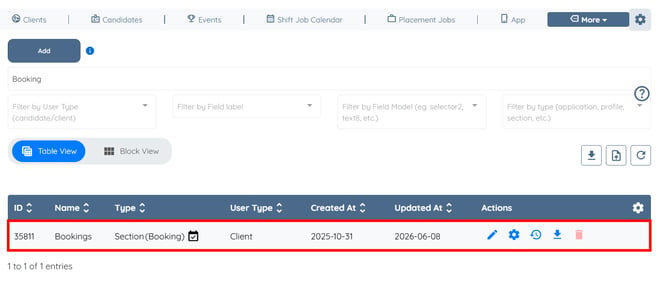
Step 3: Scroll down and click the Add Field button.
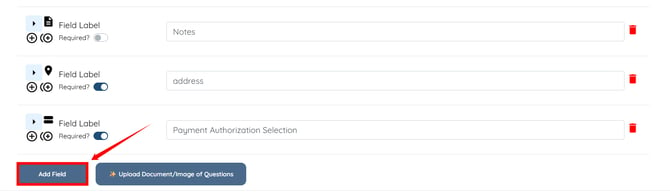
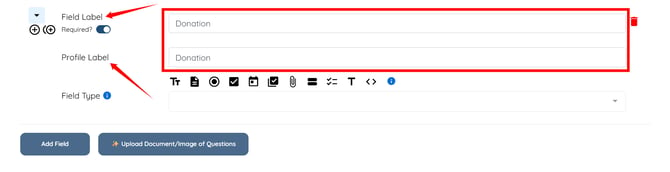
Step 4: Enter the Field Label and Profile Label as required.
Step 5: Select Radio from the dropdown list as the Field Type.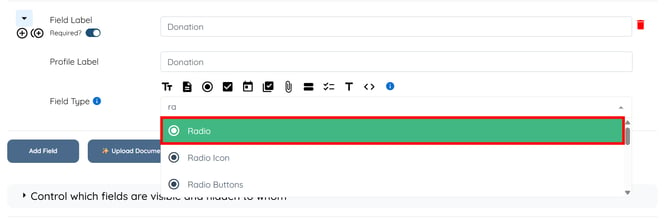
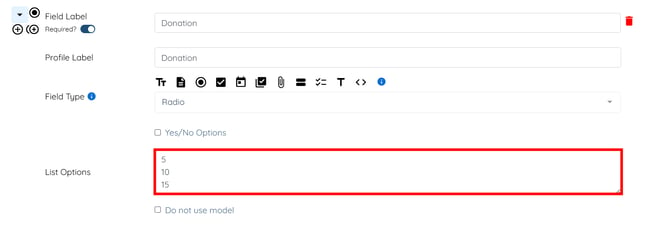
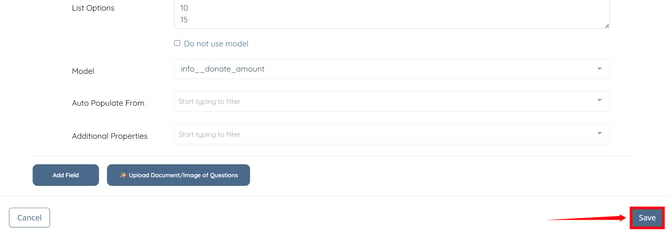
Step 6: Enter the donation amount options that you want to display in the booking form.
Step 7: In the Model field, select info__donate_amount from the dropdown list. 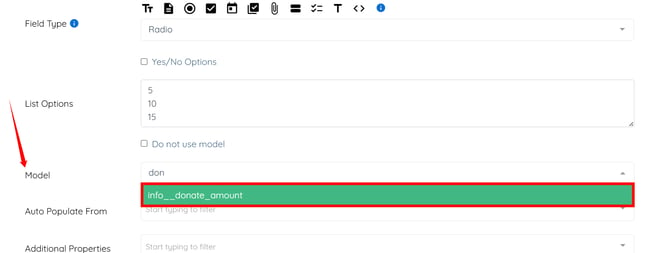
Step 8: Click the Save button to apply the changes.
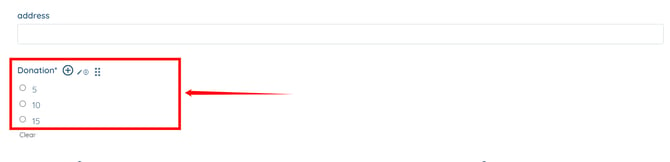
The donation field will be added successfully and will appear in the booking form.